Changed behaviour in New-UDTab between 5.6.9 and 5.6.10

Product: PowerShell Universal
Version: 5.6.10 ->
Recently updated from 5.6.8 to 5.6.13, and had to revert due to a change in behaviour. Backtracked it and found it changed between 5.6.9 and 5.6.10, and this behaviour is the same in later releases as well.
We have a folder structure that we use to “build” tabs in an app. The app code itself is as follows:
New-UDApp -Content {
    New-UDTabs -Tabs {
        Get-ChildItem ".\dashboards\<folder>" -Filter *.ps1 -File | ForEach-Object {
            $fullName = $_.FullName
            $baseName = $_.BaseName
            $tabName = $_.BaseName.Replace('_',' ') -replace '^[0-9.]*',''
            Show-UDToast -Message "fullName: '$fullName' ----" -Duration 10000000
            New-UDTab -Text "$tabName" -Id "$baseName" -Content {. "$fullName"}
        }
    }
}
It traverses a folder, reads the files and contents, and creates a tab per file. Show-UDToast added just to verify the contents of the variable.
In and up to 5.6.9 this rendered as follows (contents changed, if that’s not obvious)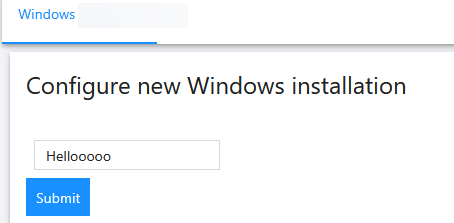
After upgrade to 5.6.10 onwards it instead results in an “error”
The tab still renders, but there is no content.
The output in Show-UDToastpoints to the correct path, and if I replace the variable to the actual path it renders ok even in 5.6.10 onwards.
New-UDTab -Text "$tabName" -Id "$baseName" -Content {. "C:\ProgramData\UniversalAutomation\Repository\dashboards\<folder>\1.<filename>.ps1"}
This feels like a bug as it changes behaviour.. But can I get it confirmed?
dd3cdc26851c85150ef634037b1af87117c59875.png
62fbee042edfbf0405defff15124ed3fdb21f3d0.png
Recommended Answer
I cant speak to the change in behaviour, but this looks to be a scoping issue.
Your show UDToast is not an accurate representation of $fullname in the udtab because it’s in a different scope being outside the scriptblock of -content.
And content is obviously not currently inheriting from the parent scope.
You can possibly workaround this by doing the following (if $using:fullname doesnt work):
New-UDApp -Content {
    New-UDTabs -Tabs {
        Get-ChildItem ".\dashboards\<folder>" -Filter *.ps1 -File | ForEach-Object {
            $fullName = $_.FullName
            $baseName = $_.BaseName
            $tabName = $_.BaseName.Replace('_',' ') -replace '^[0-9.]*',''
            Show-UDToast -Message "fullName: '$fullName' ----" -Duration 10000000
            $ScriptBlock = [ScriptBlock]::Create(". '$FullName'")
            New-UDTab -Text "$tabName" -Id "$baseName" -Content $ScriptBlock
        }
    }
}
Havent tested, but give it a go, let me know if that works for you!
All Comments (4)
I cant speak to the change in behaviour, but this looks to be a scoping issue.
Your show UDToast is not an accurate representation of $fullname in the udtab because it’s in a different scope being outside the scriptblock of -content.
And content is obviously not currently inheriting from the parent scope.
You can possibly workaround this by doing the following (if $using:fullname doesnt work):
New-UDApp -Content {
    New-UDTabs -Tabs {
        Get-ChildItem ".\dashboards\<folder>" -Filter *.ps1 -File | ForEach-Object {
            $fullName = $_.FullName
            $baseName = $_.BaseName
            $tabName = $_.BaseName.Replace('_',' ') -replace '^[0-9.]*',''
            Show-UDToast -Message "fullName: '$fullName' ----" -Duration 10000000
            $ScriptBlock = [ScriptBlock]::Create(". '$FullName'")
            New-UDTab -Text "$tabName" -Id "$baseName" -Content $ScriptBlock
        }
    }
}
Havent tested, but give it a go, let me know if that works for you!
Thank you! Manually casting as a scriptblock and using that one seems to work.
It most definitely is a scoping issue. I dug some more and behind the scenes how scriptblocks are created seems to have changed between 5.6.9 and 5.6.10. In 5.6.9 the pipeline variable _ is included in the scriptblock which is what made the ForEach-Object work, but in 5.6.10 the _ is missing.
I can’t find any obvious reason why this changed in the 5.6.10 changelog - But I am curious to know what and why if possible?
We are tracking this here: Strange issue passing variable to New-UDTab · Issue #5430 · ironmansoftware/powershell-universal
Adam Driscoll
PowerShell Expert and Developer at Devolutions
Thank you, Adam! I did search the GitHub bugs, but apparently my GitHub-Search-Fu failed me