No output in portal as the script is running?

When I run the script from the scripts section i can see the live output. But not when run from the portal? How can I do this?
In portal I just get the spinner as it executes then displays the output after it’s done.
All Comments (3)
Hi,
we have something similar in use.
You have to get the script, then its job and then its joboutput.
Place this inside a New-UDCodeEdito inside a New-UDDynamic and let it autorefresh.
something like this for example:
$Script = Get-PSUScript -Name "<Put Script name here>" -TrustCertificate
New-UDDynamic -Content {
    $Job = Get-PSUJob -Script $Script -TrustCertificate | Select-Object -First 1
    $JobOutput = Get-PSUJobOutput -JobId $Job.ID -TrustCertificate
    $JobInformation = $JobOutput | ConvertTo-Json | ForEach-Object { [System.Text.RegularExpressions.Regex]::Unescape($_) }
    New-UDCodeEditor -Code $JobInformation -Language "json" -ReadOnly
} -AutoRefresh -AutoRefreshInterval 5Thanks for the reply. I’m not sure this would work, in my case I have a form that the user will fill out then submits.
Here’s my test script: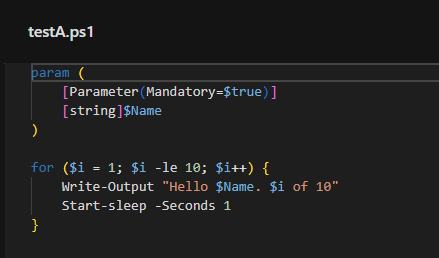
Here’s the portaltest script that is available on the default portal: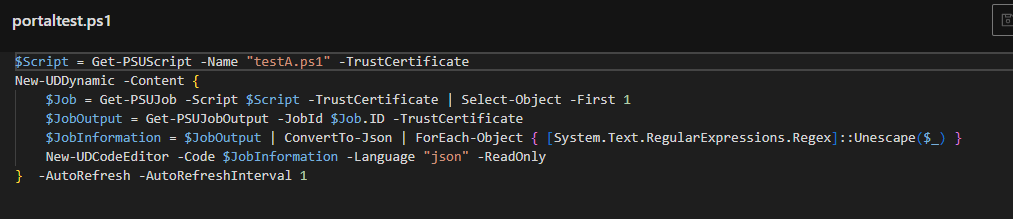
When i run form the portal i just get this (it also doesnt ask for input):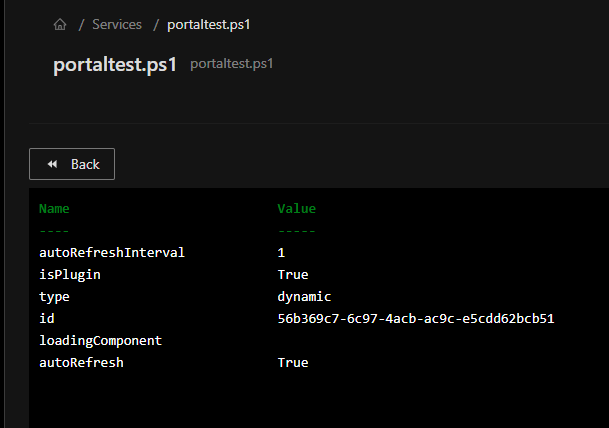
a6f30d8aa6767f7e3aa789431de812bb9af3e3cc.png
cecd6f8843e6a92264d023d9c6b08829eaf05825.png
debc91ba51765f1c48890c7f8d46ae1fb5af4823.png
Hi,
I’ve made a test with your script and with the following dashboard and this works pretty fine:
$Page:ShowResult = $false
New-UDForm -Content {
    New-UDTextbox -Id "textbox_myName" -Label "Enter your name"
} -OnSubmit {
    $myName = $EventData.textbox_myName
    $myScript = Get-PSUScript -Name "<SCRIPTNAME>" -TrustCertificate
    Invoke-PSUScript -Script $myScript -TrustCertificate -Name $myName
    $Page:ShowResult = $true
}

$Script = Get-PSUScript -Name "<SCRIPTNAME>" -TrustCertificate
New-UDDynamic -Content {
    if($Page:ShowResult) {
        if($Job = Get-PSUJob -Script $Script -TrustCertificate | Select-Object -First 1) {
            $JobOutput = Get-PSUJobOutput -JobId $Job.ID -TrustCertificate
            $JobInformation = $JobOutput | ConvertTo-Json | ForEach-Object { [System.Text.RegularExpressions.Regex]::Unescape($_) }
            New-UDCodeEditor -Code $JobInformation -Language "json" -ReadOnly
        }
    }
}  -AutoRefresh -AutoRefreshInterval 5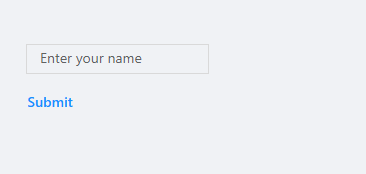
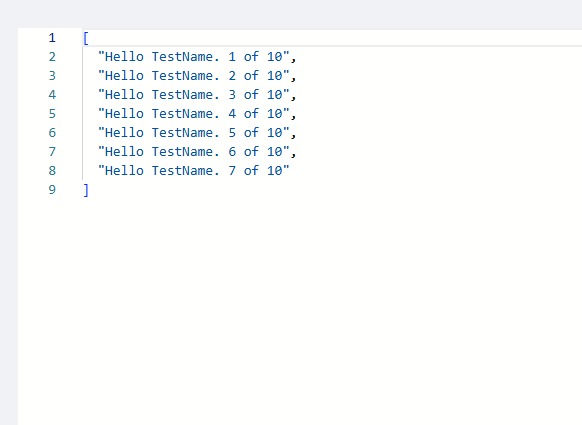
32afa838b329806c677e7cc5cac57b94e778e4a8.png
782807c08704a0b238b928a3b9c6c7b7782dd56f.png