How can I remove the horizontal scroll bar at the bottom of a Show-UDModal?
How can I remove the horizontal scroll bar at the bottom of a Show-UDModal?

Product: PowerShell Universal
Version: 5.6.4
Hey guys
I want to display a table with data centered within a Show-UDModal as soon as a user clicks on a specific button (here: Test). Unfortunately, I can’t get the table to display centered in the Show-UDModal without the horizontal scroll bar at the bottom of the Show-UDModal. I’ve already tried a lot with New-UDStyle and -ContentStyle @{}, but I just can’t get the table to display centered in the Show-UDModal without the horizontal scroll bar at the bottom.
Here is a picture of how it currently looks: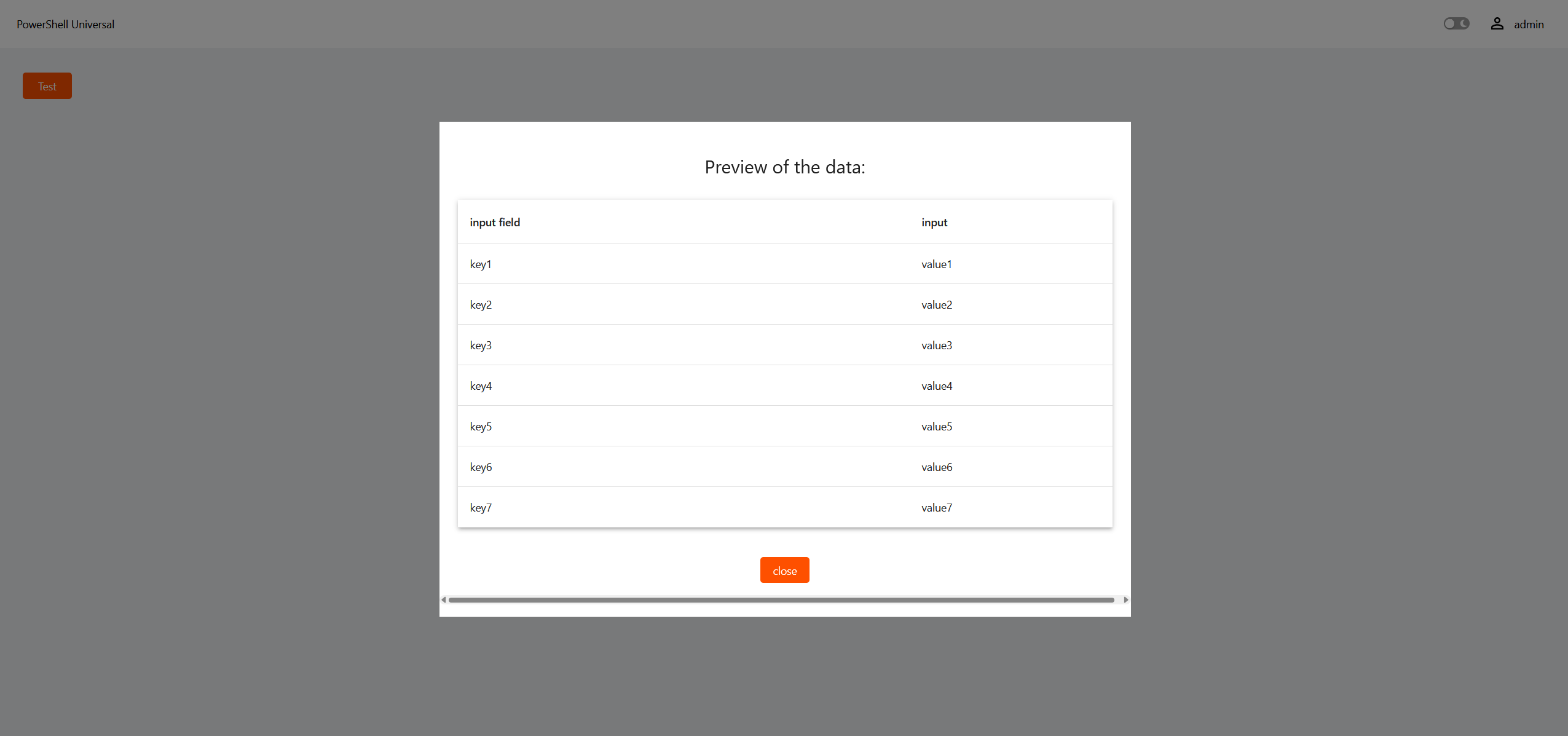
And here is the current code I am using:
New-UDApp -Content {

    New-UDGrid -Item -ExtraSmallSize 3 -Content {

        New-UDButton -Id 'button1' -Text 'Test' -Style @{

            float           = 'center'

            backgroundColor = '#FE5000'

            color           = 'white'

            borderRadius    = "4px"

        } -OnClick {

            Show-UDModal -FullWidth -MaxWidth 'md' -Content {

                New-UDTypography -Text "Preview of the data:" -Variant "h5" -GutterBottom -Style @{ marginTop = "10px"; textAlign = "center"; marginBottom = "20px" }


                $Data = @(

                    @{Eingabefeld = 'key1'; Input = 'value1' }


                    @{Eingabefeld = 'key2'; Input = 'value2' }


                    @{Eingabefeld = 'key3'; Input = 'value3' }


                    @{Eingabefeld = 'key4'; Input = 'value4' }


                    @{Eingabefeld = 'key5'; Input = 'value5' }


                    @{Eingabefeld = 'key6'; Input = 'value6' }


                    @{Eingabefeld = 'key7'; Input = 'value7' }

                )


                $Columns = @(

                    New-UDTableColumn -Property Eingabefeld -Title "input field"


                    New-UDTableColumn -Property Input -Title "input"

                )


                New-UDTable -Data $Data -Columns $Columns -Id 'table2'


                New-UDStyle -Style '

                                            .MuiButton-colorPrimary{

                                                background-color: #FE5000;

                                                color: white;

                                                border-radius: 4px;

                                            }

                                            .css-1i46uut{

                                                display: flex;

                                                justify-content: center;

                                                align-items: center;

                                                margin-top: 20px;

                                            }

                                            ' -Content {

                    New-UDElement -Tag 'div' -Attributes @{ className = 'css-1i46uut' } -Content {

                        New-UDButton -Id 'close-button' -Text "close" -OnClick { Hide-UDModal } -Style @{ marginTop = "10px"; textAlign = "center" }

                    }

                }

            } -ContentStyle @{

                display       = 'flex'

                flexDirection = 'column'

                alignItems    = 'center'

            }

        }

    }

}
I would be grateful for any tips or advice on how to solve this problem.
Best regards
7fb344002217ad5684bf205334d718dd3e0bb4a6.png
All Comments (3)
I am using 5.6.8.
Just copied your code and get this on in chrome browser.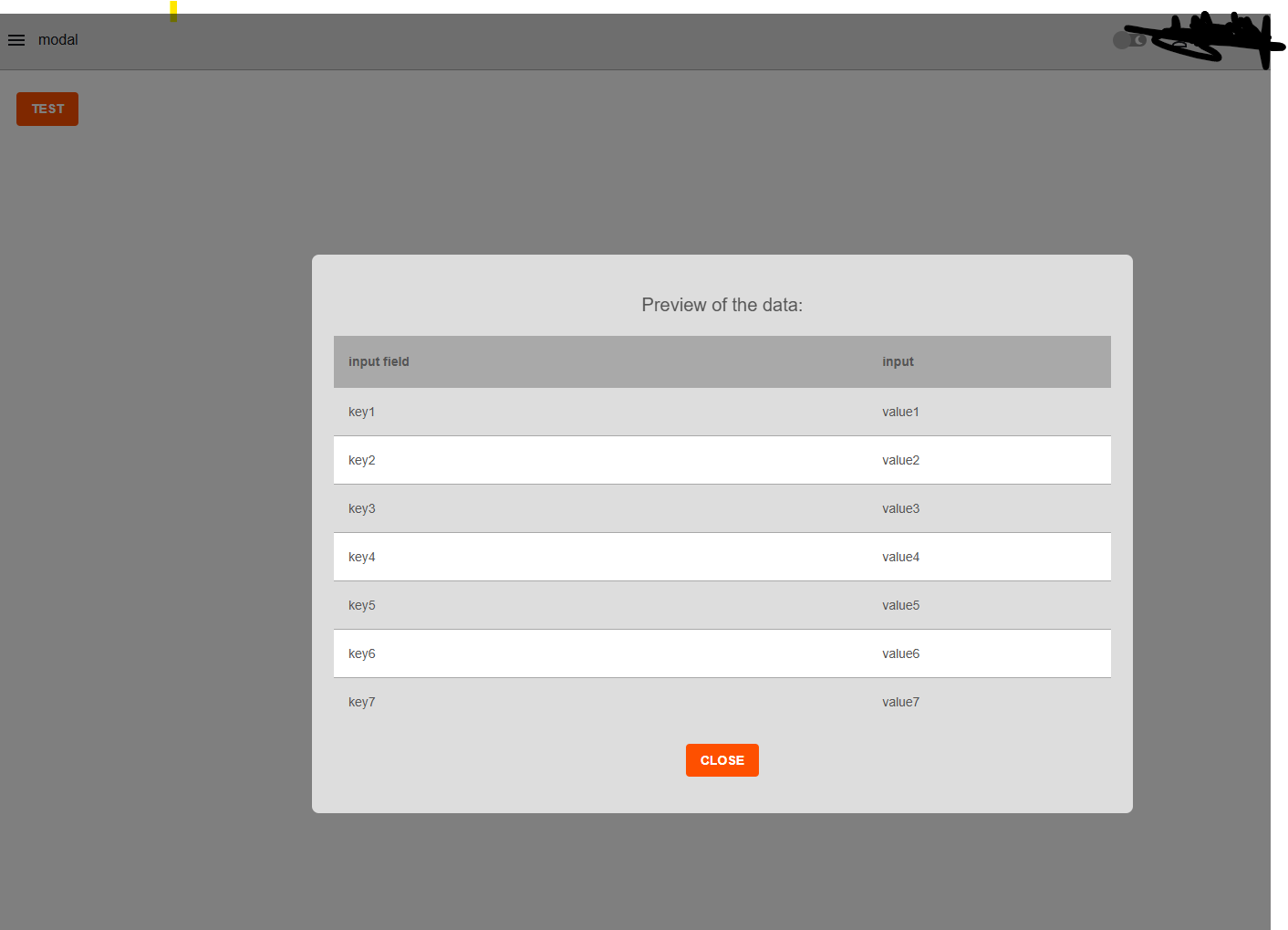
Did you try in a private tab, making sure there are no cached JS remnants?
Also did you try to put another
New-UDGrid -Item -ExtraSmallSize 10 -ColumnSpacing 2 -Content {
…
}
inside the Modal, around you table code?
P.S:
for testing I removed all your style code as well and it does not show a scroll bar for me.
c77064472131b4a79259ccf190ea0ec31e75ae77.png
you can tweak it with css code but the simplest solution is wrap it in the non shadow udpaper
Alternatively a New-UDElement -tag div also works I’ve found