New-UDUpload not working in Pages

Product: PowerShell Universal
Version: 5.6.6
New-UDUpload control not working if I put it in one of the pages in an App.
but it works if the control is in the App
e7768538572a8474d497255573b92b4f02787cec.png
All Comments (12)
am on 5.6.1 and maybe that is a difference, but in my apps (on pages) UDUpload is working fine (more or less)
maybe provide your code…
New-UDUpload -Text "Upload" -OnUpload {
     Show-UDToast $Body
 } -Id 'upload1'
took the example from PU docs

523a889cc4e9dcffa93962aa83f0cd6188ccb10c.png
Show-UDToast $BodyShow-UDToast "$Body"
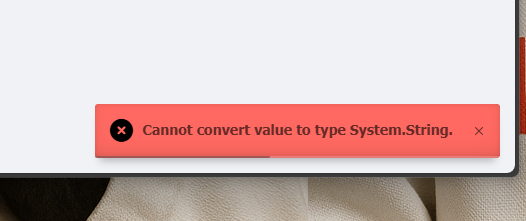
if I use “$Body”
68ac76fc4f3c1647183f04a151d33615d5d22482.png
New-UDUpload -Text "Upload" -OnUpload {
     Show-UDToast $Body
 } -Id 'upload1'
yup, something must be broken.
on 5.6.1 it works even without double quotes
I agree, I also managed to convert $Body to json and the output is not promising … 
Since I am middle in a huge project, I don’t want to upgrade to 5.6.7 if the problem is still there.
54e0f142987ce157cda5cdce1c44767cb7585679.png
I am having troubles too.
When using this code
New-UDUpload -Id “csvUpload” -Text ‘Upload Csv’ -Accept “.csv” -OnUpload {
$Data = $Body | ConvertFrom-Json
$bytes = [System.Convert]::FromBase64String($Data.Data)
[System.IO.File]::WriteAllBytes(“$env:temp$($Data.Name)”, $bytes)
$Page:Filepath = “$env:temp$($Data.Name)”
Sync-UDElement -Id “UploadComplete”
}
I am getting
I tried the basic
New-UDUpload -OnUpload {

    Show-UDToast $Body.Data

}
Getting an error too,
37111c4afbc7db2971184e49136a95b561992208.png
8a0a99a541cbeb62d9f95f40567854c3c0368b3f.png
Issue remains in 5.6.8
I am on 5.6.8 as well.
It seems your issue is the show-udtoast.
Try the following:
New-UDPage -Url "/upload" -Name "upload" -Content {
    New-UDUpload -OnUpload {
        Show-UDToast $($Body | convertto-json) -duration 10000 -BackgroundColor gold
    }
}
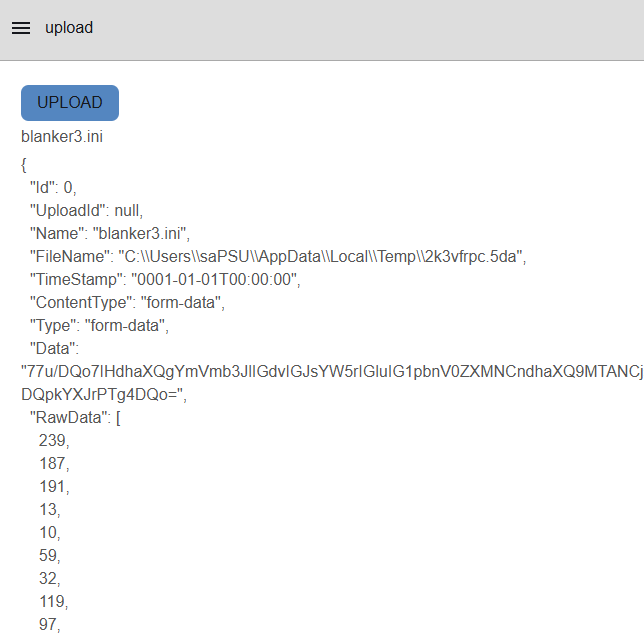
Yow will notice that there is much more in $Body but just the name or the data.
JSON helps you to understand the structure.
You can then use each value as needed.
Even better is using a textbox to display the contents.
New-UDPage -Url "/upload" -Name "upload" -Content {
    New-UDUpload -OnUpload {
        Show-UDToast $($Body | convertto-json) -duration 10000 -CloseOnClick -BackgroundColor gold

        Set-UDElement -Id "debug" -Properties @{value=$($body|convertto-json)}
    }
    New-UDTextbox -Disabled -Multiline -Id "debug" -FullWidth
}
a32861a3850ca99b0bb94aeb6b8e588d49627eb9.png
-duration 10000thanks, I tested again and it seems working without -duration as well.
thanks!
Hi, thanks.
Eventually it was related to permissions, our svc account used to run PSU didn’t have permissions to write on that temp folder, hence JSON file showing an empty object.