Authentication - different Error Messages possible?

Hi guys,
i am playing with the authentication.ps1
I first want to check whether the user is a member of a group. If not, an error message should appear, such as “Access Denied, Not authorized.”
Login should only be possible for members of this group.
But the only error message I see is if I enter incorrect login credentials. Then I get “Bad Username or Password.”
If I enter valid login credentials for a user who is also a member of the group, no message appears at all, and the user isn’t logged in (which is correct).
So is it possible to show different (Error)Messages at login? If yes, what i have to do?
Product: PowerShell Universal
Version: 5.5.4
Set-PSUAuthenticationMethod -Type "Form" -ScriptBlock {

    param(
        [PSCredential]$Credential
    )

    $requiredGroup = "PSU_Users"

    if ($Credential.UserName -eq 'PSUAdmin')
    {
        New-PSUAuthenticationResult -UserName 'PSUAdmin' -Success
    }
    else
    {
        try {
            $members = Get-ADGroupMember -Identity $requiredGroup -Recursive | Where-Object { $_.objectClass -eq 'user' }
            $isMember = $members | Where-Object { $_.SamAccountName -eq $Credential.UserName }

            if (-not $isMember) {
                New-PSUAuthenticationResult -UserName $Credential.UserName -ErrorMessage "Access Denied, Not authorized."
				#return
            }

            $domain = "LDAP://DC=dom,DC=local"
            $domainEntry = New-Object System.DirectoryServices.DirectoryEntry($domain, $Credential.UserName, $Credential.GetNetworkCredential().Password)
            $null = $domainEntry.NativeObject
            New-PSUAuthenticationResult -UserName $Credential.UserName -Success
        }
        catch {
            New-PSUAuthenticationResult -UserName $Credential.UserName -ErrorMessage "Access Denied."
        }
    }
} -Native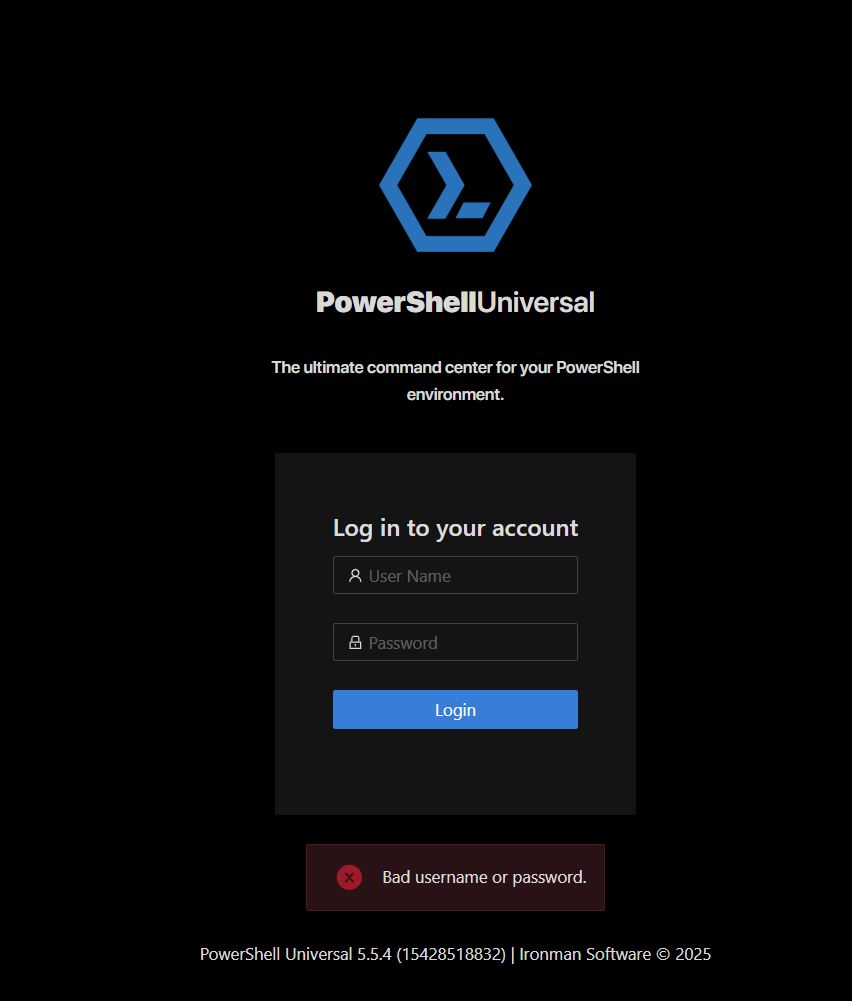
711c28b529d3798948a1c1536e33b756ed60a019.jpeg
All Comments (2)
Hi mreiter,
Did you manage to solve this problem. If yes, can you please share how?
Cause I am also facing same issue.
Hey Rajan52,
Sorry, not yet. I was still busy writing and implementing small scripts. So, I hadn’t bothered with it any further for the time being and was hoping to get some help here.