Powershell Universal Configure Proxy Server

Hello everyone,
I’m new to PSU and have installed PSU 5.5.4 (licensed) on a Windows Server 2025. We use a proxy server with authentication in our company network.
How can I configure PSU to use the proxy server for web requests or installing modules from the PSGallery?
I tried configuring the proxy server under “Settings → General → Platform.”
In the “Proxy URL” field, I entered the proxy URL and port.
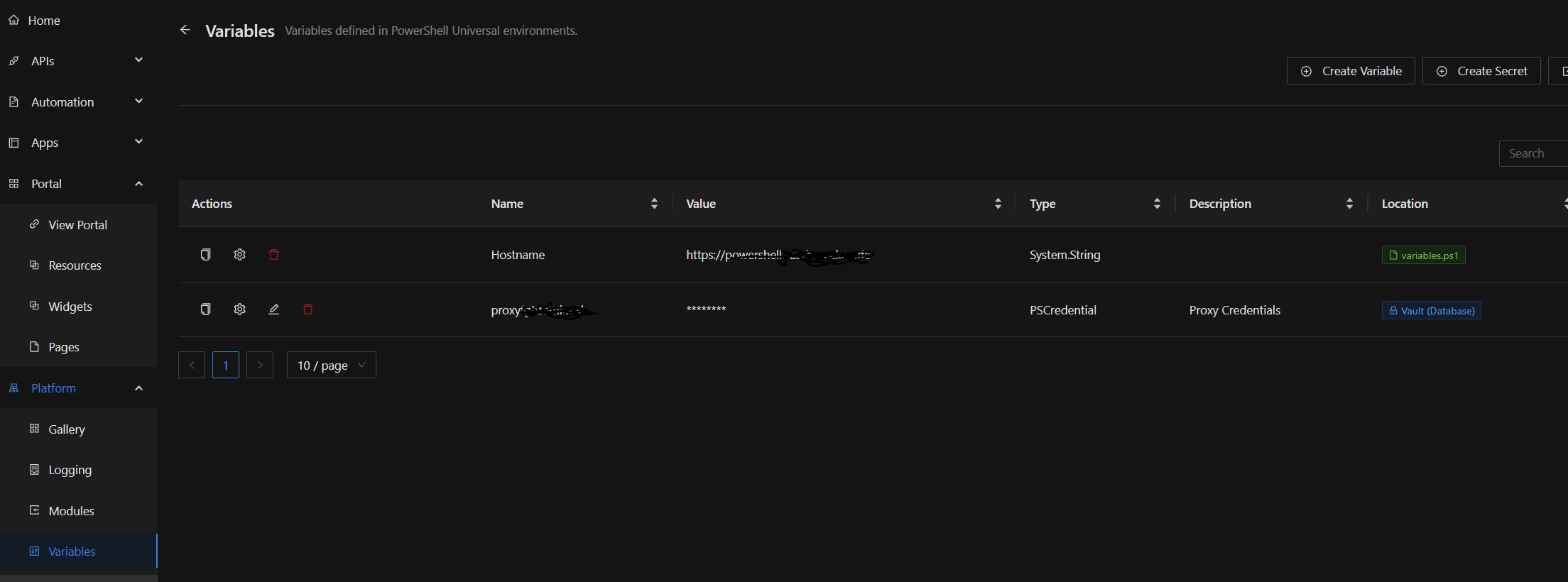
In the “Proxy Credentials” field, I selected a secret that I previously configured under “Platform → Variables.”
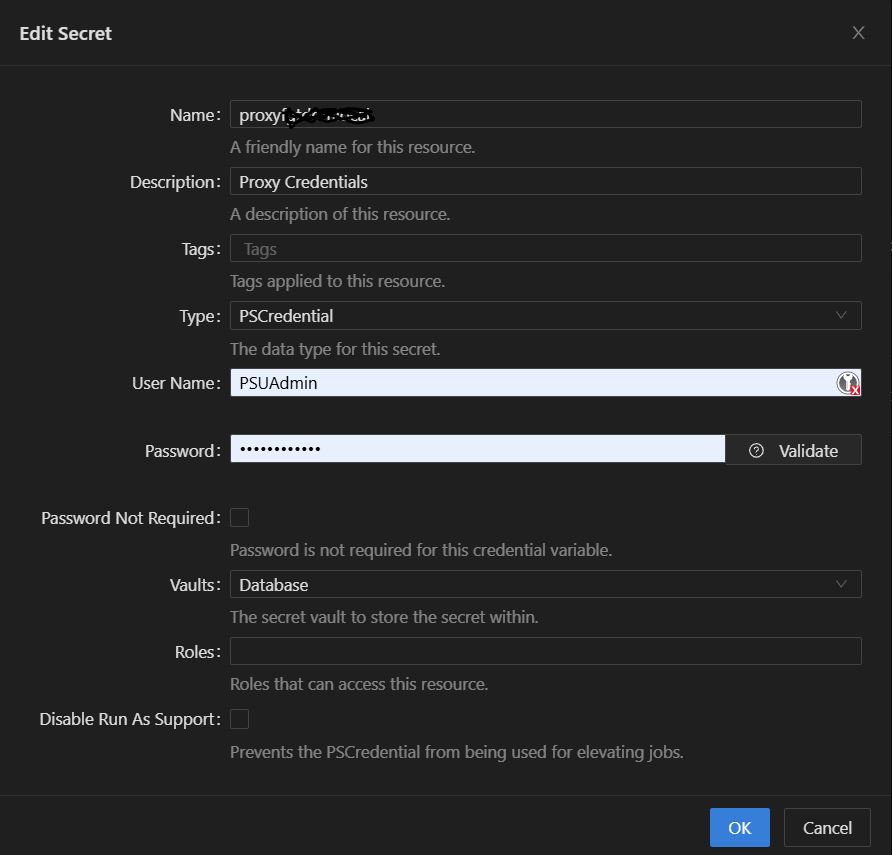
But I’m not sure if I configured the secret correctly! Under Username and Password, I entered the details of a domain account with permission to connect to the proxy/internet. However, when I open the secret again, my local PSU administrator account is displayed as the username?!
When I click “Validate,” the validation always fails (with PSUAdmin and with the service account for accessing the internet). What is it being validated against?
Also, no PSGallery modules are displayed.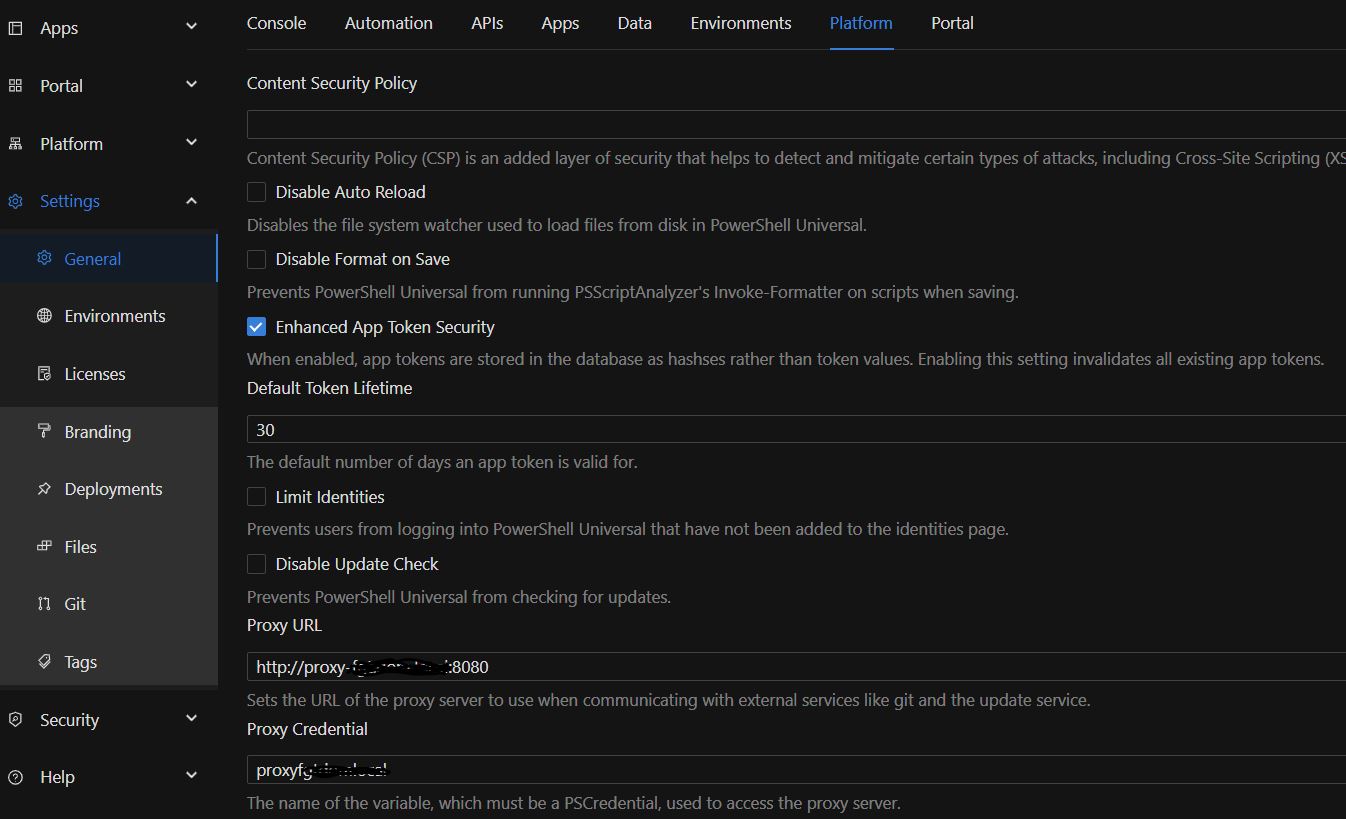
3003f6d3317f48a20bb431e67da525ccf4e7e7a9.jpeg
d2addc31f377925e338daed1d84e4d800786fb02.jpeg
f049e553d4b276e6f13755100c46a120cca306f2.jpeg
All Comments (1)
Havent used the PSU proxy settings so much, but you can set them in the system by using environment variables (case sensitive):
http_proxy = “http://proxy:port”
https_proxy = “http://proxy:port”
no_proxy = “127.0.0.1,localhost”
(Though ours doesnt require auth)