Menu / Navigation Bar

Hey guys,
I’m new to PowerShell Universal.
I was thinking about creating a “startpage.” I’d like to have a navigation bar on the left side where I’d link all my apps. When I click on the link in the menu, the respective app would open.
However, I want this navigation bar to always be visible, in every app. So far, I haven’t been able to do this. Can anyone help me?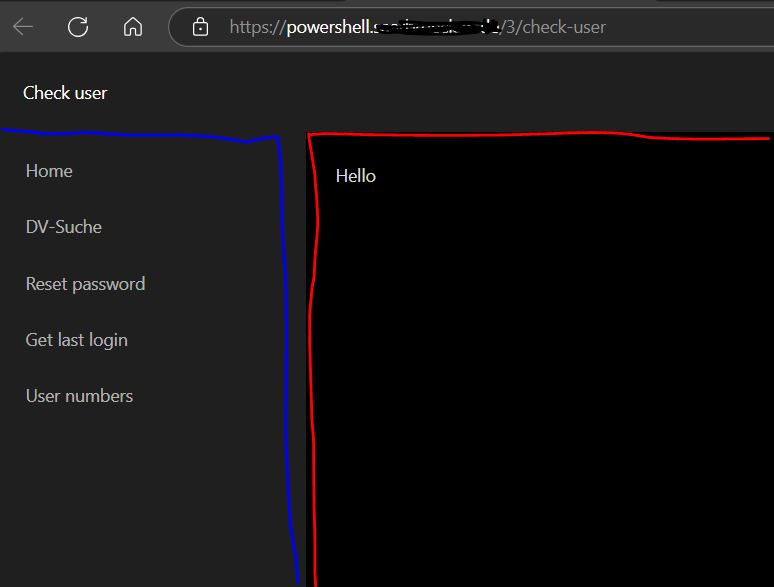
Product: PowerShell Universal
Version: 5.5.3
fde03868d6b538809662b089a93273848ff03b92.jpeg
Recommended Answer
As promised,
I have the below code as an endpoint /Get-PSUNavigation
# Define a script block
$ScriptBlock = {

    # Create a new list with the ID "DashboardsList"
    New-UDList -Id "DashboardsList" -Content {

        # Add an empty list item
        New-UDListItem -Label " "

        # Add a "Home" list item with a redirect action and an icon
        New-UDListItem -Label "Home" -OnClick { Invoke-UDRedirect "$Hostname/" } -Icon (New-UDIcon -Icon 'Home')

        # Retrieve applications from the specified hostname that are active and within the user's roles
        $Apps = Get-PSUApp -ComputerName $Hostname -Integrated | Where { $_.Roles -and $_.Status -eq 1 -and  ( Compare-Object -ReferenceObject $Roles -DifferenceObject $_.Roles -ExcludeDifferent ) } | Sort Name

        # Check if the number of applications is greater than or equal to 10
        # If it is we're going to split the apps into sub-categories
        if ( $Apps.Count -ge 10 ) {

            # Loop through each unique category tag in the applications
            Foreach ($Category in ($Apps.Tag | Sort | Select -Unique) ) {

                # Determine if the category matches the current dashboard name's tag
                if ($Category -eq ($Apps | Where {$_.Name -eq $DashboardName}).Tag ) {
                    $Open = $True
                    $ParentIcon = 'AngleDoubleRight'
                } else {
                    $Open = $False
                    $ParentIcon = 'AngleRight'
                }

                # Initialize list parameters
                $ListParameters = @{}

                # Set list parameters for the category
                $ListParameters = @{
                    Label = $Category
                    Icon = (New-UDIcon -Icon $ParentIcon)
                    Open = $Open
                    Children = {

                        # Loop through each application and return other apps in the same category
                        $Apps | Where {$_.Tag -eq $Category} | Foreach {

                            # Set the default icon
                            $ChildIcon = 'AngleRight'
                            $BaseURL = $_.BaseURL

                            # Determine if the application name matches the current dashboard name
                            # If it does, apply a different icon
                            if ($_.Name -eq $DashboardName) {
                                $ChildIcon = 'AngleDoubleRight'
                            }

                            # Add a nested list item for the application with a redirect action and an icon
                            New-UDListItem -Label $_.Name -OnClick { Invoke-UDRedirect "$Hostname$BaseURL" } -Icon (New-UDIcon -Icon $ChildIcon) -Nested
                        }
                    }
                }

                # Add the category list item with the specified parameters
                New-UDListItem @ListParameters
            }
        } else {

            # Loop through each application if the number of applications is less than 10
            Foreach ($App in $Apps) {
                if ($App.Name -eq $DashboardName) {
                    $Icon = 'AngleDoubleRight'
                } else {
                    $Icon = 'AngleRight'
                }

                $BaseURL = $App.BaseURL

                # Add a list item for the application with a redirect action and an icon
                New-UDListItem -Label $App.Name -OnClick { Invoke-UDRedirect "$Hostname$BaseURL" } -Icon (New-UDIcon -Icon $Icon)
            }
        }
    }
}

# Convert the script block to a string
$ScriptBlock.ToString()
Then I call it in the -LoadNavigation parameter of each App.
# Set the hostname
$Hostname = 'https://powershell-universal-url.com

# Load the app theme
$Theme = Get-UDTheme -Name 'AntDesign'

# Create the App
New-UDApp -Theme $Theme -Content {

    # App Content Here

} -LoadNavigation (Invoke-RestMethod -Uri $Hostname/Get-PSUNavigation -Method GET)
If all goes well, you’ll end up with something like this;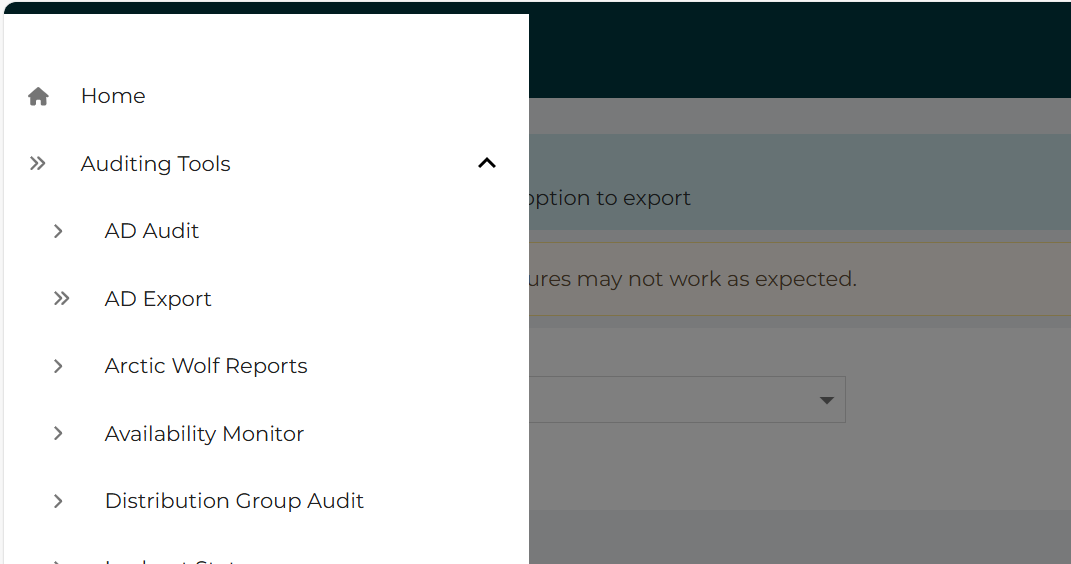
ac363b40c64bc094ddddb06b3fe9cd7b7ce2d522.png
All Comments (6)
I’ve got code to do this, but don’t have access to it right now.
The code I made uses tags to group apps and only displays apps that the logged in user has access to, so it may be overkill for your requirements.
I store the code as an endpoint and call that from the loadnavigation parameter of new-psuapp.
I’ll post it later.
In the meantime, something basic like the below might get you on your way. I’m doing this from memory and typing on a phone, so apologies if the parameters/properties aren’t quite right.New-PSUApp -LoadNavigation { Get-PSUApp -Integrated | Foreach { New-UDListItem -Text $_.Name -onClick { New-UDRedirect -url $_.url } }
As promised,
I have the below code as an endpoint /Get-PSUNavigation
# Define a script block
$ScriptBlock = {

    # Create a new list with the ID "DashboardsList"
    New-UDList -Id "DashboardsList" -Content {

        # Add an empty list item
        New-UDListItem -Label " "

        # Add a "Home" list item with a redirect action and an icon
        New-UDListItem -Label "Home" -OnClick { Invoke-UDRedirect "$Hostname/" } -Icon (New-UDIcon -Icon 'Home')

        # Retrieve applications from the specified hostname that are active and within the user's roles
        $Apps = Get-PSUApp -ComputerName $Hostname -Integrated | Where { $_.Roles -and $_.Status -eq 1 -and  ( Compare-Object -ReferenceObject $Roles -DifferenceObject $_.Roles -ExcludeDifferent ) } | Sort Name

        # Check if the number of applications is greater than or equal to 10
        # If it is we're going to split the apps into sub-categories
        if ( $Apps.Count -ge 10 ) {

            # Loop through each unique category tag in the applications
            Foreach ($Category in ($Apps.Tag | Sort | Select -Unique) ) {

                # Determine if the category matches the current dashboard name's tag
                if ($Category -eq ($Apps | Where {$_.Name -eq $DashboardName}).Tag ) {
                    $Open = $True
                    $ParentIcon = 'AngleDoubleRight'
                } else {
                    $Open = $False
                    $ParentIcon = 'AngleRight'
                }

                # Initialize list parameters
                $ListParameters = @{}

                # Set list parameters for the category
                $ListParameters = @{
                    Label = $Category
                    Icon = (New-UDIcon -Icon $ParentIcon)
                    Open = $Open
                    Children = {

                        # Loop through each application and return other apps in the same category
                        $Apps | Where {$_.Tag -eq $Category} | Foreach {

                            # Set the default icon
                            $ChildIcon = 'AngleRight'
                            $BaseURL = $_.BaseURL

                            # Determine if the application name matches the current dashboard name
                            # If it does, apply a different icon
                            if ($_.Name -eq $DashboardName) {
                                $ChildIcon = 'AngleDoubleRight'
                            }

                            # Add a nested list item for the application with a redirect action and an icon
                            New-UDListItem -Label $_.Name -OnClick { Invoke-UDRedirect "$Hostname$BaseURL" } -Icon (New-UDIcon -Icon $ChildIcon) -Nested
                        }
                    }
                }

                # Add the category list item with the specified parameters
                New-UDListItem @ListParameters
            }
        } else {

            # Loop through each application if the number of applications is less than 10
            Foreach ($App in $Apps) {
                if ($App.Name -eq $DashboardName) {
                    $Icon = 'AngleDoubleRight'
                } else {
                    $Icon = 'AngleRight'
                }

                $BaseURL = $App.BaseURL

                # Add a list item for the application with a redirect action and an icon
                New-UDListItem -Label $App.Name -OnClick { Invoke-UDRedirect "$Hostname$BaseURL" } -Icon (New-UDIcon -Icon $Icon)
            }
        }
    }
}

# Convert the script block to a string
$ScriptBlock.ToString()
Then I call it in the -LoadNavigation parameter of each App.
# Set the hostname
$Hostname = 'https://powershell-universal-url.com

# Load the app theme
$Theme = Get-UDTheme -Name 'AntDesign'

# Create the App
New-UDApp -Theme $Theme -Content {

    # App Content Here

} -LoadNavigation (Invoke-RestMethod -Uri $Hostname/Get-PSUNavigation -Method GET)
If all goes well, you’ll end up with something like this;
ac363b40c64bc094ddddb06b3fe9cd7b7ce2d522.png
Hey Mike,
thanks for your help/support/work! I couldn’t have done that.
The fact that the code only displays the apps the user has rights to is perfect! That’s exactly how I want it to work later (once the license arrives, which I’ve ordered). Thanks!
I’ve now created the “Get-PSUNavigation” endpoint API as you described and copied your code into it.
I’ve also added a few lines of code to each app. I’ve tweaked the “LoadNavigation” slightly, as I want the menu to be permanently displayed.
-LoadNavigation (Invoke-RestMethod -Uri $Hostname/Get-PSUNavigation -Method GET) -NavigationLayout permanent
Now I can see a list of apps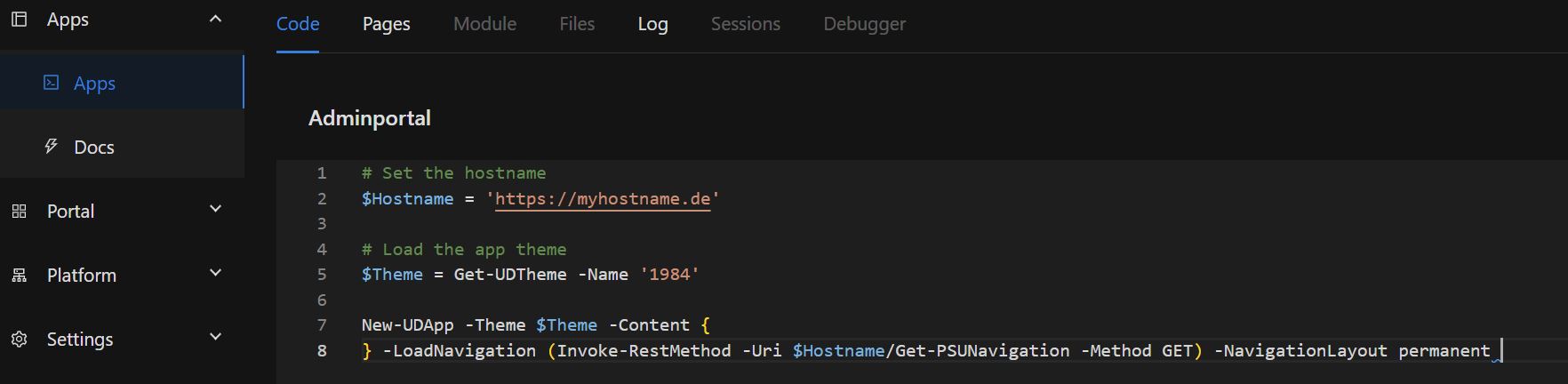
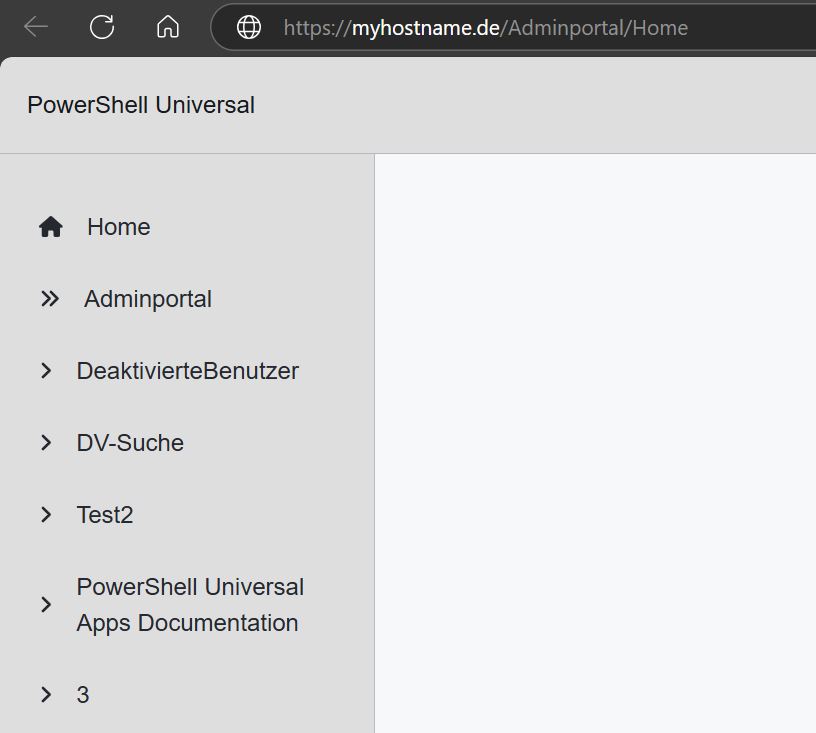
but when I click on any of them I always end up at https://myhostname.de/admin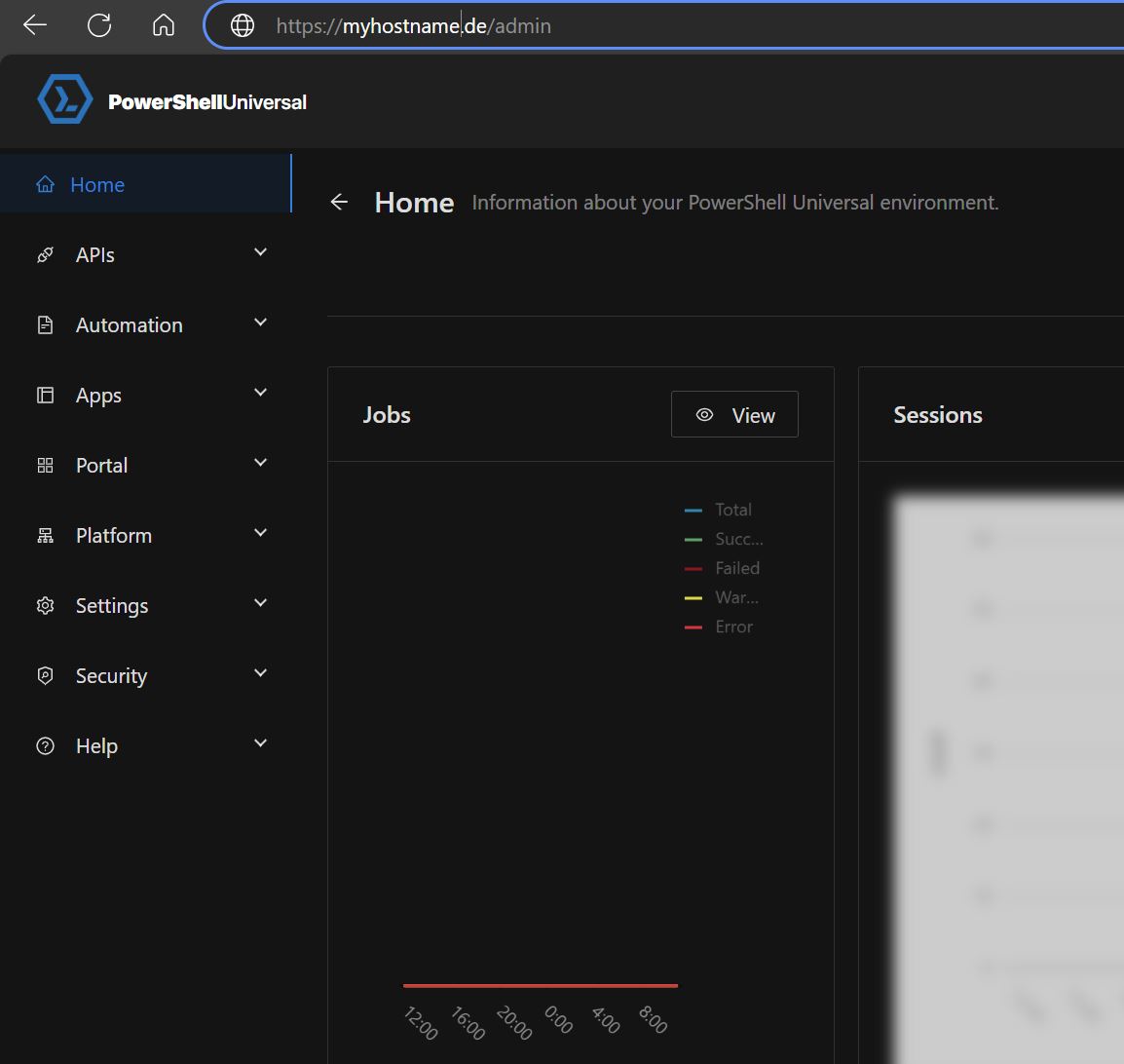
1a21f42d6ba132d8c1684c3c4684636a9439b14c.jpeg
dff673daec7ececf86be1d25c9c4060b8163dfb5.jpeg
2be3d53c22e7ee473c8047395ebd526fab1b9022.jpeg
$BaseURL = $_.BaseURLSlight mistake on my part;
In the code for the endpoint, Get-PSUNvigation, around 10 lines from the bottom;
Replace
$BaseURL = $_.BaseURL
With
$BaseURL = $App.BaseURL
I edited the original code in the previous post.
Also, I have $Hostname stored as a variable in the database under Platform > Variables rather than setting it in the App code. I placed it in the example code for easy visibility on the forum.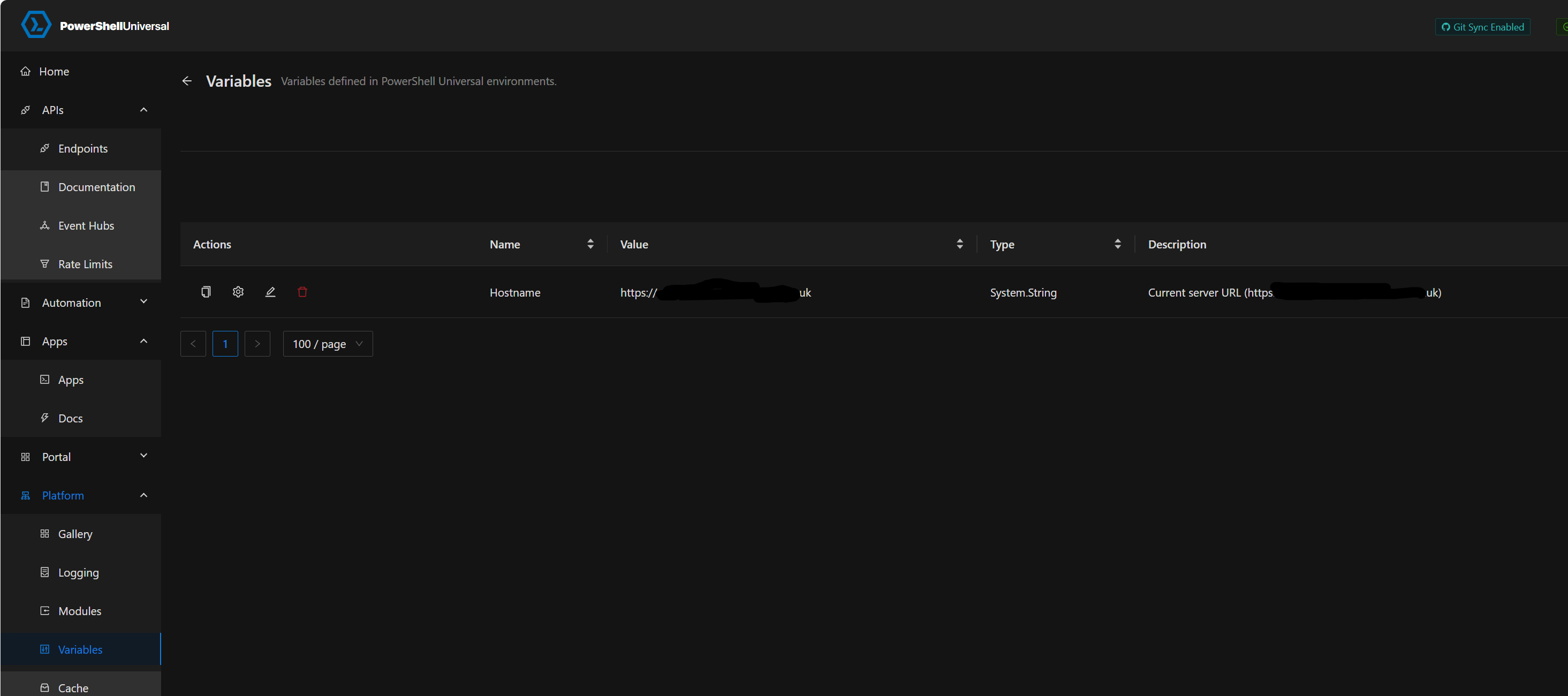
It means if the URL ever changes you only need to change it in one place.
For me, it also means I can easily move the script between my development server and production server without changing the variable in every app.
d812ac12311185cbbce226effa3e934622447c70.png
Hey Mike,
After changing the variable name, it works great!
As you mentioned, I also defined the variable $Hostname as a global variable! Good idea.
Thanks so much!