User Name for PSCredential dissappearing

Product: PowerShell Universal
Version: 5.5.0
Hi There,
I am trying to make gMSA work on an MSI install of PowerShell Universal. I am also working on a IIS install but there are a few other things that need looking after before I can do GMSA tests on there. We want to try to use GMSA account for running certain scripts but when I put in the credential and then run a script it simply dissappears.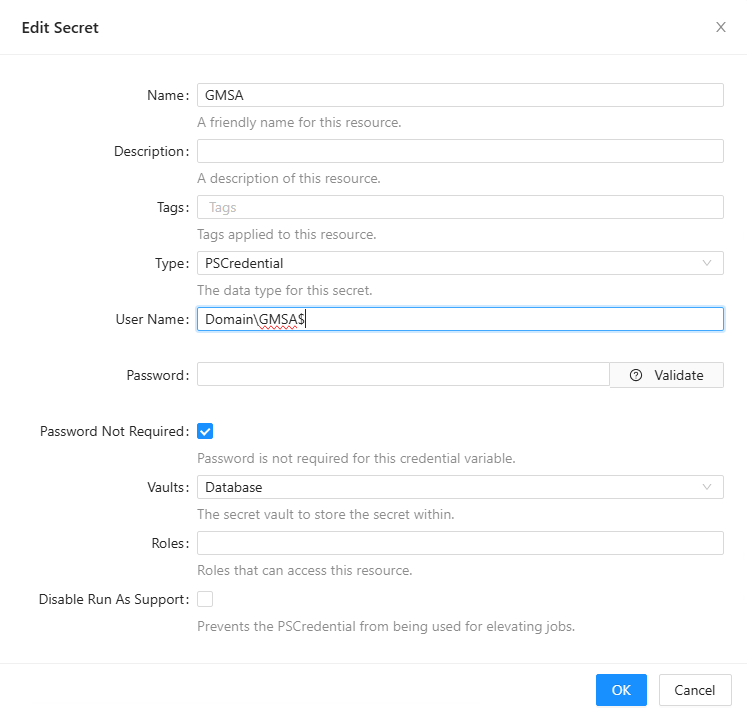
When I run the script I get the following error message.
When I look back at the PSCredential I see this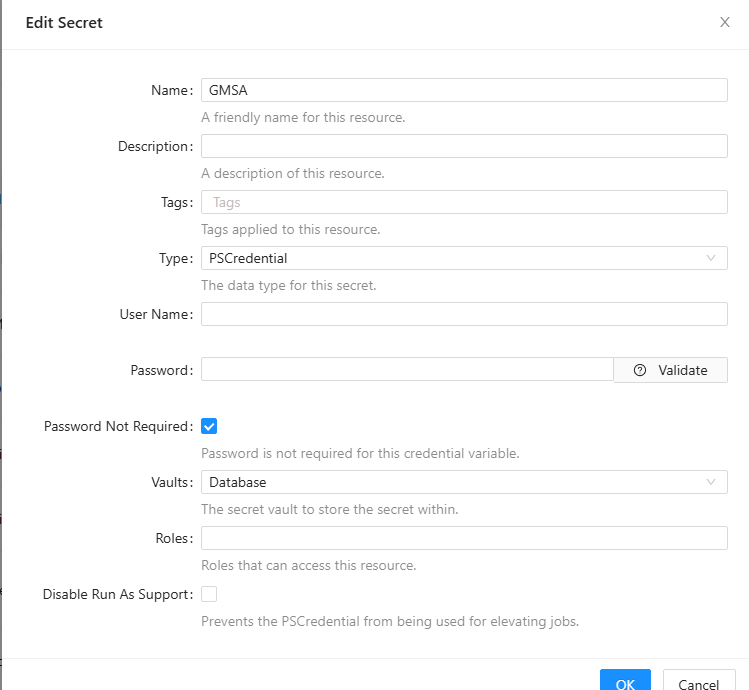
I don’t know if it is a bug or if it is something that I am doing wrong.
Edit:
When I want to test if the credential works I also must specify a computer, or else it comes in a queue. The workload in the test environment is that big that a queue that long possible is.
7d4e7c392280d56c696d225fee9d1e56cdd31b3e.png
6887677159e94928d57790c6f60cb7a5c2ff461c.png
d1b8c2b3858f9c44c5139599a01750dd0ff7522e.png
All Comments (0)
 Special Q&A
 Our CTO is answering your AI questions
A rare opportunity — ask our CTO directly.