Debugging within the VSCode Plugin

Product: PowerShell Universal
Version: 5.4.2
Hi,
is there any up to date documentation about the Visual Studio Code Plugins debugging functionality?
I’m trying to debug my app but there are no runspaces visible in the vscode extension like described here A better debugger for PowerShell Universal by using VS Code and PowerShell Editor Services
Even though my app is frozen due to the “wait-debugger” there is no process visible i could debug. The debugger in the WebUI Works fine.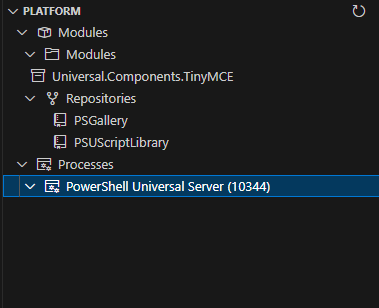
d71aec47127583cd0df73442caafd2b90f354d8a.png
All Comments (1)
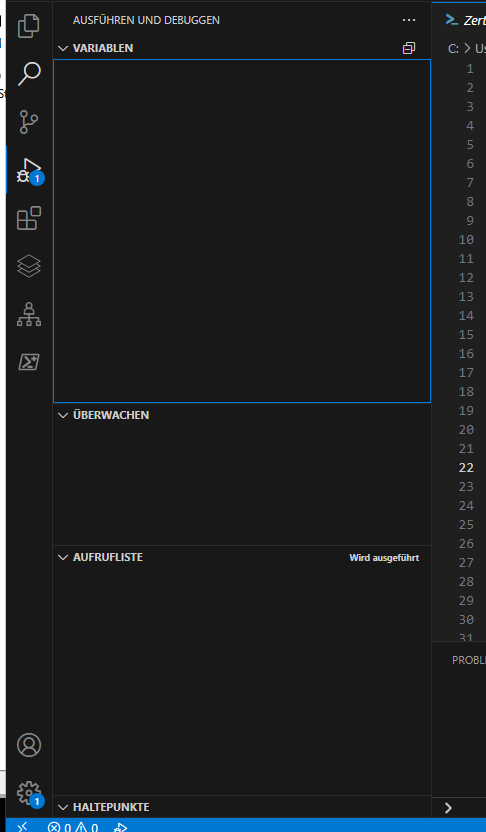
After a server reboot the runspaces are displayed but when connecting to it with a debugger its all empty. I tried the integrated and the Powershell7 environment.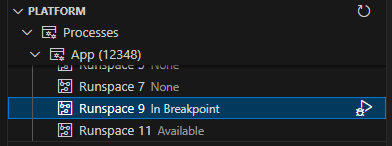
eb843d1ca345e34fdd92bddd1957587124287d04.png
795fa162faff531f810cf937fe1f797cf3ed68cb.png