Scripts in folders can't be edited

Product: PowerShell Universal
Version: 5.4.2
We have several scripts in a “Monitoring” folder under the main scripts folder. If we look at them in the dashboard they show the names of the scripts in the parent directory.
Example of how we configure the script in scripts.ps1:
New-PSUScript -Name "Reset-PDUOutlet.ps1" -Description "Resets the outlet selected" -Path "Monitoring\Reset-PDUOutlet.ps1" -Environment "Prod"
But when I go to edit the script under Automation > Scripts > Monitoring folder… any script I click on will be wrong: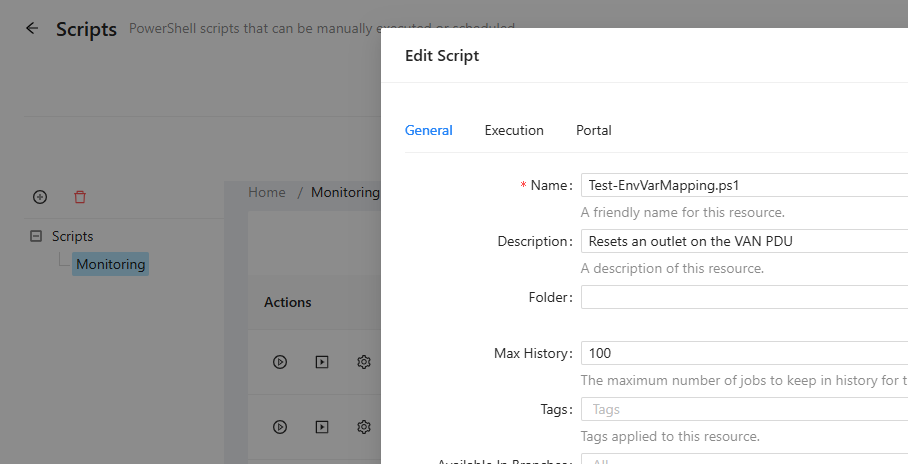
We use Apps to run these scripts, and we were calling them like this:
$Result = Invoke-PSUScript -Script "Monitoring/Reset-PDUOutlet.ps1" -TrustCertificate -AppToken $PDUAppToken
But since enabling Git sync with Azure Devops, we’ve had to change the forward slash to a backslash or it can’t find the script. Perhaps something else somewhere is expecting the wrong kind of slash?
3174342910285e62e5e92a9c6604f66e2fe271f6.png