New-UDGridLayout issue

Product: PowerShell Universal
Version: 5.4.2
Since upgrading from PSU 5.3.3 to 5.4.2 there appear to be issues with grid layouts.
Prior to the update, using the following layout would provide two cards on the left and one larger card on the right.
$Layout = ‘{“lg”:[{“w”:3,“h”:6,“x”:0,“y”:0,“i”:“grid-element-Paper1”,“moved”:false,“static”:false},{“w”:3,“h”:8,“x”:0,“y”:6,“i”:“grid-element-Paper2”,“moved”:false,“static”:false},{“w”:9,“h”:17,“x”:3,“y”:0,“i”:“grid-element-Paper3”,“moved”:false,“static”:false}]}’
However, now all cards are justified to the left and overlapping.
I have tried creating a new layout using the designer mode of New-UDGridLayout, however the same issue appears in the designer.
I’ve added a GIF showing the behaviour below. Any help would be appreciated.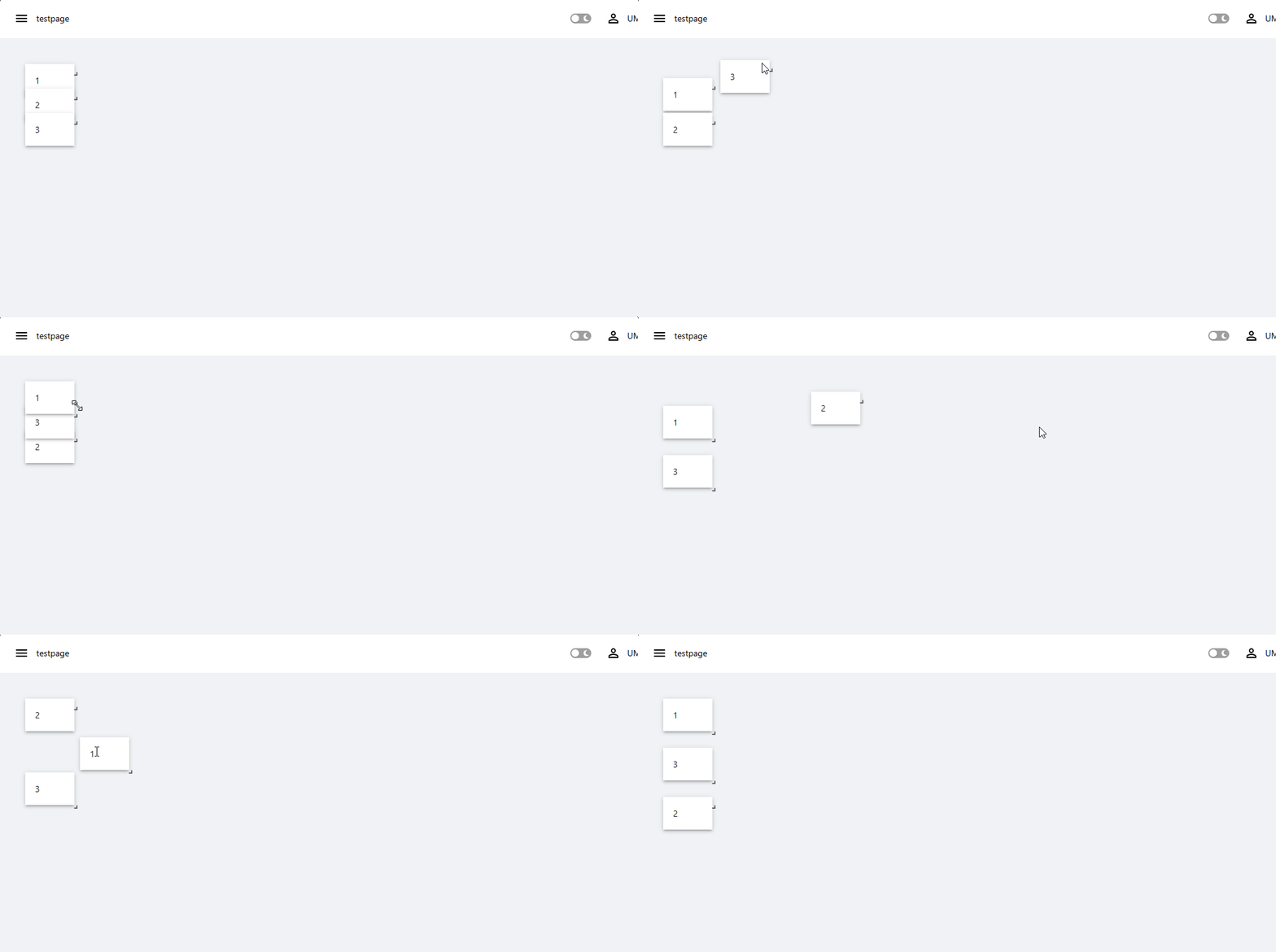
f94ce8bdb3b30189d2b817896b9f7a358559448a.gif
All Comments (2)
I have the same issue as well. Just updated from 5.0.15 to v5.5.3
I had to rebuild my entire dashboard using New-UDGrid instead because the GridLayout function is completely broken. I had updated to fix another issue, so couldn’t roll back.
5.5.4 was released yesterday and resolves this.
Adam Driscoll
PowerShell Expert and Software Architect at Devolutions