Use MSA as RunAs Account for Endpoint?

Just want to say that firstly I have really enjoyed this product. We just purchased a business license, and have an interesting use-case for it.
Our installation is located on-prem off of Azure. However, we have azure resources which need to talk to our PSU endpoint. So I created an endpoint which can authenticate requests made to it against Azure, and fulfill them. However, we were under the impression that we should be able to execute API endpoint functions using an assigned MSA account as the runAs account for that endpoint. But, in order to populate the runAs selector, it looks like I have to add it as a PSCredential, which may only work for traditional service accounts with a username/password.
Am I mistaken, or is there a way to do this?
Much thanks in advance for any help! I could not find this anywhere in the forums
Product: PowerShell Universal
Version: 5.3.2
Recommended Answer
Ok. Thanks. I’ll open an issue for this. It should be working the same when setting the credential directly.
Adam Driscoll
PowerShell Expert and Software Architect at Devolutions
All Comments (16)
Glad you are liking it!
We added support for password-less accounts in 5.4 so that GMSA accounts can work as run as creds.
Adam Driscoll
PowerShell Expert and Software Architect at Devolutions
That is awesome! Thanks! I’ll update right away
If you have managed to get this working, I would love to hear how. I’ve had no luck with our IIS app pool running under LocalSystem trying to authenticate with a gMSA.
That’s discouraging to hear. We are still struggling to upgrade to 5.4. We had a SQLite instance which broke when we ran the MSI. Fortunately we had no production workloads on the server, and we realized that there were files we needed to back up first.
So we tried creating a dedicated SQL database for the application, and, after hours trying to get the connection string right, the PSU service would run but no activity could be detected.
Uninstalling and reinstalling PSU did not work, and we were forced to rebuild the entire server.
TLDR; it has taken us days to get to a working install of 5.4. We aren’t using IIS though, so we’ll see if that makes any difference on our end once we get a working install of 5.4 going and come up with a viable upgrade strategy for production workloads.
Okay so now we have upgraded to 5.4.3 with an external SQL backend. Are there no instructions anywhere for how to do this? When I set the secret value, it just resets on me as soon as I refresh the page.
Here it is right after setting and applying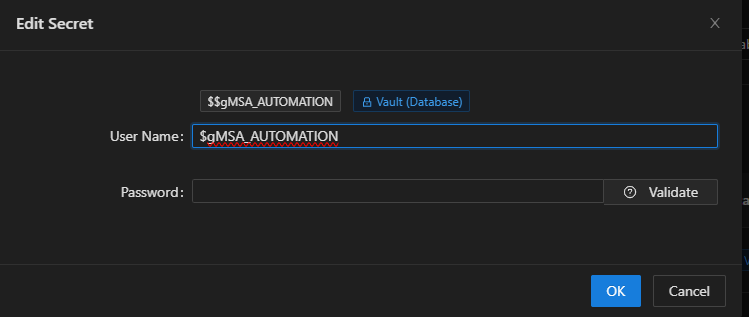
I refresh the page and now it is reset: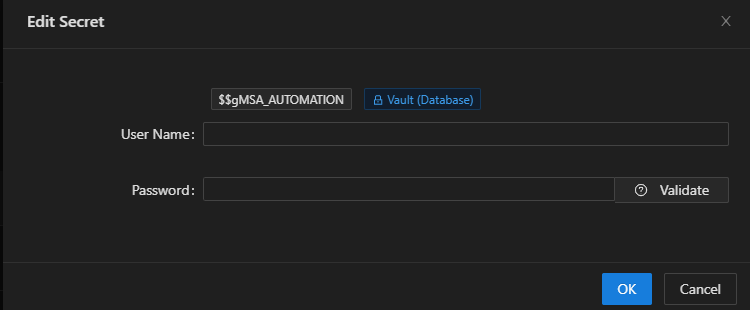
UPDATE (4/4/2025 @ 2:45pm CST):
I see now that the credential values are in fact being stored on the database, so this must just be expected behavior, and I can grab those values using the $Secret scope.
However, when I run a command like whoami or $env:USERNAME from the endpoint, it still comes back with the service account running PSU, not the credential I chose for the RunAs account…
We could really use some documentation on setting RunAs accounts in the UI is supposed to work.
Thanks!
e4f46f332ed167a207db3946ac712b0476f500ba.png
dd39d26fce5fc55298507ab5c030177043570fbe.png
Unfortunately I was not able to figure out a way to do this. I spent about two weeks pulling my hair out trying all sorts of creative ways.
The only viable way I could think of to do this would be to use custom PSSession configs for each gMSA and then invoke a command from the endpoint within the designated session. However our Group Policy doesn’t allow this abuse of WinRM lol
So unfortunately I think we are going to set up a key vault with separate service accounts for each endpoint, and just have the passwords rotate every so often… Not my favorite solution, but at this point it’s all I can think of.
I am using a gMSA to run scripts that require elevated domain privileges. Here’s what I’m doing:
- Version 5.4.4 running under IIS. You need this version, at least.
- App Pool Identity is LocalSystem - You must use LocalSystem as the identity if you want to use RunAs.
- Put the credential in as DOMAIN\gMSA$ - be sure to include the ‘$’
- Don’t bother using the ‘Validate’ function; it doesn’t work for gMSAs
- Of course, validate that the gMSA is installed on the server, with Log on as batch job and Log on as service rights. Ensure it has whatever permissions you need it to do out in your domain.
That’s pretty much it. Once the bug was fixed in 5.4.4, I had no issues!
Ah! I see the changelog now. I am not running on IIS, but perhaps 5.4.4 will still work. I’ll give that a shot and see.
In the meantime, I did get this workaround going using the Get-GMSACredential function from this module
$Cred = Get-GMSACredential -GMSAName "gmsa_name$" -Domain "YOURDOMAIN"
$Result = Invoke-Command -ComputerName localhost -Credential $Cred -ScriptBlock { whoami }Upgraded to 5.4.4
It’s still not working for us, but we do have two possible issues:
When I enter the credential, and go back, is it normal for the username/password to both be empty after saving?
We are not running under an IIS app pool, but we are currently running the PSU service under a service account.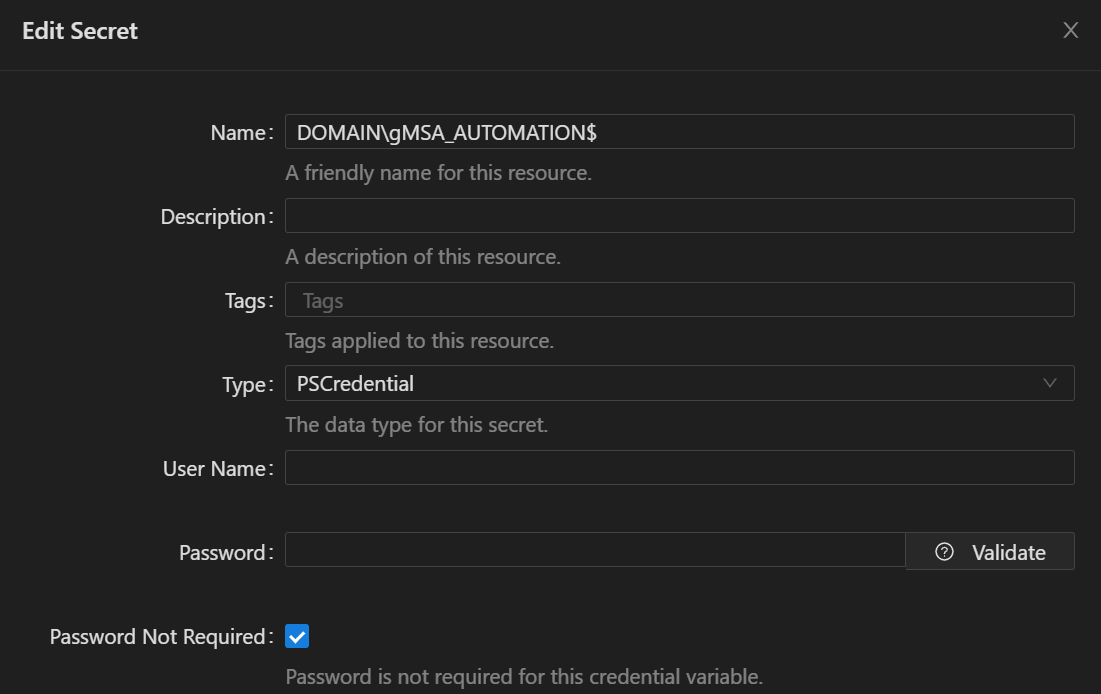
81fb27020795a321bd0d839965cae419e184e3ef.png
It’s a bug. The credential is still there, but it’s not being correctly displayed. Sometimes it displays and then it just doesn’t.
Okay here is what I have done, and things still aren’t working…
- Added the gMSA to the
RunAsAccountssection inappsettings.json - Added the gMSA as a PSCredential in variables with “Password not required” checked
- Restarted the PSU service
- Assigned that account name in the endpoint’s
RunAsfield - Given the gMSA “Log on as a batch job” rights
- Given the gMSA “Log on as a service” rights
- PSU is running under
SYSTEM
What am I missing? When I execute my test endpoint to see what context it is being executed under, I still get the following response:
[
    {
        "Time": "2025-04-17T08:25:34.5298857-05:00",
        "Username": "NT AUTHORITY\\SYSTEM",
        "EnvDomain": "MYDOMAIN",
        "LogonUser": "MYSERVERNAME$",
        "EnvUser": "MYSERVERNAME$"
    }
]If you run a script using the same gmsa account, does that work? You will need to set the environment to PowerShell 7 rather than integrated and select the gmsa in the run as. Try running something like whoami.
Adam Driscoll
PowerShell Expert and Software Architect at Devolutions
Yes whoami in a script does output the expected account. Weird that it’s not working for the endpoint, though.
Well it’s a bit of a workaround, but for now I just created an environment for each gMSA account, and am assigning each endpoint the appropriate environment. Seems to be working, so far.
Ok. Thanks. I’ll open an issue for this. It should be working the same when setting the credential directly.
Adam Driscoll
PowerShell Expert and Software Architect at Devolutions
Good deal! Hopefully that solves it. In the meantime, for my use-case, I think the environmnet method might actually be better.
Still, glad this was discovered.
Thanks!