Buttons in New-UDStepper

Hello,
is there a way to modify the buttons in “New-UDStepper”?
I would like to set them with the same size and some space between them. At the moment it looks a bit messy in the default:
Product: PowerShell Universal
Version: 5.3.2
5cea7cd4bf39c31d1faf08137a093e233b149c97.png
All Comments (2)
Are you using the default theme? Those look pretty bad…
Adam Driscoll
PowerShell Expert and Software Architect at Devolutions
I use “AntDesign” as theme.
In the default theme it looks fine, but then I need to revert some other things, too…
Update: in the default it looks fine at the first (because the background of the back-button is in another color), but when you hover over it, its the same: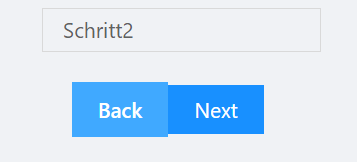
In the developer tools you can see, that the styles are different: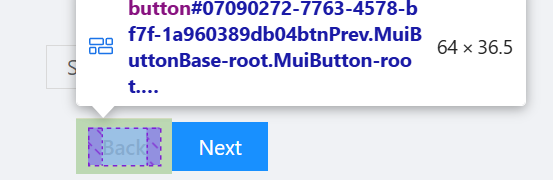
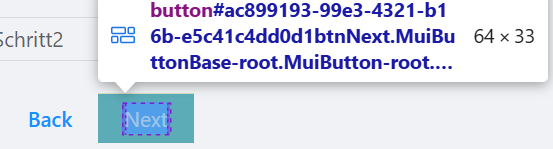
9a4b40006531d99e6777494f6a0a209e8d6723e2.png
2f0a70d9561053569e22869841de1c419be33487.png
9836447cf77140d8dffcf1e2071a9d36dc136a5f.png