How do I make a C# Console app build and debug in Visual Studio Code?
How do I make a C# Console app build and debug in Visual Studio Code?

How do I make a C# Console app build and debug in Visual Studio Code?
I have already built my C# Console App in Visual Studio Code. The issue I have is when I reopen the folder where the project file is in Visual Studio Code and then rebuilding the code and debugging it again.
Here is what I do and what happens. After I open the folder where the project file resides, I click on this to process the code to debug:
And then I click on the appearing “Run and Debug” button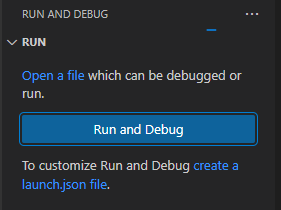
But then the bottom status bar says “Looking for CSS classes in the workspace…” followed by a percentage in paragraphs. Why is this? Why does this happen when there are no CSS classes at all and my project is a C# project?
Why is this? This is just a brief snapshot of some difficulties I find when I reopen a project after I have closed Visual Studio Code. I have experienced other errors and problems in building and running my code.
To continue, in order to deal with the project as a solution, I click on this icon to open the solution panel.
This seemingly allows me to view the solution. As the following view appears, I click on the project.cs file and attempt a debugging session from there.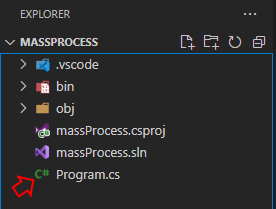
With this file being displayed, I clicked on the menu option, Run → Start Debugging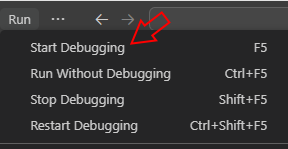
Then, at this point, in the pop up option window that appears in the middle and top of the development environment, I pick “C#”: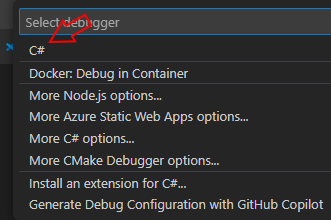
Something went wrong and in the bottom right of my IDE, I get this message: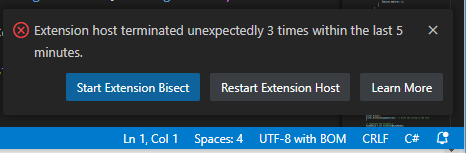
Please advise. What should I do now?
All Comments (1)
Hey @AnonymousUser,
This forum is primarily for PowerShell Universal and PowerShell Pro Tools questions, so you likely won’t get much C# help.
Adam Driscoll
PowerShell Expert and Developer at Devolutions