How do you give granular permissions to scripts in v5?
Product: PowerShell Universal
Version: 5.0.15
Question
How do you give granular permissions to scripts in v5?
Problem description
Before purchasing PSU, i did a POC in v4.
There i tested if it was possible to manage who has access to what.
POWERSHELL UNIVERSAL v4
I came up with a setup where i could chose per script, who could see it and who could not.
I took some screenshots: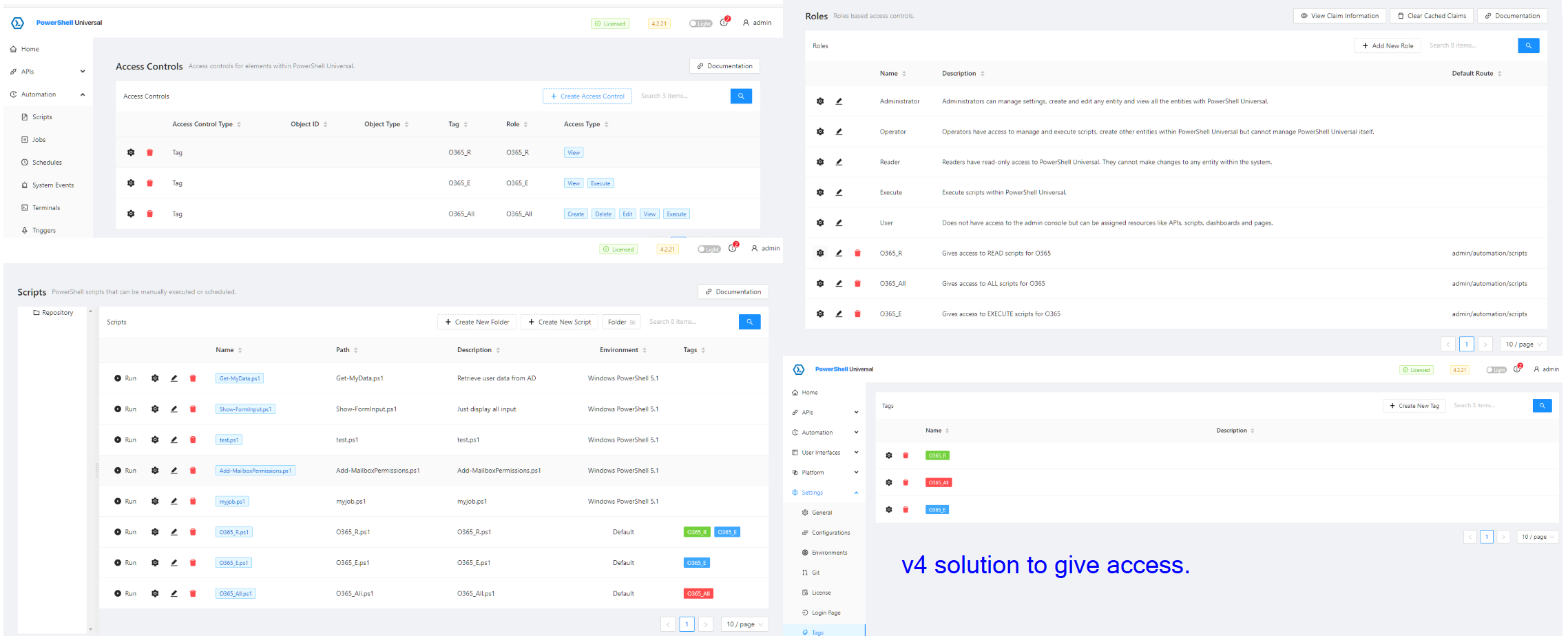
I used a combination of these 3 items to manage access.
- tags
- roles
- access controls
The users looked like this: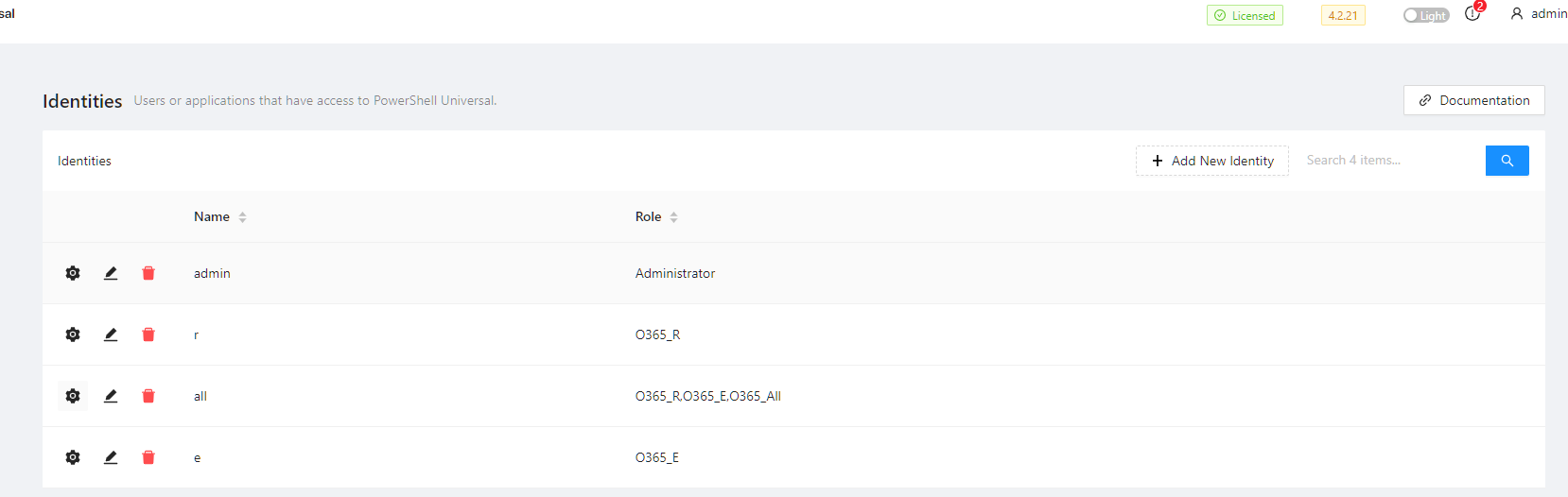
This is what user r would see after login,: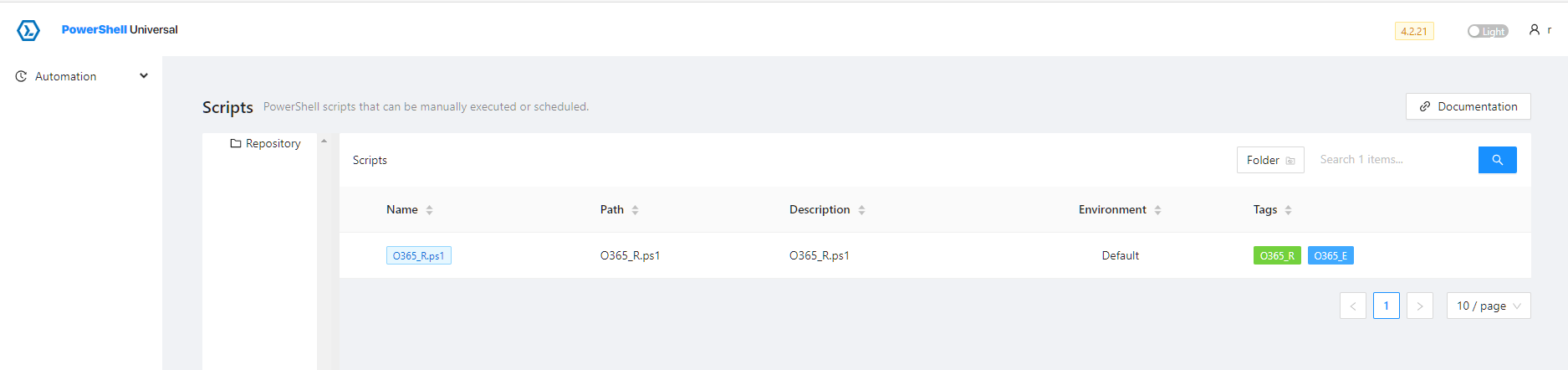
Perfect, only access to the script I want.
The way I had it recorded in my notes was as follows:
- The role O365_R gave access to just automation/scripts
- The Tag only allows the user to see only those that have the tag O365_R
- In the Page ‘Access Controls’ is where you link these 2
POWERSHELL UNIVERSAL v5
In v5, Access Control was removed. This is clearly stated in the documentation.
Therefore I have been looking around for alternative approaches.
Another difference is that in v5, there is a portal. I don’t know that what i did in v4, is even possible (or still is the intended way to do it).
I tried to set up something similar: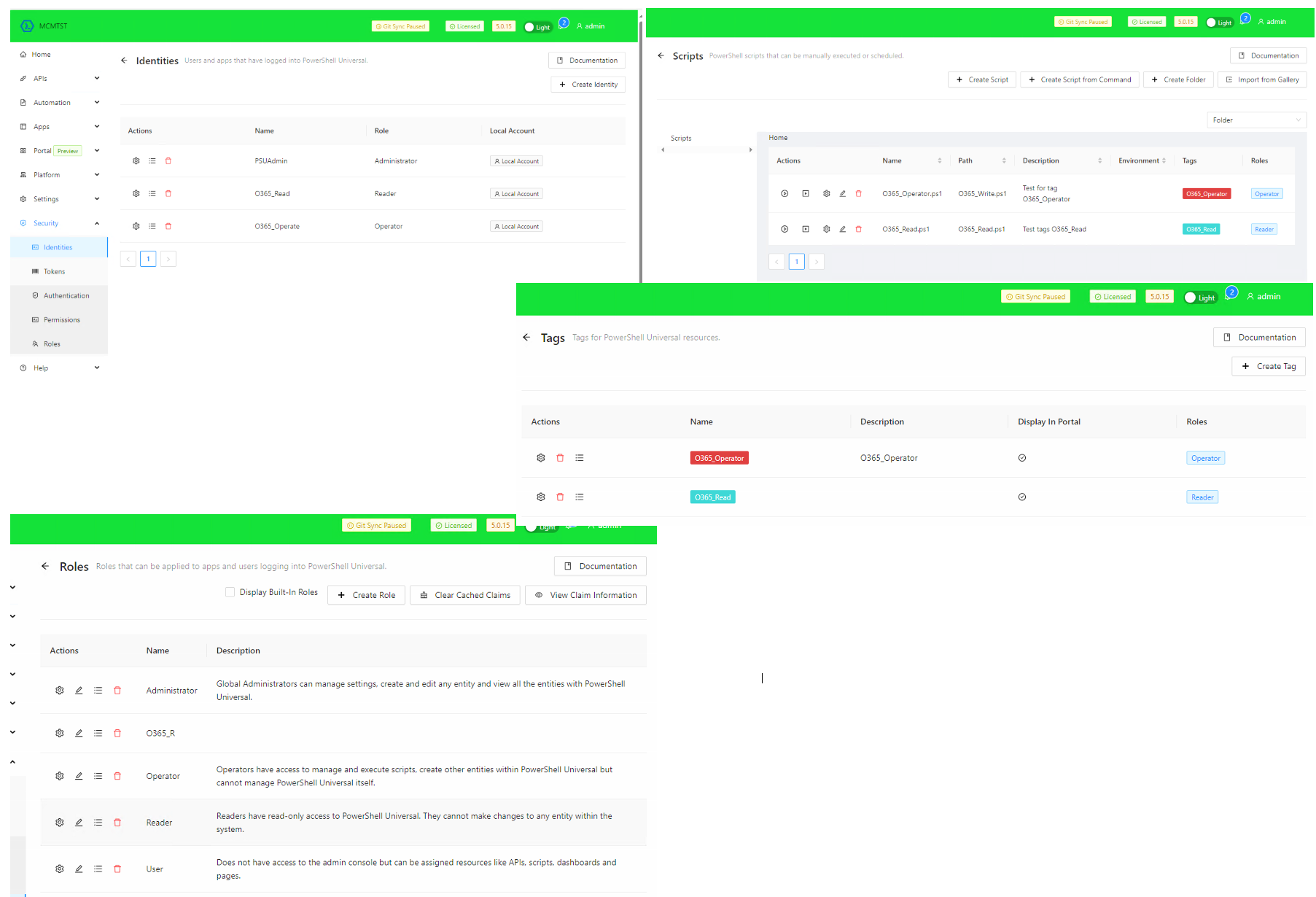
Now i believe Access Control is now Permissions.
I tried to create a permission but in Identity you can only select a single user?
My next idea was to give my user, 2 roles.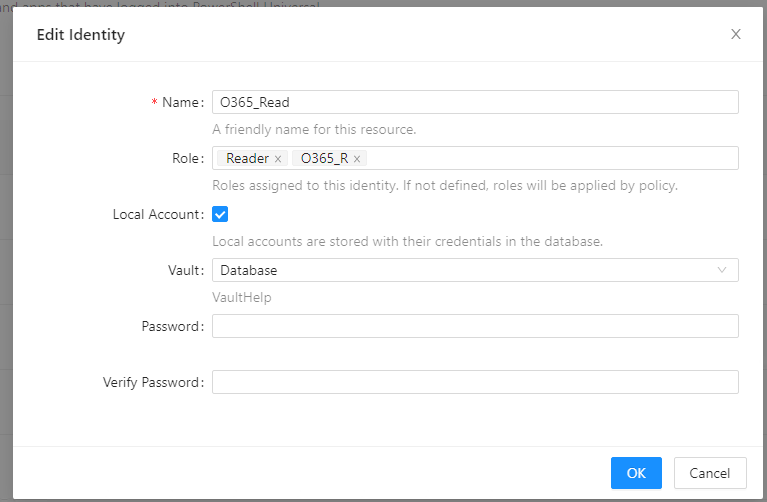
However, i am confronted with: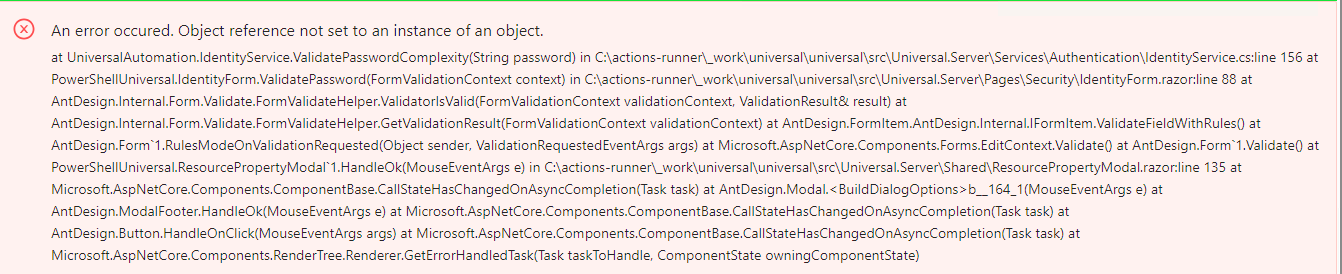
Closing question
How is it supposed to work? Is my intended purpose wrong?
Did PSU lose functionality compared to its previous version?
I hope someone can clear things up. I spent quite some time figuring this out but as you can see, I haven’t found the answer.
Thank you and have a nice weekend.
0b36ffac469a1b8cbcd50b3229a05fcdbf0e2937.png
9b81d3710b65da7e222f682d5aafeaa3cd03c11c.png
6f8658dc79e03b6e134c18768bf18610069abe49.png
4c9ad2705e22cd7df471dec8020d4f50939c4e55.png
a1d1e4c0034e522b2295fab62dc3797eb634931b.png
a03a58ddec2e83b272b7f8b532bbe1915fbc1279.png
All Comments (4)
Anyone that has any answer to this? This is a frustrating issue to say the least .
So looking further into this: what I’ve gathered is:
Rolesgive permissions to the portalPermissionsgive permissions to the admin console
It looks like it is a completely different approach.
What is not possible is to attach permissions to roles.
This is also mentioned in the documentation. The visibility is a lot less clear.
They way i currently understand it, you assign a role to a script or app. You can then assign the permissions to give each individual access to parts of the admin console.

Did you ever find a workaround for this?
So in Github there is this : Permissions for Resources · Issue #3941 · ironmansoftware/powershell-universal · GitHub
So that confirms that things are yet to come.
I have worked out a way around most of it. But i am not able to manage access as deeply as I was with v4.