Params not available for scheduling

Product: PowerShell Universal
Version: 5.0.13
param (
    [ValidateSet("Disabled", "Active", "All")]
    [String]$accountStatus = "All",
    [ValidateSet("Full Report", "Users with Subscriptions", "Users whose Password Expired > 180d", "Users who have Never Signed In")]
    [String]$reportType,
    [String[]]$emailTo,
    [String[]]$emailBcc
)
you can see to and bcc do not show, and 80% of the time the whole parameters section is missing.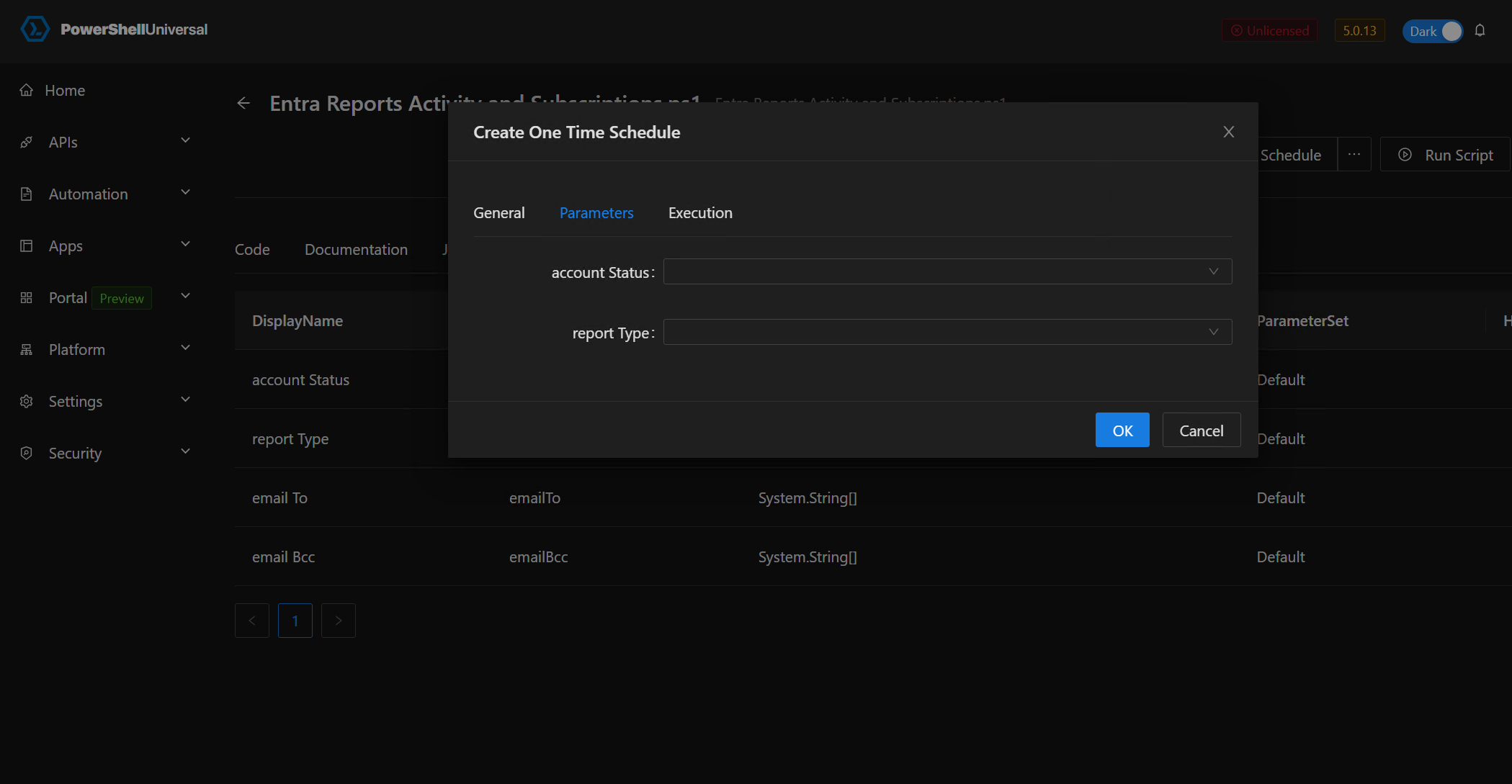
748b6bdafce4622053d8788c3cfbbdd67689e0e5.png
All Comments (4)
straight away they section is gone.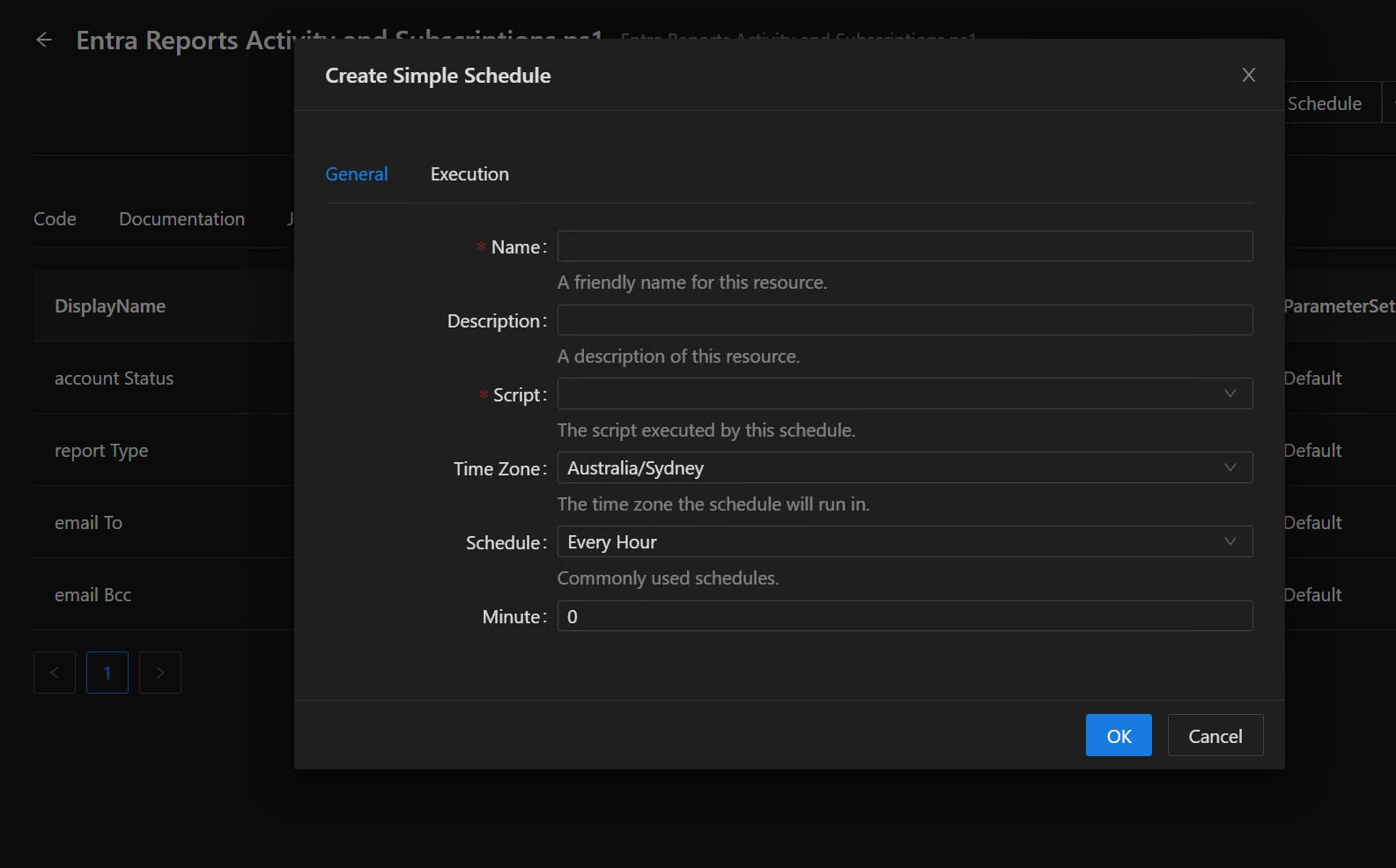
a68b242d7d160eb404a917c1139a2d79b071e81e.png
Looks like you’ve got an extra set of “” on those two missing parameters. Are you able to remove those?
for example
Change
    [String[]]$emailTo,
    [String[]]$emailBcc
to
    [String]$emailTo,
[String]$emailBccthat’s so that they can accept an array of addresses.
Its strange because if i select “run script”, those params are there 100% of the time.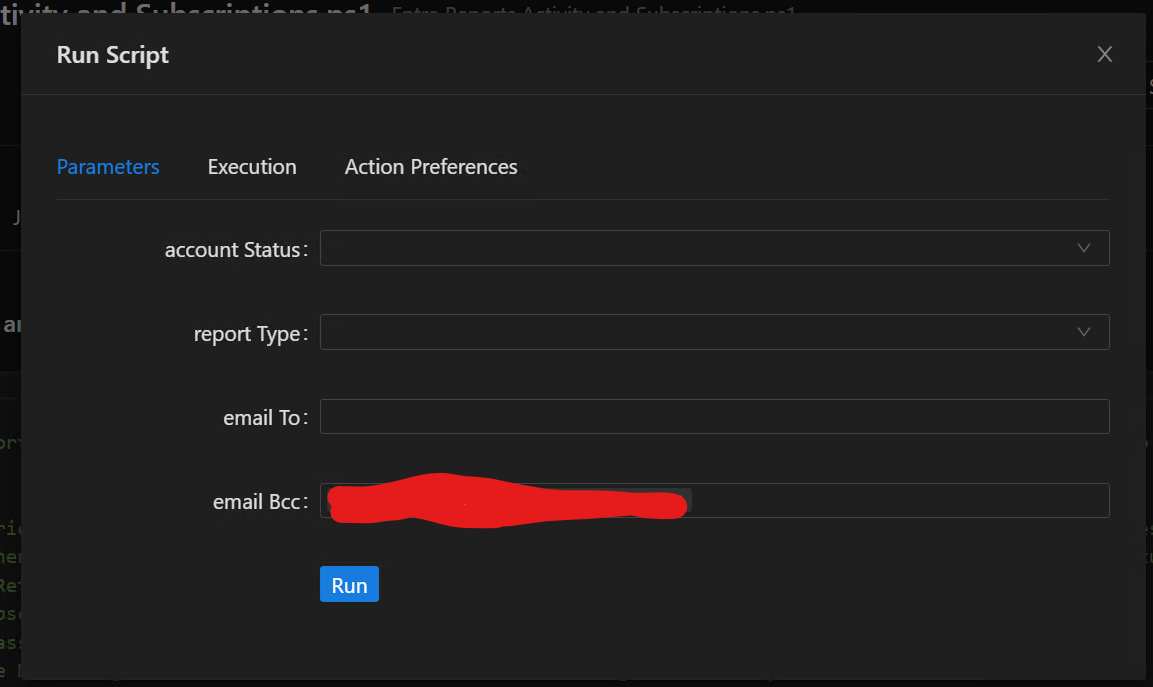
44ecef38b649f140b06f752105a44d895a83bb77.png
Here is a vid of the issue. When it comes back for “create simple schedule” its because I hit refresh. It will disappear again after a minute or two.
vid from onedrive
also notice that i always see all options in “Run Script”.
Edge
Version 130.0.2849.56 (Official build) (64-bit)

Microsoft Windows 10 Pro
Version 10.0.19045
but also tried in chrome and vivaldi and same issue.
removing the array will make it show, however I still have to keep refreshing to get the options. Seems like a bug in source code.