Windows Authentication in PU 5

I setup a new instance of PU 5.0.9
Enabled Windows Authentication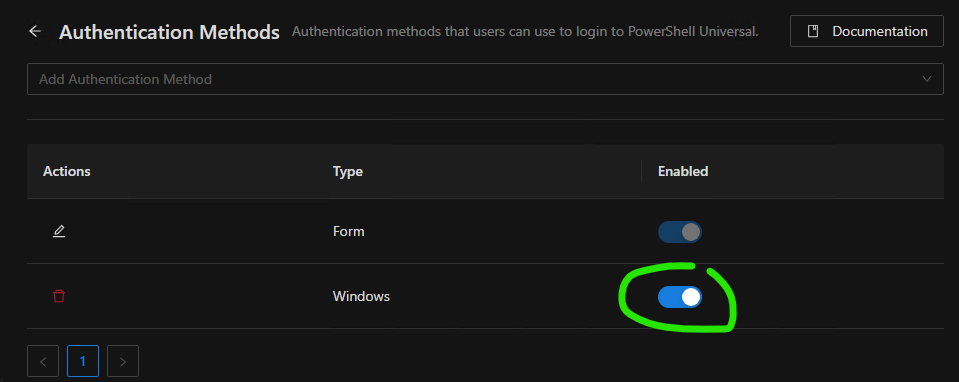
Modified the Administratror role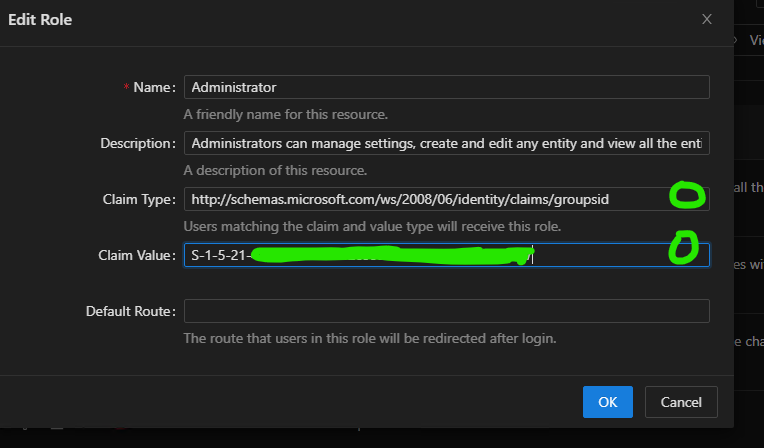
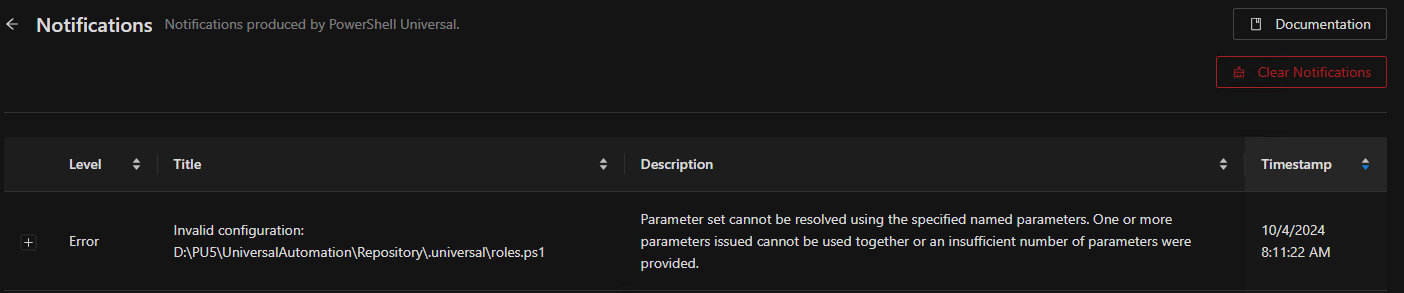
After restarting PU service, the Administrator role is missing from GUI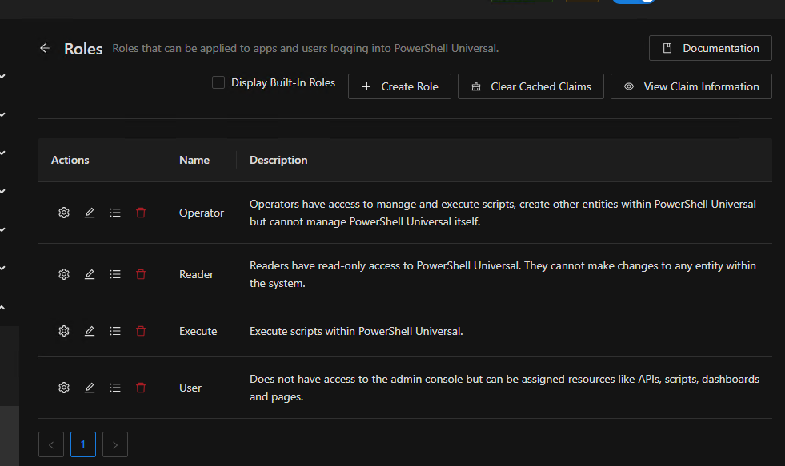
and Roles.ps1 got modified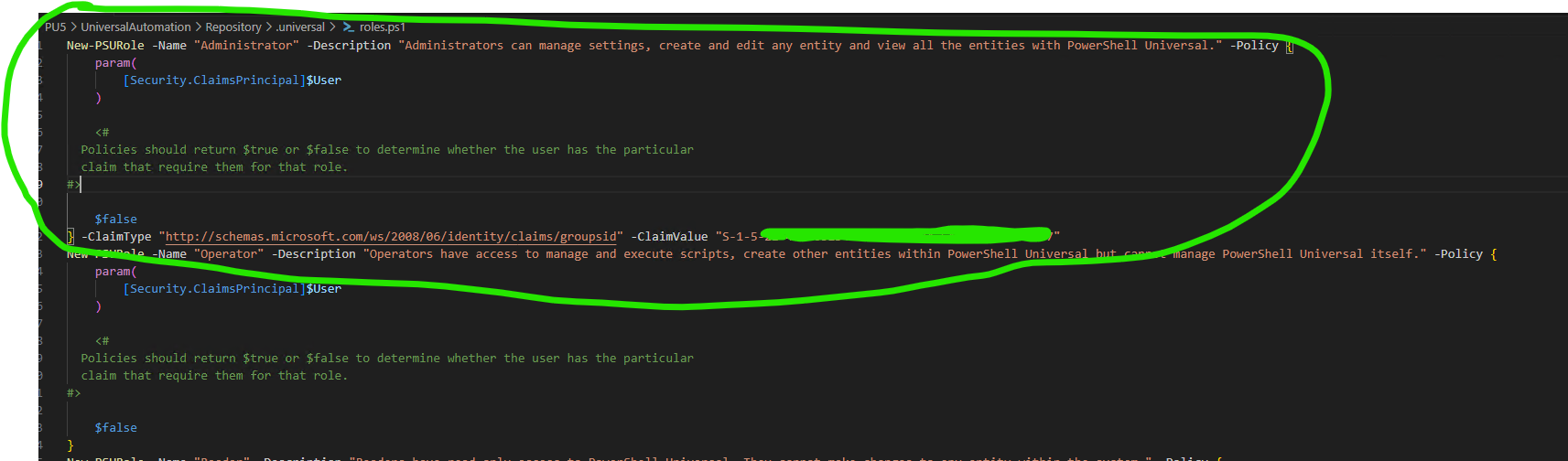
if I copy the administrator role code från another instance of PU which works and restart the service, then everything works
Product: PowerShell Universal
Version: 5.0.9
17f7c871cf2b62915182a8be803640eb88c55ccf.png
c0dae0a7004a139ccd6ee14c6b1047609ce5bc92.png
5593060bfd354a9f4b1df1d4813738ddf8feee6f.png
74bdd5a1439761fcfed797e16dd990d615defc7e.png
All Comments (4)
caef3b86b5f4d637f98f2af1316d2a5d036ff0fc.png
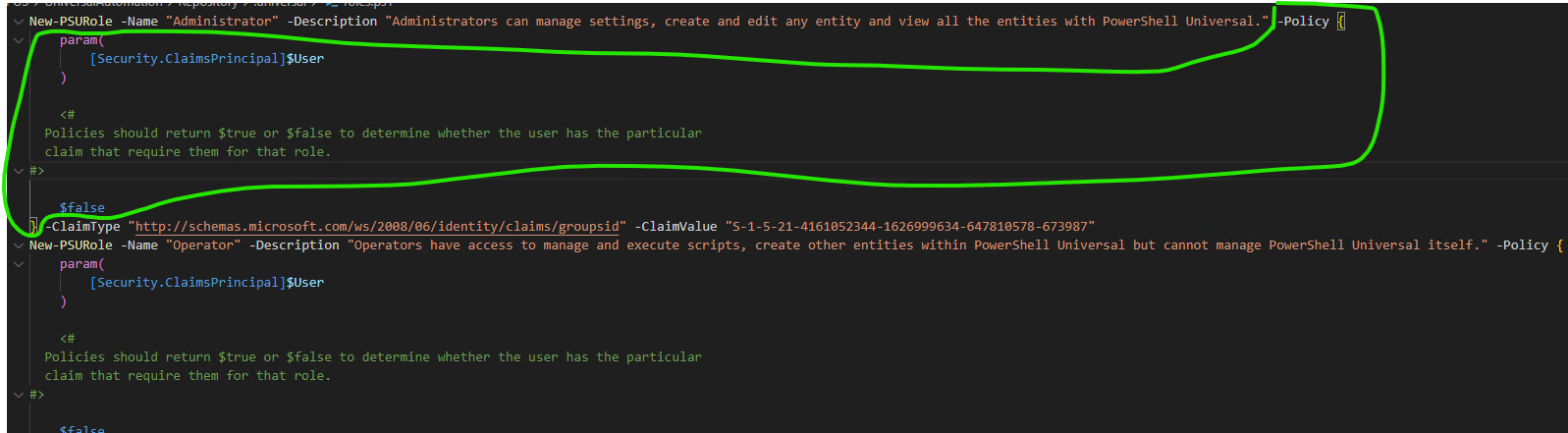
After I removed the marked part, and restarted the service, it works.
e844ed80ca45635bea50fe99f472b6f7dbe22412.png
If you’re interested in why, policy authorization and claims authorization cannot exist in tandem - only one or the other. To preserve the default behavior you can also just comment out the -Policy { ... } block entirely
I understand, after many trial and error
but it’s some kind of bug in the UI, that it can not correct the policy when one of the method is modifed.