Unable to move scripts between folders

Product: PowerShell Universal
Version: 5.1.0
I’m attempting to move scripts between folders but am unable to. I was on 5.0.8 but attempted to correct this with a nightly buld, currently on 5.1.0. Unable to correct this issue.
All Comments (7)
What process are you going through to relocate the script? You can try copying the script on the server to a separate location, editing .universal\scripts.ps1 to point to the new location, and then pasting the script content back in. The reason I recommend doing this specifically is that manual edits to the repository structure have caused my scripts to be blanked out on multiple occasions while attempting to do this myself.
Im using 5.0.8, have you tried this way?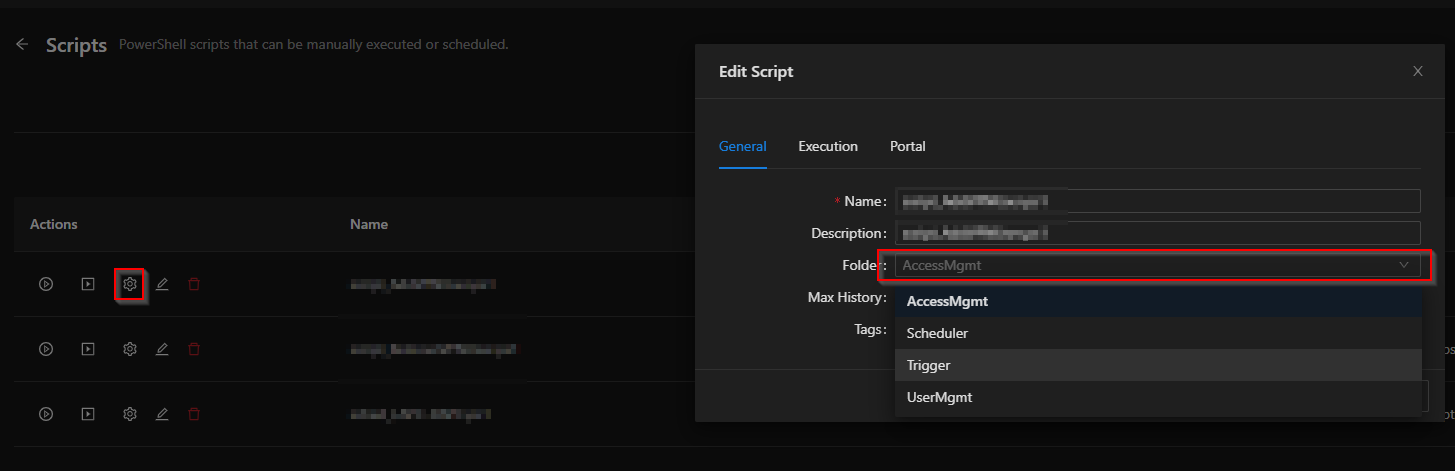
b74741a4a1c7d5135903d9185c6f85beb8606374.png
Hi-Marox,
This is the first thing I tried. I’m not sure there is another way to move strips.
Zoe,
Thank you for your response. I don’t understand why a consumer of this product should have to do any of this at all. I’ve lost hours of work. Why would something as simple as attempting to move a script using the interface cause scripts tp disappear or create duplicates? This is not okay. I don’t want to continue using a product if it’s going to make my life harder.There are many things I like about this product but it is very glitchy. It need a lot of work.
You could try to use major version 4, works better in my opinion.
Otherwise you can change the folder also like this (like parzog wrote):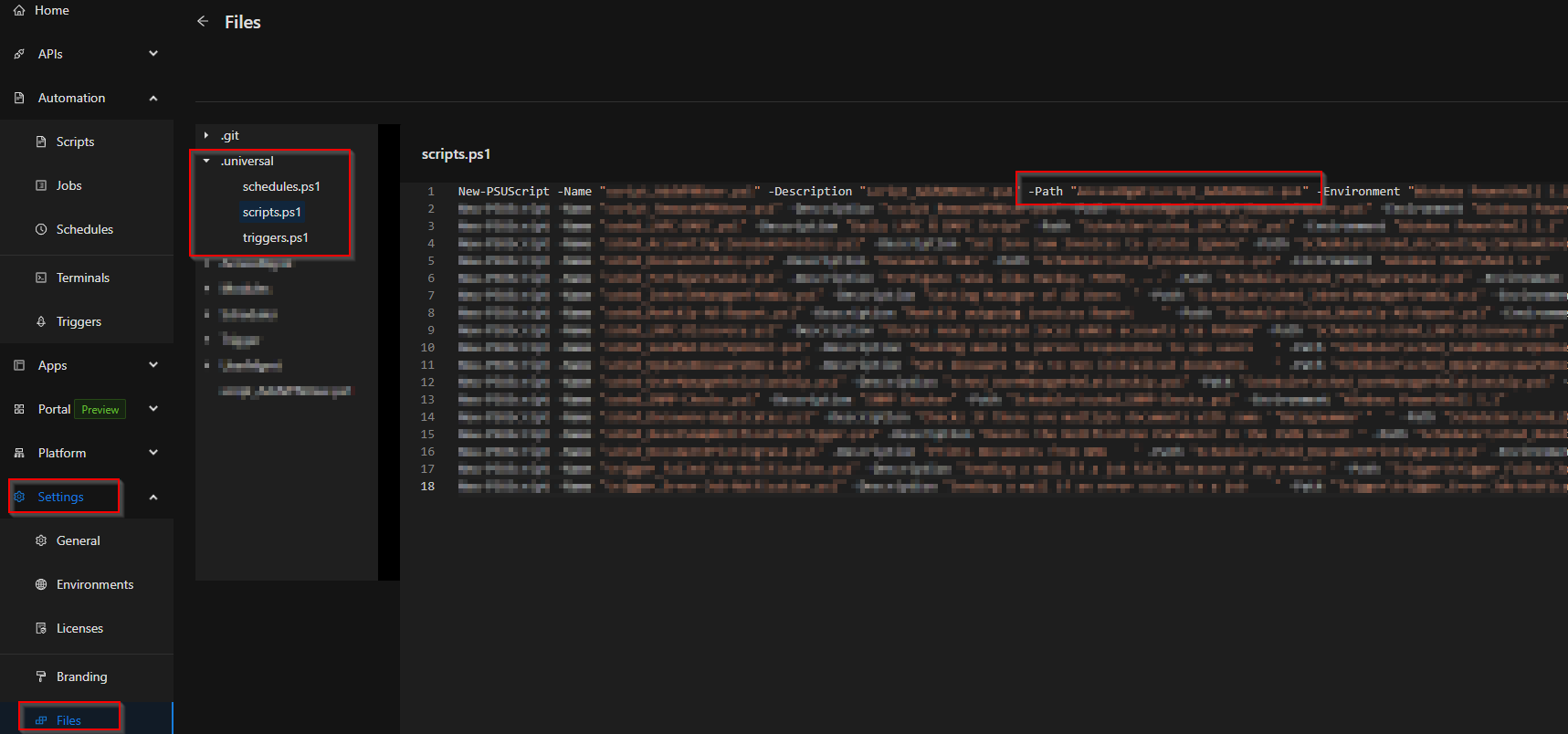
7997e39058c13fa461e4581f654c303d180ba22e.png
Thank you MS-Marox,
I’ve done that and it has taken care of this issue. Unfortunately, I lost some of my scripts.
That does happen and it is frustrating. It is something I luckily learned early enough so as to minimize damage. I would recommend looking into solutions to backup your repository; of the options for which I would recommend Git synchronization. You can also open an issue on the GitHub issue tracker (a direct link to the new issue template can be found here, though note you will need to sign into Github first).