Unable to run Apps. Assembly with same name is already loaded
Unable to run Apps. Assembly with same name is already loaded

Product: PowerShell Universal
Version: 5.0.6
I have tried to run the built in/module provided apps and I have tried building my own with the most basic code example from the website. Apps either refuse to start (ActiveDirectory app) or give me this error:
Assembly with same name is already loaded System.Management.Automation.CmdletInvocationException
The ActiveDirectory
The example code that I used was:
New-UDApp -Content {
   New-UDButton -Text 'Click Me' -OnClick {
       Show-UDToast "Ouch!"
   }
}
In the web browser I see this error for custom apps:
One or more errors occurred,Object reference not set to an instance of an object.
The ActiveDirectory app displays this error in the browser:
The term '' is not recognized as a name of a cmdlet, function, script file, or executable program.
Check the spelling of the name, or if a path was included, verify that the path is correct and try again.
at , : line 1
System.Management.Automation.CommandNotFoundException: The term '' is not recognized as a name of a cmdlet, function, script file, or executable program.
Check the spelling of the name, or if a path was included, verify that the path is correct and try again.
The included documentation has a similar issue as shown in this screenshot: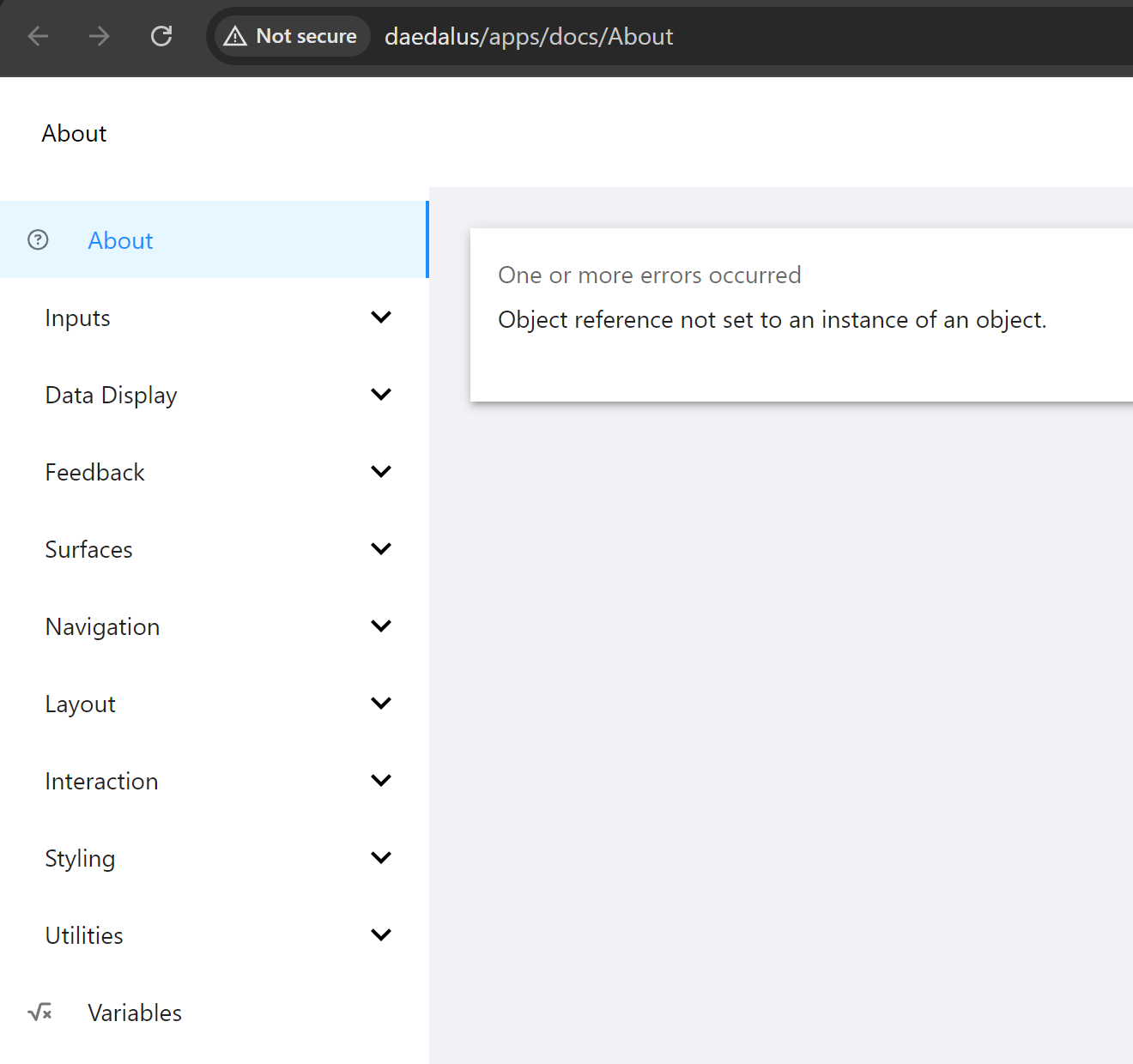
I am happy to provide more information if you can tell me where to look.
848778a0aaf9681d1e59b1721879bdfdd4768c91.png
All Comments (1)
Hey @AnonymousUser,
We might need to look in some log files to see what’s going on. Since no apps are working, I have to imagine it’s something on a system level, but who knows.
You can find logs in %ProgramData%\PowerShellUniversal or by downloading them through in the admin console in Platform \ Logging.
Adam Driscoll
PowerShell Expert and Developer at Devolutions