Windows Authentication, IIS, PU 5.0.5

Product: PowerShell Universal
Version: 5.0.5
I am struggling …
I have been using PU 3 and 4 on IIS running on window server 2022, with Windows Authentication enabled. it took a few tries and work flawlessly even since.
Today I deciede to setting up a new instance and plan to migrate PU 3 and 4 to PU5 and trying to make SSO without success, maybe I did something wrong… (a new setup, not upgrade from 3 or 4)
Here is my steps:
- Download 5.0.5 zip
- Unpack to PU5_IIS folder
- Create PU5_Data for data storage
- Create App Pool according to the guide
- Create Web Site according to the guide
- Binging valude certificate according
- HTTP runs on port 10090, HTTPS runs on port 10443
- First start works, created admin password and able to login, apply license works
appsettings.json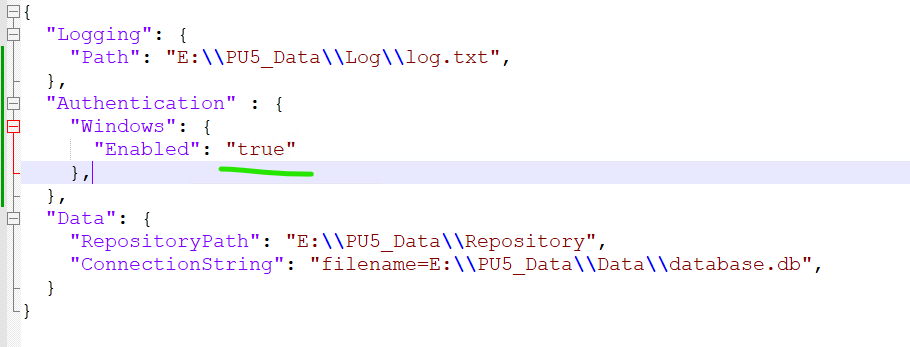
10.Authentication Method added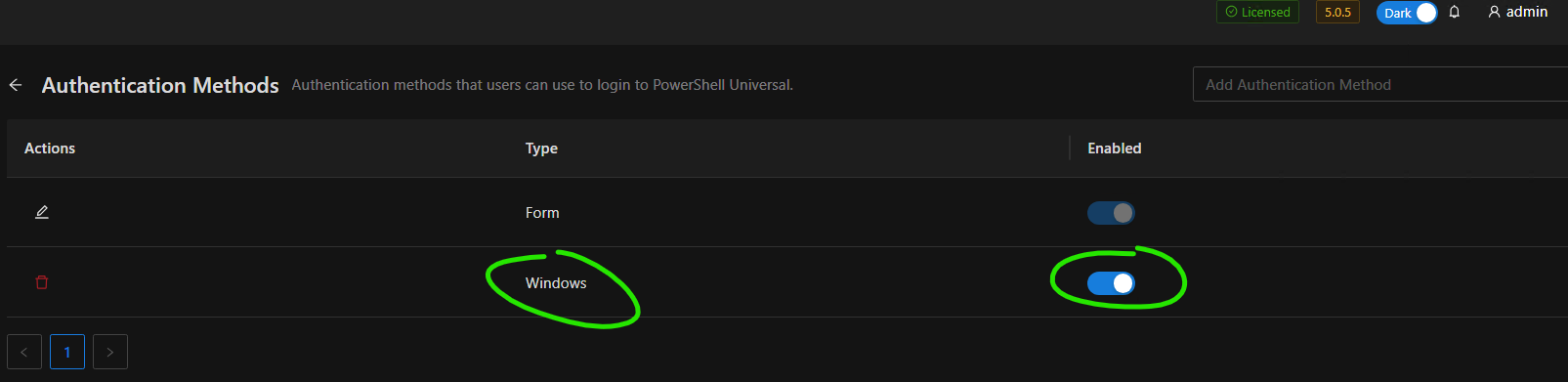
11.Role for administrator connected to an AD Group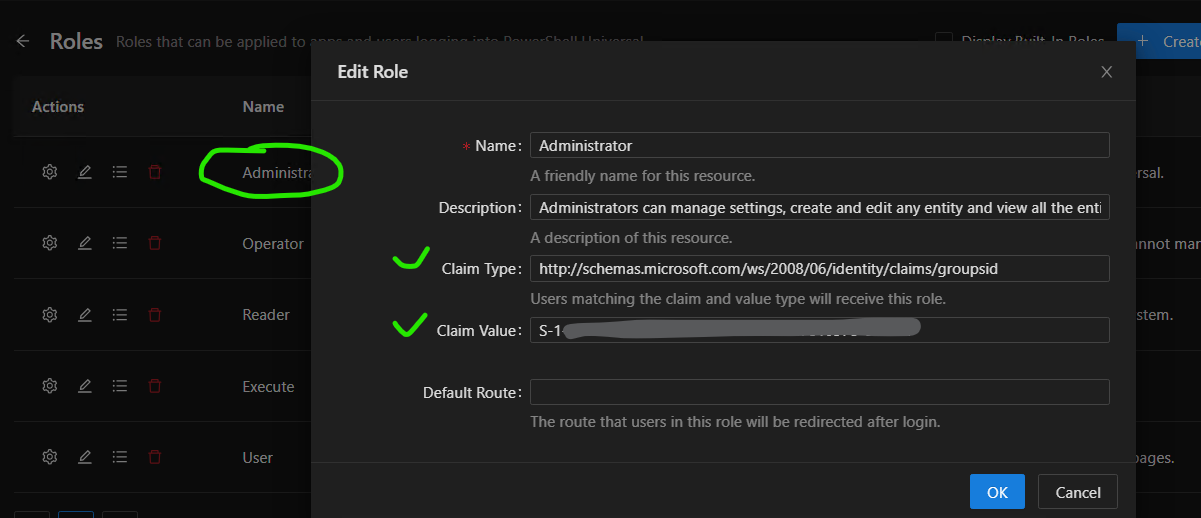
- 12.Restart app pool and the site
Start web browser as another user with is member of the admin ad group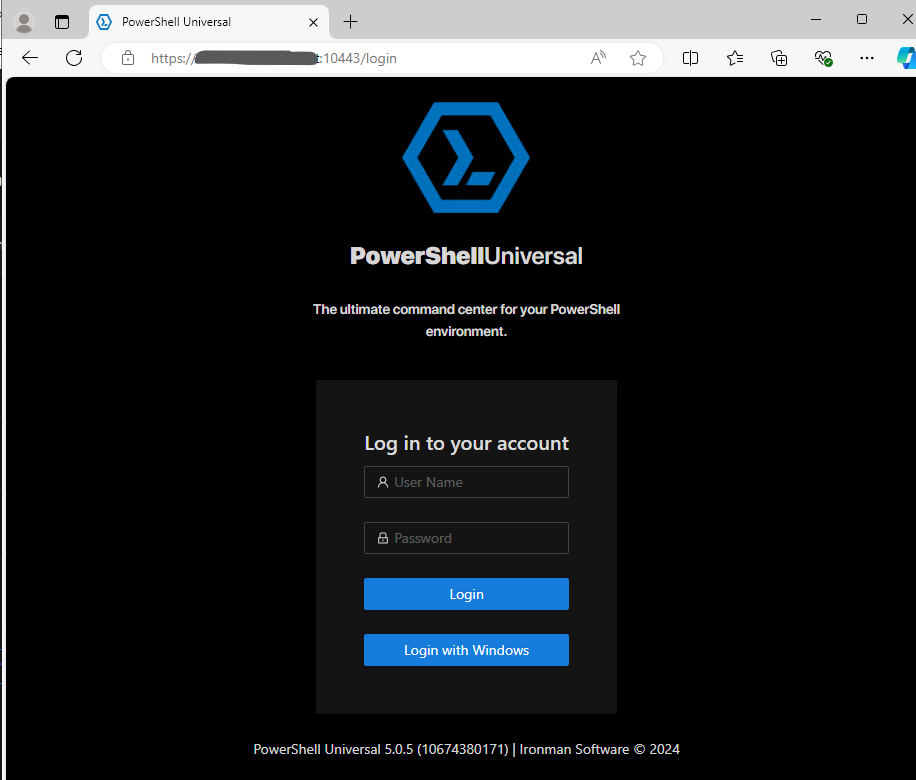
and every time I press Login with Windows, I can see briefly that the user name shows upp in the right upper corner and I can see in the session with still with “admin” user logged in, under “identities”, the user shows upp as external.
- If I logout my default admin user, I won’t be able to login again.
Sidenot, PU has been a great tool for me and saved a lot time, I really hope it’s me who missed something
1c2cd74cbfa8db4ae74ed647ef43e8b1c0ea74b2.png
1c236bf471bf6fb20bf1825d9a66eb3fc00d0929.png
7990df9dbd03ec5bea33c32a10524492b1077baa.png
15d4b4b7417eb40d95c7f37748187e14c45176e3.png
12bc4b8860af058940e02d971ac3c3d0690099c5.png
Recommended Answer
I opened an issue for this here as you’re not the only one struggling with IIS and Windows auth: IIS with Anonymous Auth enabled prevents Windows auth from working · Issue #3715 · ironmansoftware/powershell-universal · GitHub
I also had some trouble with Windows auth in my environment and it seemed like cached claims were catching me and after restarting the service I could get it to work but this was an MSI install and not IIS.
Either way, we are looking into this specific issue but also added the missing “Clear Cached Claims” button back to the roles page.
Adam Driscoll
PowerShell Expert and Developer at Devolutions
All Comments (5)
tried a bit more and found out if I turn off anonymous auth in IIS, then SSO works.
but logged in user has no rights, even the user is in the right AD group.
and I need anonymous auth, as according to the guide, token based API calls needs this.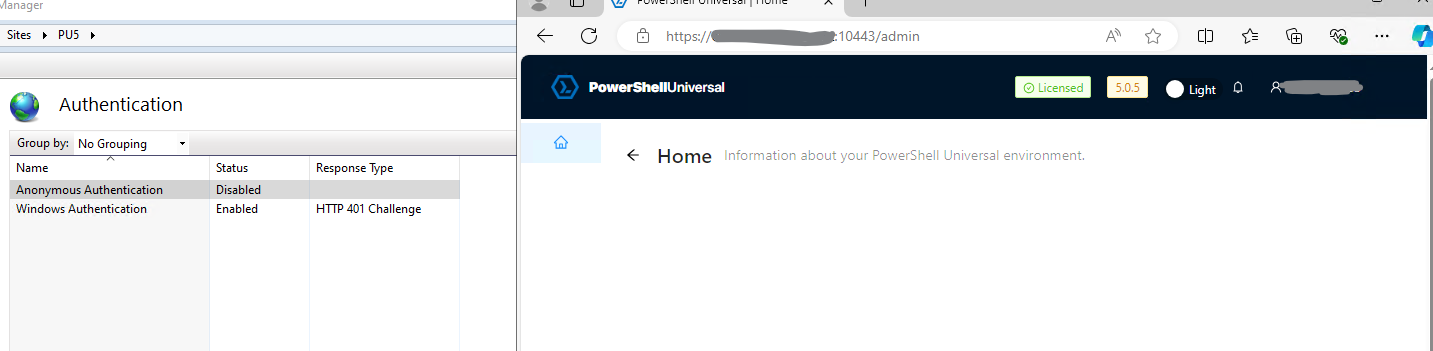
02a076b926f0ca0ec989f9b69dac083bd0d04b65.png
I tried one more thing …
commented out the line added for Windows Auth method in the authentication.ps1 and suddenly it works. Now I am super confused.
Should I wait for a more stable release or am I really missing something.
BTW, not able to login if I turned on anonymoys auth in IIS still.
664ec21a44ea5bfa35917f05d9341e977365aff8.png
I opened an issue for this here as you’re not the only one struggling with IIS and Windows auth: IIS with Anonymous Auth enabled prevents Windows auth from working · Issue #3715 · ironmansoftware/powershell-universal · GitHub
I also had some trouble with Windows auth in my environment and it seemed like cached claims were catching me and after restarting the service I could get it to work but this was an MSI install and not IIS.
Either way, we are looking into this specific issue but also added the missing “Clear Cached Claims” button back to the roles page.
Adam Driscoll
PowerShell Expert and Developer at Devolutions
thanks, adam, I will wait for a fix and thanks for a great job!
just downloaded 5.0.6 release and enabld anonymous auth in IIS, everything seems working, thanks for the quick fix!!
