New PSU 5 installation: Missing 'configurations' in menu

Product: PowerShell Universal
Version: 5.0.5
I installed the MSI on two devices. I was following along with the documentation to setup HTTPS:
docs.powershelluniversal.com
It stated:
Next, you’ll need to configure PowerShell Universal to use the certificate. This can be accomplished by editing or creating theappsettings.jsonfile in%ProgramData%\PowerShellUniversal. This file should already exist if you installed with the MSI installer.
Now i didn’t have this file. So i went looking into the docs and landed at:
docs.powershelluniversal.com
It shows a ‘configurations’ item in the screenshot.
However, when I look at mine, I don’t have that: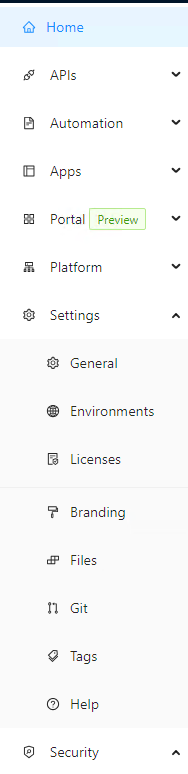
I figured it might have been the installation, so I installed it on a second device, the outcome was the same. What am I doing wrong?
aef876444be93e141ac468335d24797f7240aa68.png
Recommended Answer
The two buttons that are missing will be added back in 5.0.6.
As for the appsettings.json, it is not a requirement as the PSU server will use the default values. That said, we use a custom action in the MSI to write this file out and I’ve never seen it not write that file. Did you set any configuration options in the installer or just leave it all default? As for internet access, it is not required by the installer.
Adam Driscoll
PowerShell Expert and Developer at Devolutions
All Comments (9)
It’s been renamed to files. We’ll get the screenshot updated in the docs.
If the appsettings.json file does not exist in %ProgramData%\PowerShellUniversal, you can just create it yourself. That said, the MSI should always be creating it.
Adam Driscoll
PowerShell Expert and Developer at Devolutions
It didn’t create it, not on 3 devices.
Everything seems to be functioning correctly.
I hope I can continue with my further setup? Or is this a breaking matter?
Another note: Your documentation show under ‘roles’ a button ‘view claim information’
docs.powershelluniversal.com
This also no longer exists.
Same goes for the ‘diagnostics’ button mentioned here (note that the screenshot on that page mentions v4):
docs.powershelluniversal.com
On my installation, I can’t find it:
b3cf3d46bc690aa77f7f23d48aad9e301093f52c.png
b71f30d73273364323cc9e25ba70b96f790c5e16.png
Could it be that the MSI requires internet access during installation? (which in my case it did not have)
The two buttons that are missing will be added back in 5.0.6.
As for the appsettings.json, it is not a requirement as the PSU server will use the default values. That said, we use a custom action in the MSI to write this file out and I’ve never seen it not write that file. Did you set any configuration options in the installer or just leave it all default? As for internet access, it is not required by the installer.
Adam Driscoll
PowerShell Expert and Developer at Devolutions
I just ran the MSI. I logged my installation procedure so i can share it here:
• Start MSI
• Install Type: Server
• Service Account: Leave empty , otherwise it'll fail! (it failed the first time i tried, found a old forum post where you suggested to run it without and configure the service later on.)
	○ Check box : Start service after installation
• Port: 5000
	○ Check box: Add Universal to the $Env:PSModulePath
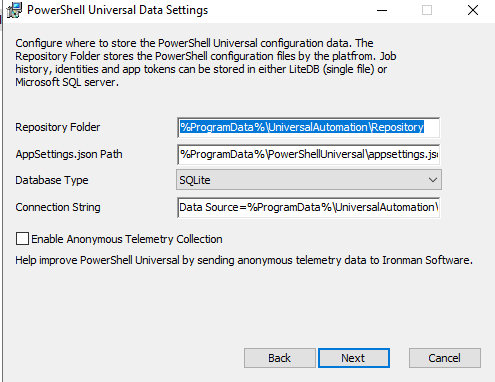
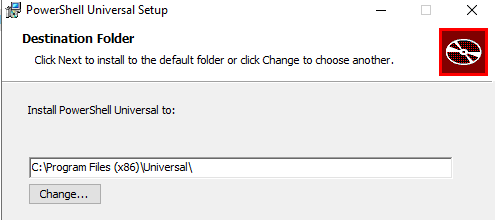
- Click install
Afterwards configured the service and so on.
e2abbc1ecff598b62c0fe25e26beb889f4715081.png
0654445bfbb70f832478bf822d10bea0e3872ef5.png
Strange. I just tried as a sanity check on my end with the same settings.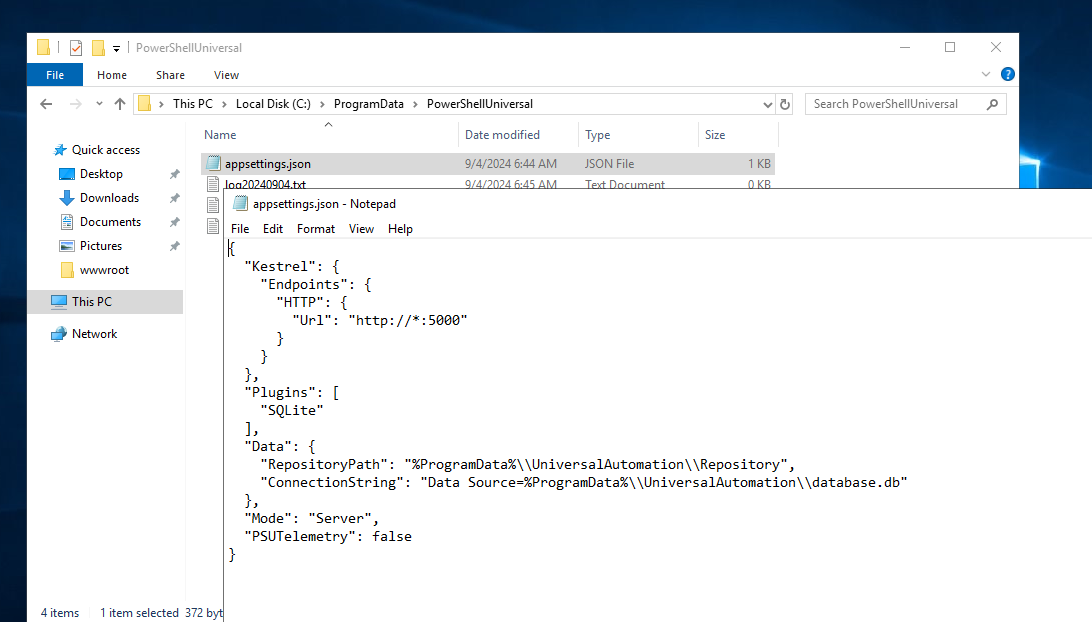
As mentioned, it’s not an invalid state per se, but I would recommend creating the file and editing any of these settings you wish here rather than in the Program Files directory.
Adam Driscoll
PowerShell Expert and Developer at Devolutions
ed1017ca5e3c5679248e2d4aab4ab9e16c0d05cb.png
Yeah weird, I could reproduce my behavior on 3 machines (2 windows 10 machines and 1 windows server 2022)
I have created the JSON file in appdata for my HTTPS configuration which I needed to connect to Azure AD.
However, on my v4 env i had all these: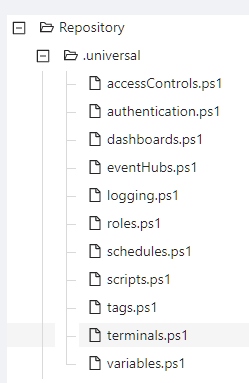
In v5 I have none. That normal too?
Sorry to hijack the post with all sort of questions.
988fea0325b11268eaa9d6f01bd5ac7e96c8dedd.png
If this is a new install, you won’t have any of those files. They are created when configuring things in the admin console.
Adam Driscoll
PowerShell Expert and Developer at Devolutions
Gotcha, I figured as much but thanks for the confirmation!