Upgraded from v4 to v5, no longer able to edit pages

Product: PowerShell Universal
Version: 4.3.4
Version: 5.0.4
I have a unlicensed dev server.
I followed the documentation to upgrade from v4 to v5.
All worked fine so far,
But I cannot edit the pages of my apps anymore.
The item “pages” is greyed out in the web gui.
It seems to be a license problem.
However, for testing, I installed a fresh copy on another system that did not have PSU before. Here an unlicensed version of v5 works nicely and lets me edit the apps and pages.
All Comments (4)
Highlighted items simply greyed out after upgrade to 5.
I can still edit pages via Vscode and API.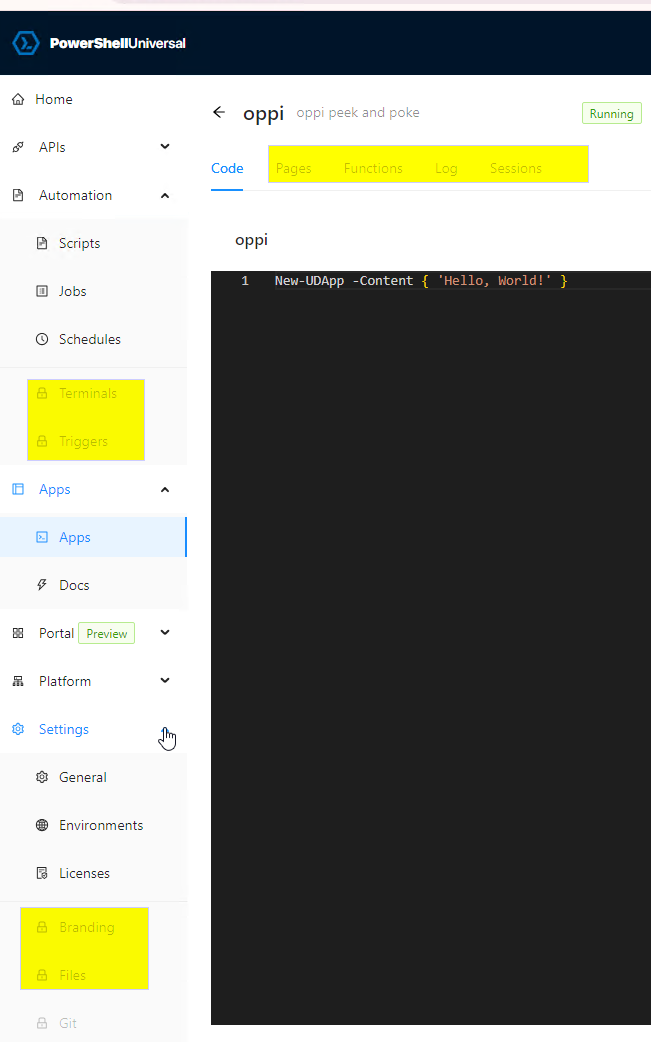
ed8a2297cd77e5e7ae38a199e97caba485ba0420.png
a fresh install of v5 looks like this: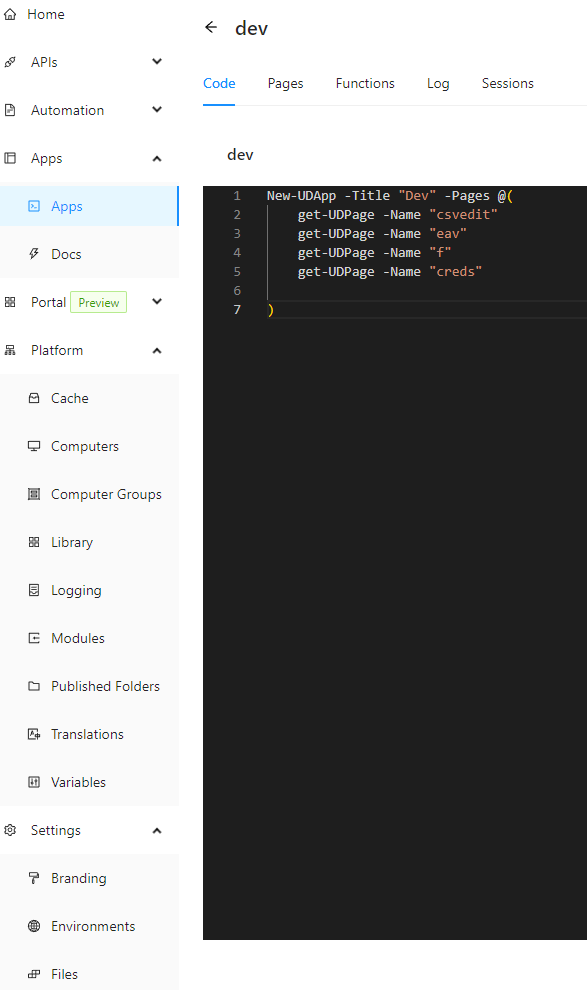
all available,
and the parts that require a license show that once you click on them, just like it was on v4.
(I am not trying to get around a license, this is my dev system, we already purchased a license for prod)
daa685fcfa8ae1e2733c391efb1a8a4924fa2ebd.png
This is intentional. You can generate a dev license from your prod machine to use locally. It’ll enable everything.
docs.powershelluniversal.com
Adam Driscoll
PowerShell Expert and Developer at Devolutions
Makes sense.
So this is “new” with v5?
And it still does not explain why free v4 install worked nicely, and now even prevents me from editing pages after the upgrade to v5.
But a fresh install of free v5 just works.