PSU 4.2.21 issue with automation schedules and time zones

When creating a schedule for a test script as follows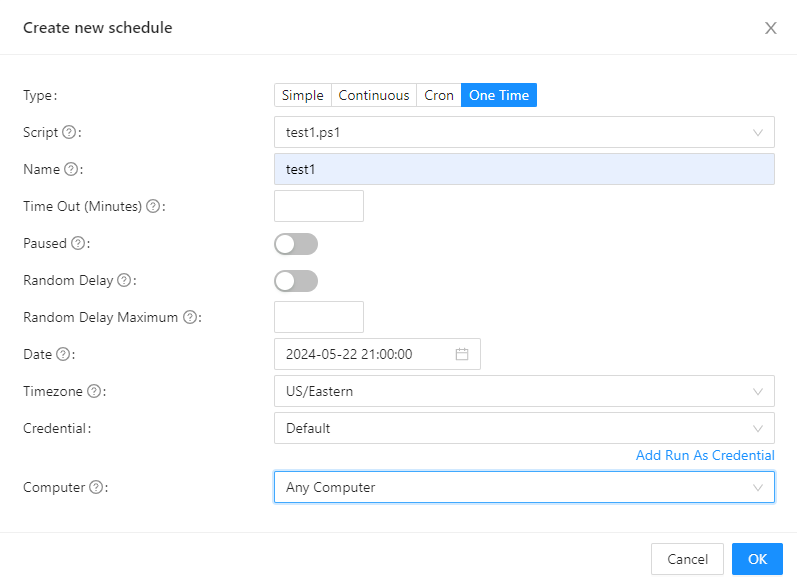
the schedule creation sucess as folows
but if i stop the AppPool and start it again if i check the schedule it will change on its own to this
also if i try to modify the schedule and save it will NOT save and go back to before
there is also an issue with time zone if i create a schedule for UTC 1:00 AM on 05/23/2024 it will show like this in the portal which is wrong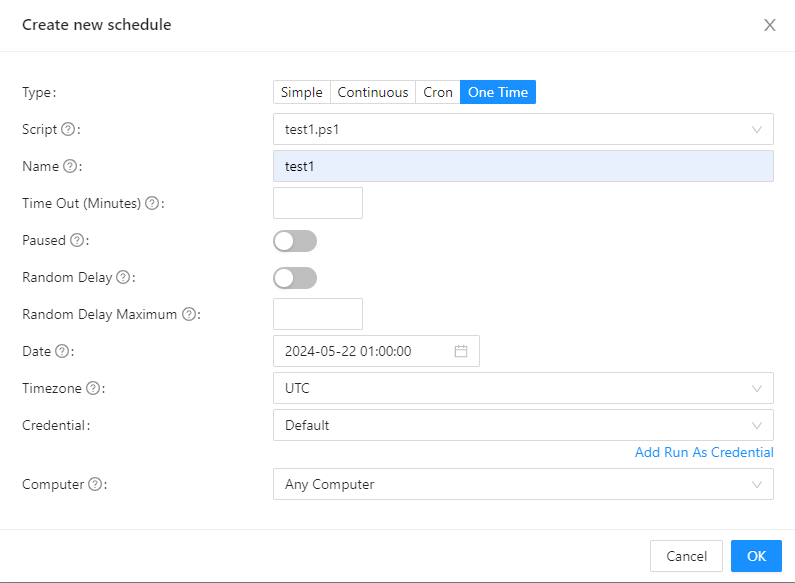

as you see above am in US/Eatsern region and my PSU server is in UTC so the time should be 9:00PM Eastern because UTC is ahead of EST and in the image it shows 5:00AM Local.
Product: PowerShell Universal
Version: 4.2.21
a8c3c7aa2f00aa9f36d5eefecdfd2d6723e7e452.png
b3c92562ef61e9dc8b22758474b70607480b1401.png
30fc5dde9f98673d18a3956e6011684effb7e44e.png
c62993f5a8ba70d8810d65cfb741f1b9880b45bb.png
a0fdab8c61276725b7ef93d6a8d508fcc19f2c4f.png