Health check failed: Access to the registry key 'Global' is denied
Health check failed: Access to the registry key 'Global' is denied

Product: PowerShell Universal
Version: 4.2.21
What do i do to fix the health check for CPU?
Health check failed: Access to the registry key ‘Global’ is denied.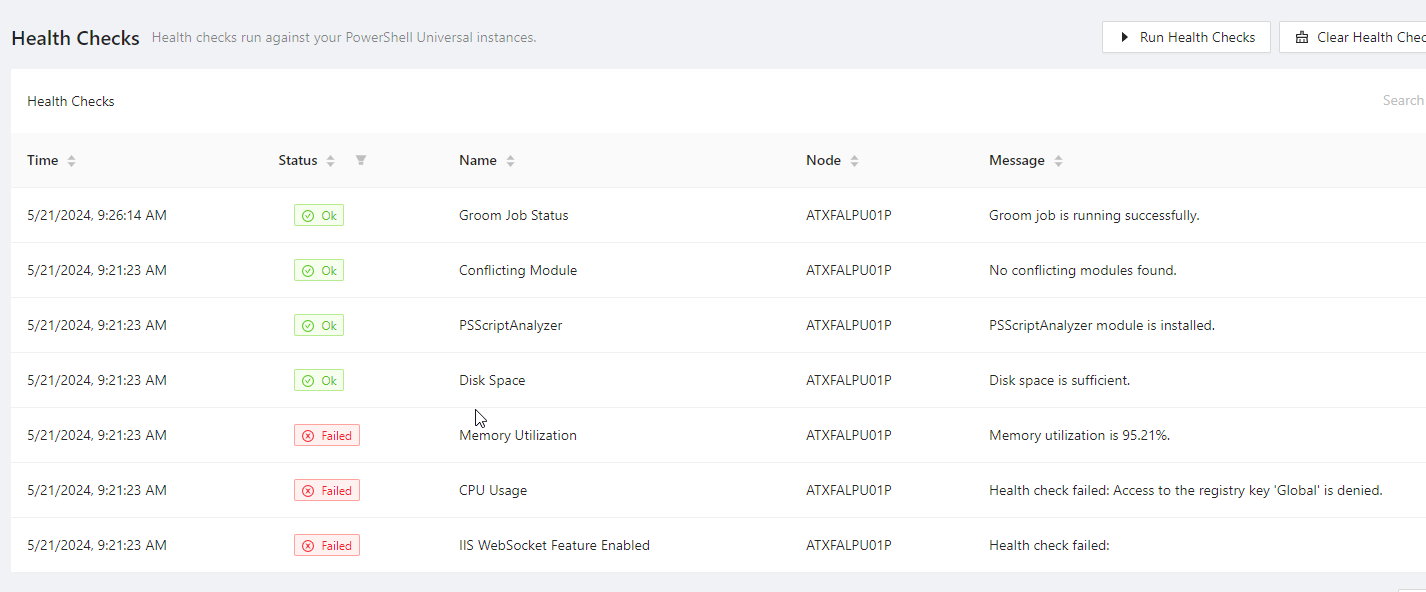
2024-05-20 00:00:11.735 -05:00 [INF] Running health check: CPU Usage
2024-05-20 00:00:11.735 -05:00 [ERR] Health check failed: Access to the registry key 'Global' is denied.
System.UnauthorizedAccessException: Access to the registry key 'Global' is denied.
   at System.Diagnostics.PerformanceDataRegistryKey.Win32Error(Int32& errorCode, String name)
   at System.Diagnostics.PerformanceDataRegistryKey.GetValue(String name, Boolean usePool)
   at System.Diagnostics.PerformanceMonitor.GetData(String item, Boolean usePool)
   at System.Diagnostics.PerformanceCounterLib.GetPerformanceData(String item, Boolean usePool)
   at System.Diagnostics.PerformanceCounterLib.get_CategoryTable()
   at System.Diagnostics.PerformanceCounterLib.CounterExists(String category, String counter, Boolean& categoryExists)
   at System.Diagnostics.PerformanceCounterLib.CounterExists(String machine, String category, String counter)
   at System.Diagnostics.PerformanceCounter.InitializeImpl()
   at System.Diagnostics.PerformanceCounter.NextSample()
   at PowerShellUniversal.CpuUsageCheck.Check(IServiceProvider serviceProvider, Hashtable options) in C:\actions-runner\_work\universal\universal\src\Universal.Server\Services\Health\CpuUsageCheck.cs:line 55
   at PowerShellUniversal.HealthCheckService.RunChecks() in C:\actions-runner\_work\universal\universal\src\Universal.Server\Services\Health\HealthCheckService.cs:line 135
347c34e08125f8a52535a2cb5013f6623361a24f.png
Recommended Answer
Add IIS app pool to Performance Log Users and Performance Monitor Users groups.
Rebuild Counters
cd\
cd Windows
cd SysWOW64
lodctr /r

iisreset
“Reboot if the CPU Health Check still fails”
All Comments (1)
Add IIS app pool to Performance Log Users and Performance Monitor Users groups.
Rebuild Counters
cd\
cd Windows
cd SysWOW64
lodctr /r

iisreset
“Reboot if the CPU Health Check still fails”