Need help identifying what is generating app tokens

Product: PowerShell Universal
Version: 4.2.13
Within the last couple days I’ve noticed multiple app tokens being generated with the builtin admin identity and Im not sure where they are coming from. None of the tokens get used but multiple times a day they are generated. Not seeing anything in the logs the is obvious.
All Comments (11)
Do you have any applications/dashboards that have the -GranyAppToken parameter enabled that you view the built-in administrator? You may also want to analyze if any roles are being assigned to these suspicious tokens. That may help you figure out what is generating the tokens.
I checked and none of my apps are using -GrantAppToken. I also founds these lines in my logs:
2024-03-10 00:00:12.078 -05:00 [INF] Script Invoke-Onboarding.ps1 has a max history of 100
2024-03-10 00:00:12.085 -05:00 [INF] Identity 'admin' does not have appToken. Generating app token
2024-03-10 00:00:12.086 -05:00 [INF] Random delay is enabled for this schedule. Delaying job by 33 seconds
2024-03-10 00:00:12.109 -05:00 [INF] Script has 0 jobs to delete.
2024-03-10 00:00:12.109 -05:00 [INF] Script Graph-EmailTest.ps1 has a max history of 100
2024-03-10 00:00:12.130 -05:00 [INF] Script has 0 jobs to delete.
2024-03-10 00:00:12.130 -05:00 [INF] Script Graph-EmailTestREST.ps1 has a max history of 100
2024-03-10 00:00:12.148 -05:00 [INF] Identity 'admin' does not have appToken. Generating app token
The identity ‘admin’ does have an apptoken at the times mentioned
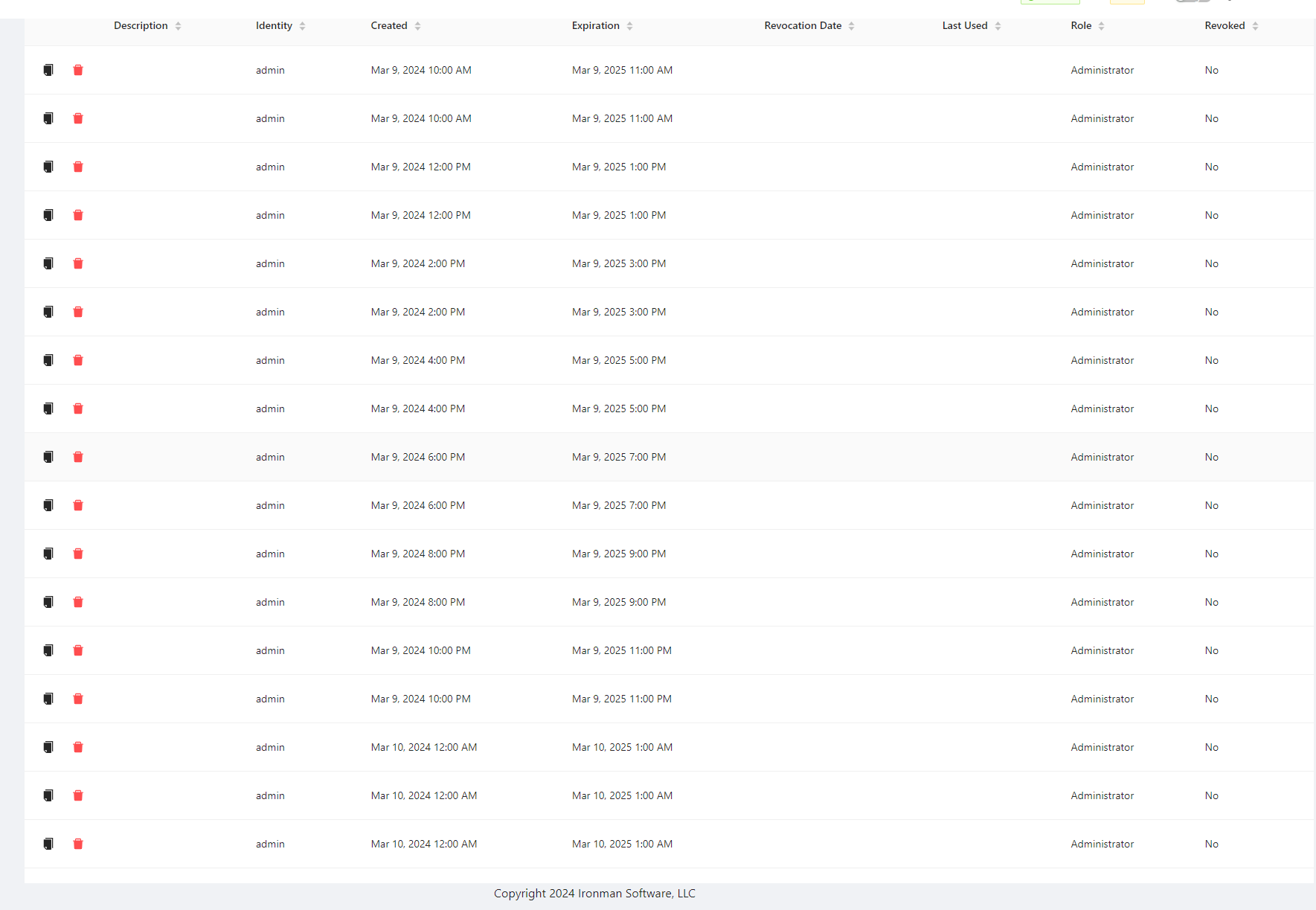
Does yours look like this?
Note we are not using GrantAppToken for dashboards
ca5ac444582238a926ecff4b22da925548a84d1f.png
Yep! Exactly what I am seeing
This seems like a bug with the GrantAppToken code. What persistence method are you using?
Adam Driscoll
PowerShell Expert and Developer at Devolutions
My instance has been setup since v3 and it appears I am still using litedb as the config file says “UniversalAutomation.LiteDBv5” under plugins.
Should I migrate to SQLite if that is possible?
Other info about my instance: running on Windows Server 2019 Datacenter, installed PSU via MSI
I’m not sure if SQLite will fix it or not. Do you have multiple admin identities listed in the Identities page?
This is the lookup for app tokens.
var appToken = _database.AppTokens.Where(m => m.Identity.Id == identity.Id && !m.Revoked && m.Expiration > DateTime.UtcNow).FirstOrDefault();
If there is more than one admin account listed, it could be returning the wrong one and never matching the app token so it always generates one.
Adam Driscoll
PowerShell Expert and Developer at Devolutions
Just the one admin account. Multiple other accounts have the administrator role applied however. Not sure if that is useful just including it incase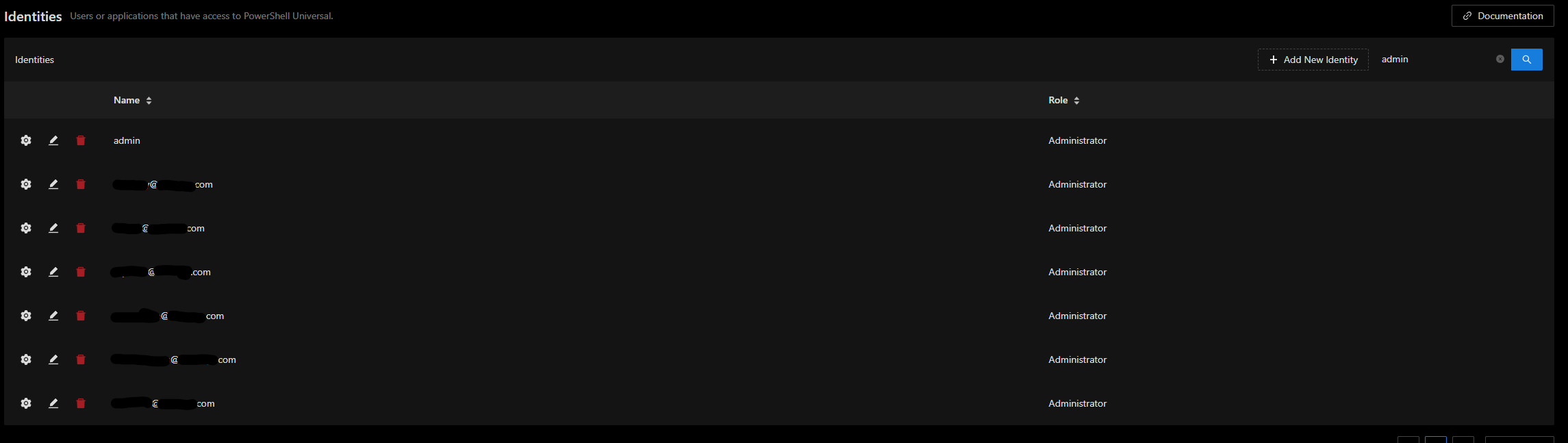
9b5594df83d5b9d8b1d0599075570df3d5aea68c.png
I can reproduce this. We can get it fixed.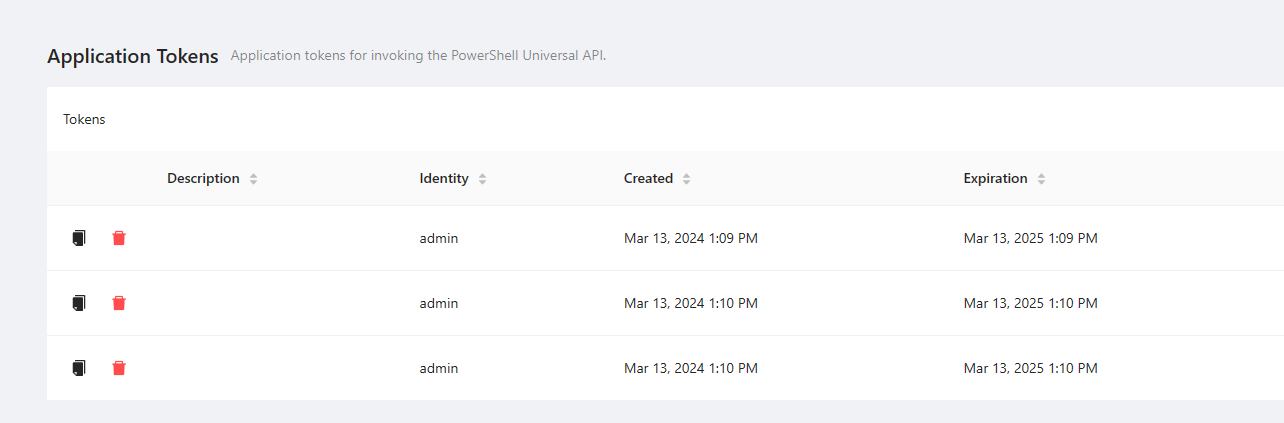
Adam Driscoll
PowerShell Expert and Developer at Devolutions
9cb726e4a455eb40b82d6af548204e39d3019e6f.png
Awesome! Thanks Adam
I was wondering… I noticed this a few days ago in a couple of our environments and kinda thought it looked odd. I don’t understand what is normal system behavior though. A ton of entries where created and expiration would be the same time…
I’m using SQL Server though, not a local DB.