"Run Now" on scheduled job stuck in queue

Hello, I’m new to powershell universal and trying to troubleshoot a scheduled job issue as I’m moving tasks over from Jenkins. I have some tasks that run successfully manually, but error out when run by the scheduler, see below for an example.
Trying to troubleshoot, I’m using the Run Now button in the scheduled job list, and my job just sits there as queued. Again see below for example.
When I look in hangfire I see the job listed as processing, but it just sits there in that state and doesn’t ever do anything. New poster so only allowed one image, but here are the 3 things I mentioned combined.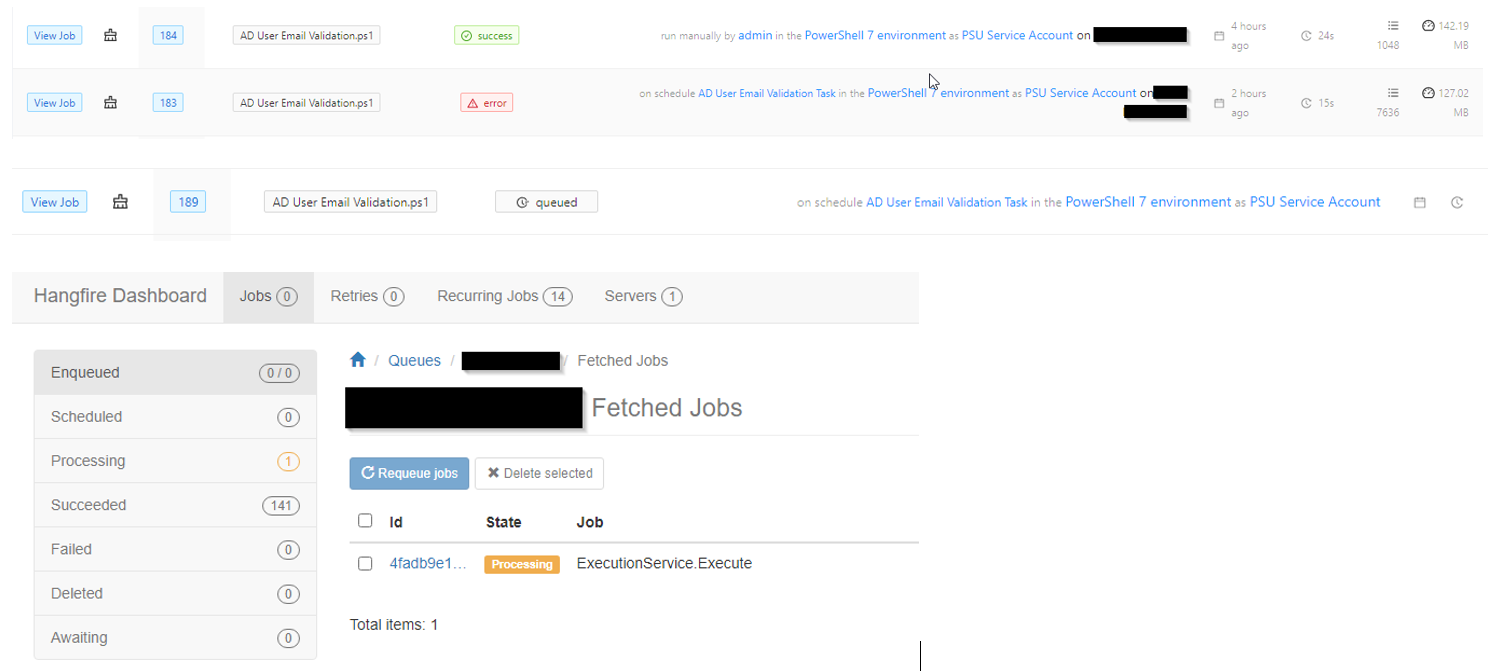
For reference when running manually this simple script takes less than 60 seconds to complete. Any ideas what could be going on or if I’m doing something incorrectly?
Thanks.
b25d78c9bd2f7524451d5897c62bef53a201c7c8.png
