Create a password web gui self service portal

hi all,
i want to create a password web gui self service portal for my users to change there passwords, are there any good how to’s for me to learn how to do this, pref videos or documents like creating textbox
labels
combo boxe/drop down list box
and then passing all that to powershell to execute the change password command, does powershell universal need to be on the same machine as AD for it to communincate with AD or can it just be on any pc
thanks,
rob
All Comments (8)
This is a perfect usecase for PSU. Please take a look here Active Directory Dashboard - Ironman Software to get started.
following this guide
- Download and install PowerShell Universal
- Navigate to localhost:5000
- Login with admin\ admin
- Install this template by click Platform \ Templates and install the Active Directory template
- View the dashboard at localhost:5000/active-directory
im under the platform tab but i cant see it to download it?
There have been some changes, it can now be found under Modules. See Templates - PowerShell Universal
thanks, i stupidly installed it twice now i have two instances under “user interfaces” > “apps” i cant see anywhere to delete one of them?
Every App displayed there should have a red recycle bin icon to delete the App.
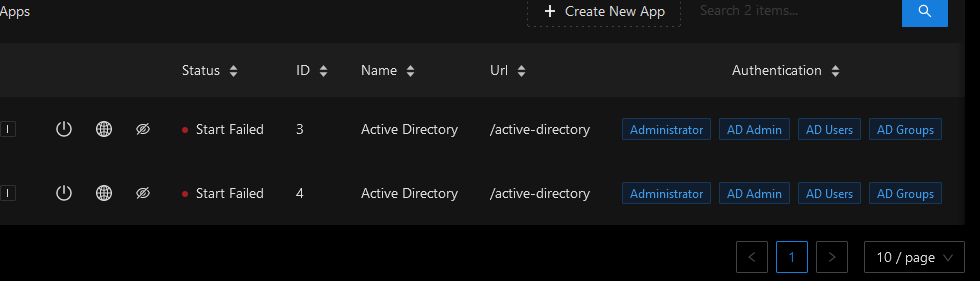
cant see the bin
09265ff313b1408f75ccb5a92b9ec8cd6e940cef.png
This does look different than what I have got, have you got enough permissions?
i should as i have signed in as admin