Credential Request

Product: PowerShell Universal
Version: 4.2.9
Hi,
In my apps, I use secret variables to execute commands that require privilege elevation.
Example :Set-ADUser -Identity $SamAccountName -Description $Description -Credential $Secret:DSI
Regularly I get a popup asking me to re-enter the password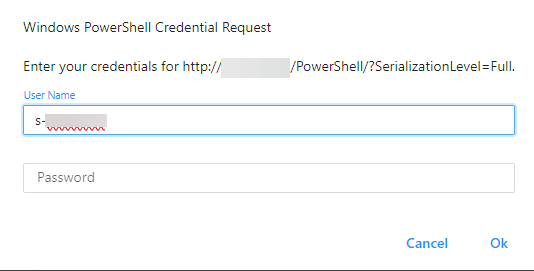
This request is quite annoying because I don’t want the password to be known by the users of this app.
Is this normal behavior?
ac8123ccda50d269a42ab69b21a664b4918ec1ca.png
All Comments (4)
I have two questions about this.
- what kind of system is behind the web address?
- why does the page use http?
–
I have found that the creation of PSCredentials in Powershell Universal only works properly if you specify the user in the format “domain\username”. The format “username@domain.tld” did not work at all, at least for us.
Behind this address is an exchange server. I use the code below to make exchange commands ;
$pso = New-PSSessionOption -SkipCACheck -SkipCNCheck -SkipRevocationCheck
$Session = New-PSSession -ConfigurationName Microsoft.Exchange -ConnectionUri http://$ExchangeServer/PowerShell/?SerializationLevel=Full -Authentication Kerberos -Credential $Secret:DSI -SessionOption $pso
$null = Import-Module (Import-PSSession $session -AllowClobber -DisableNameChecking) -Global -DisableNameChecking
I’ll try to recreate a sercret with the format “domain\username” and see if that fixes the problem.
Using the domain\username format did not solve the problem. I still regularly get the popup message
Did you ever fix this?
I am getting access denied when trying to access mine but my creds work outside of the tool.