Okta Integration

Product: PowerShell Universal
Version: 4.2.11
I was working with the Okta admin in my organization following the setup instructions found here: OpenID Connect - PowerShell Universal
One of the first issues we ran into is that unless we added http as a method in the configuration inside Okta, it would return a 400 error. Once we added http, then it would complain about an insure method in the screenshot below.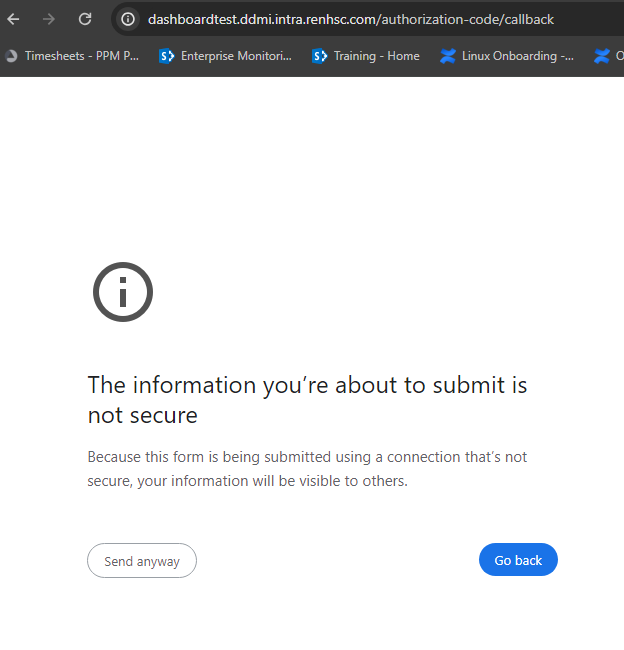
After clicking “send anyway”, I could use okta to authentication and then it returns an empty message.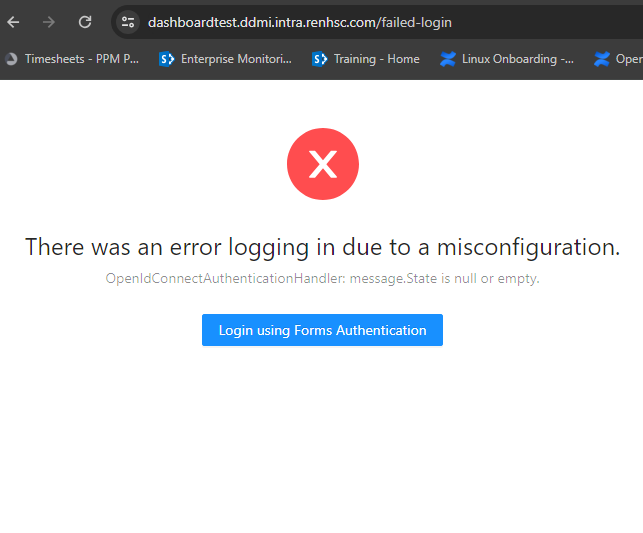
and the console logs show a CORS policy error.(redirected from 'https://dashboardtest.ddmi.intra.renhsc.com/api/v1/accessible') from origin 'https://dashboardtest.ddmi.intra.renhsc.com' has been blocked by CORS policy: No 'Access-Control-Allow-Origin' header is present on the requested resource.
Here is the snippet from the application.json file for okta
"OIDC": {
      "Enabled": "true",
      "CallbackPath": "/authorization-code/callback",
      "ClientID": "<CLIENT_ID>",
      "ClientSecret": "<CLIENT_SECRET>",
      "Resource": "",
      "Authority": "https://ddmi-tst.oktapreview.com",
      "ResponseType": "code",
      "SaveTokens": "true",
      "CorrelationCookieSameSite": "",
      "UseTokenLifetime": true,
      "Scope": "openid profile groups",
      "GetUserInfo": true
    },
e5a9c874569ec0c41a2d5fd20d884c74319dd104.png
c0c3e06385cae121c8584e23f55e9333783293fd.png