PSU Dashboard behind Nginx Proxy?

Product: PowerShell Universal
Version: 4.1.4
We are currently spinning up small docker containers containing PSU, and then publishing a few dashboards publicly (The security part is taken care of - ACLs, restricted public IP access, etc)
We can access the admin panel directly if we connect to hostname.publicdomain.com - but if we want to connect to the Apps / Dashboards, the site never really loads: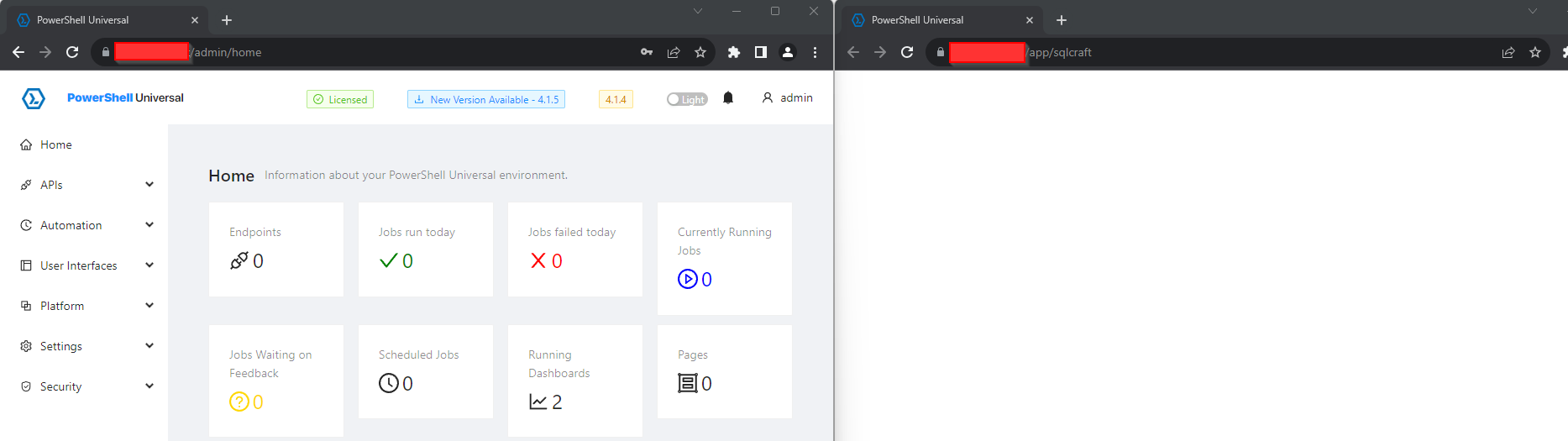
We also get quite a few errors, once we load the App / Dashboard: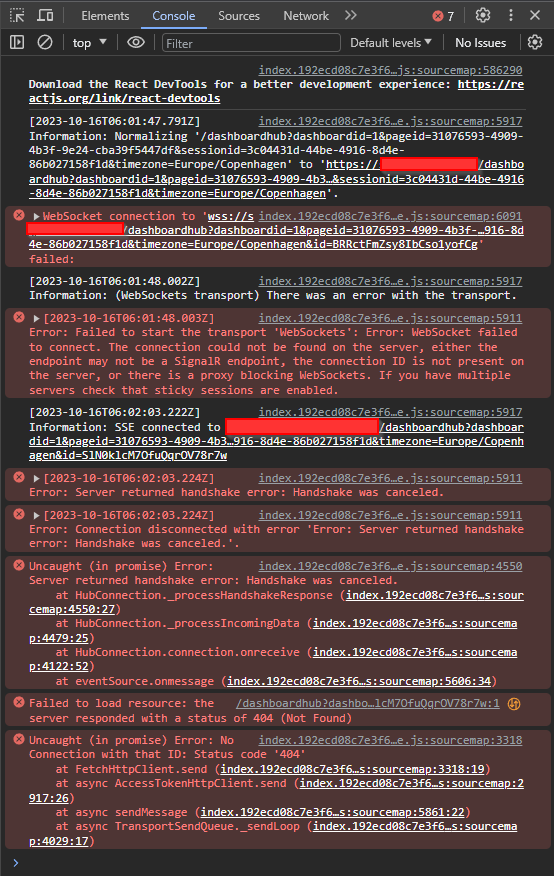
All other sites behind the Nginx reverse proxy is working as well as the admin page.
Does anyone have some knowledge, on how get PSU to work behind a reverse proxy?
cb0b799f795ea1e17098f2e7da11331eae82b419.png
02f3b93569d71a6e600af27a7a4287be7551febf.png
All Comments (4)
I have been trying to get this working too for my Laptop Dev builds.
I have generated a self-signed cert, however getting nginx to use it has been problematic.
I did receive the WebSockets problem and research advised this was the fix:
location /myfolder/ {
    alias /path/to/root/directory/myfolder/;
    index index.html;

    proxy_http_version 1.1;
    proxy_set_header Upgrade $http_upgrade;
    proxy_set_header Connection "upgrade";

    # WebSocket proxying
    proxy_pass http://myapp-container:5000;  # Use your actual container name and port
}
The key settings here are:
- proxy_http_version 1.1;: This setting ensures that HTTP/1.1 is used, which is required for WebSocket support.
- proxy_set_header Upgrade $http_upgrade;: This tells Nginx to upgrade the connection to WebSocket if it detects the Upgrade header in the request.
- proxy_set_header Connection “upgrade”;: This sets the Connection header to “upgrade” to indicate a WebSocket connection.
- proxy_pass http://myapp-container:5000;: This line specifies the address of your WebSocket server. Replace myapp-container with the actual name of your container running the WebSocket server, and 5000 with the correct port.
This is something I have on the backlog to figure out. I would be keen to know if you get this working.
Thanks for the config
We are currently using Nginx Proxy Manager, and really like the simplicity of it.
nginxproxymanager.com
Im not sure that those settings you mentioned, are available in the GUI
Thanks for the info. My docker envionment is a compose script consisting of 2 containers. One being PSU and the other being the image: nginx. I have a confg file mounted as:
volumes:
    - .\reverse-proxy.conf:/etc/nginx/conf.d/reverse-proxy.conf
I will have a look at the proxy manager and see if it helps me as im trying to figure this out using a pure text config file which is not the easiest way!
I have my PSU instance running on a synology NAS via a docker container, and I’m using the reverse proxy functionality of synology’s DSM operating system, which I believe under the hood is just nginx.
It works fine once I’d muddled my way through the setup:
Couple of things I had to do in the proxy:
- enable HSTS
- ensure the correct headers are enabled for websockets:Name: ‘Upgrade’, Value: ‘$http_upgrade’
- Name: ‘Connection’, Value: ‘$connection_upgrade’
Apply env var to the docker container for PSU:
- Key: ‘ASPNETCORE_FORWARDEDHEADERS_ENABLED’, Value: ‘true’