New-UDTable - DateTime shows as zulu time

Product: PowerShell Universal
Version: 4.1.5
Hi,
I need to make a table with for our users, to allow them to reset their own test accounts.
They need to be able to see the Password Last Set attribute, but it shows up as zulu time instead of the normal time.
How can i convert it to either the timezone the client is running in, or that the PSU server is running in?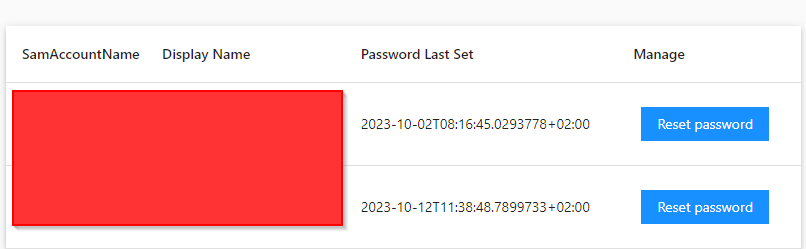
$foo = Get-ADUser -Filter "SamAccountName -eq '$LocalUser'" -Properties DisplayName, PasswordLastSet
                    $LocalUserObjects += [PSCustomObject]@{
                        SamAccountName  = $foo.SamAccountName
                        DisplayName     = $foo.DisplayName
                        PasswordLastSet = $foo.PasswordLastSet
                    }
c0b6a5192a9d50cf087d4bd8b7fc4fdea75c88df.png
All Comments (1)
Brainfart from my side - it helped to just say it out loud
This works:
$foo = Get-ADUser -Filter "SamAccountName -eq '$LocalUser'" -Properties DisplayName, PasswordLastSet
                    $LocalUserObjects += [PSCustomObject]@{
                        SamAccountName  = $foo.SamAccountName
                        DisplayName     = $foo.DisplayName
                        PasswordLastSet = $(Get-Date $foo.PasswordLastSet -Format "dd-MM-yyyy HH:mm:ss")
                    }
If anyone knows a way to do it natively in the New-UDTableColumn / New-Udtable, i would appreciate that.