Failed to query apps. TypeError: dashboards.map is not a function This is a connection error. Click Settings to adjust your connection settings or App Tokens to generate a new token
Failed to query apps. TypeError: dashboards.map is not a function This is a connection error. Click Settings to adjust your connection settings or App Tokens to generate a new token

Product: PowerShell Universal
Version: 4.0.9
I am taking another stab at trying to get the VS Code extension working with my locally hosted docker container.
Currenlty, my dashboard is accessable under the URL: http://localhost:5000
I have created an app token and adeed to that to the VS Code settings page: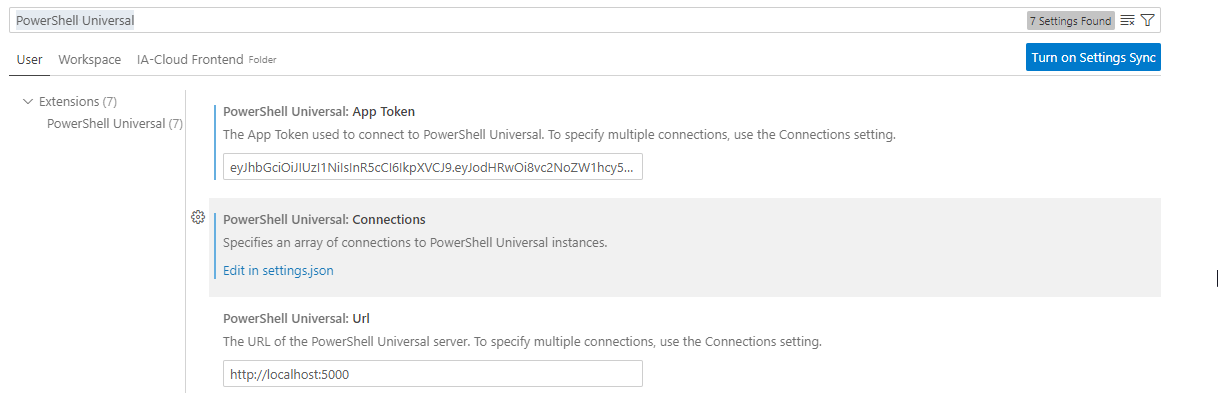
When trying to load my app the following error pops up: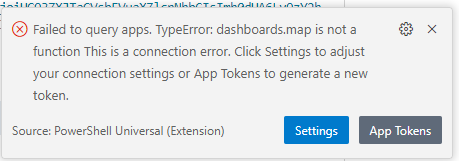
I can see in the terminal PSU tries to run the command
Connect-PSUServer -ComputerName 'http://localhost:5000' -AppToken 'reallylongapptokenhere'
The error generated is: Connect-PSUServer: Response could not be deserialized to JSON: GET http://localhost:5000/api/v1/accessible
In line with this forum post when i try an Invoke-WebRequest this returns status 200 too.
I have tried to crack this problem before with no luck.
Are there any settings I am missing here?
2ec04925b2b06d31d9ec4a3eae9d865ee27806c4.png
86e11cdffededeb7d86bf51a0914ec32d5e65764.png