Special characters not recognized by the API

Product: PowerShell Universal
Version: 4.0.5
Hi,
We are facing the same issue, as a few other posts, regarding using special characters (Danish Æ,Ø,Å) in the API call.
Problem showing Danish special characters (ÆØÅ) in the dashboard - PowerShell Universal / Universal Dashboard - Ironman Software Forums
API Post with swedish characters in body - PowerShell Universal - Ironman Software Forums
This is the API im using to test with:
param(
    [Parameter(Mandatory = $true)]
    [string]
    $UserMessage
)
New-PSUApiResponse -Body "$UserMessage" -StatusCode 200
$UserMessage | Out-File C:\temp\DebuggingMessage.txt
This is the call im making to the API:
$Data = @{
    UserMessage = "Ø"
} | ConvertTo-Json
Invoke-RestMethod http://192.168.2.26:5000/test/api123 -Method POST -Body $Data -AllowUnencryptedAuthentication -SkipCertificateCheck -ContentType 'application/json'
We have tried with the -ContentType “Application/Json; Charset=UTF8” but then PSU complains, that the parameter UserMessage is not missing on the client.
Both the data in DebuggingMessage.txt file and the return data from New-PSUApiResponse are showing the incorrect value.
We use English in all our UIs and documentation, but the API will be used to update peoples first and last name - so we need to be able to use the specialized characters.
Does anyone have a working solution, on how to get this working?
All Comments (9)
having the same issue with characters with accents, like á
Did you try using -Body ([System.Text.Encoding]::UTF8.GetBytes($Data)) ?
On the APP page, I do the following in a function:
    $transDataJ = $transData | ConvertTo-Json
    $transDataJB = [System.Text.Encoding]::UTF8.GetBytes($transDataJ)
    $OutputREST = Invoke-RestMethod $RestURI -Method $Method -Body (@{
            Command = $Command
            Data    = $transDataJB
        } | ConvertTo-Json) -Headers @{ Authorization = "Bearer $BearerToken" } -ContentType 'application/json'
On the API side then:
$TransData = [System.Text.Encoding]::UTF8.GetString($Fields.Data) | ConvertFrom-Json
If there is a better solution here I would be a little happy
Yup - i forgot to mention that, but i already tried that, and that did not help.
Thanks for the example - but as you said, there should be an easier way to do this
Its to easy to forget when during several APIs.
I don’t see this issue personally.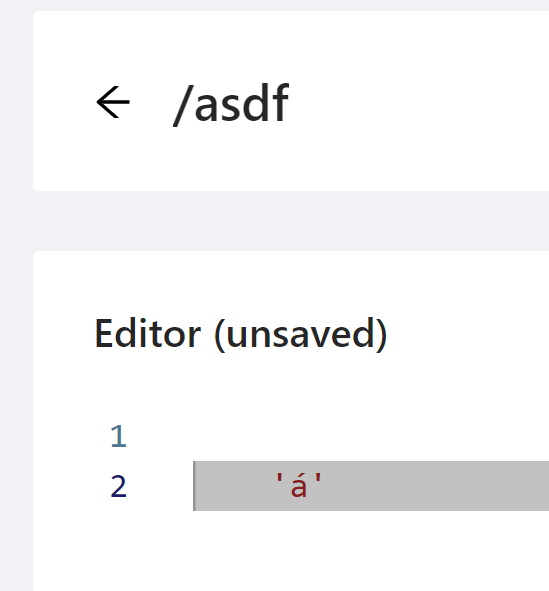

What environment are you using and what PS version are you using to call the API?
Adam Driscoll
PowerShell Expert and Software Architect at Devolutions
a71791cf5ff517ff5560f32d797fa0bfea285de7.png
faa34519e37e0984518ad59c19e5869b71baa93e.png
á
The one i used to create this post, are running:
API: pwsh 7.3.4 single process
Client: pwsh 7.3.4
This is my API:
param(
    [Parameter(Mandatory = $true)]
    [string]
    $UserMessage
)

"á" #-->This is always working as expected

New-PSUApiResponse -Body "$UserMessage" -StatusCode 200 #--> This only works if the client is using ([System.Text.Encoding]::UTF8.GetBytes($Data))
This is from my client:
$Data = @{
    UserMessage = "Ø"
} | ConvertTo-Json
#This seems to be working
Invoke-RestMethod http://192.168.2.26:5000/test/api123 -Method POST -Body ([System.Text.Encoding]::UTF8.GetBytes($Data)) -AllowUnencryptedAuthentication -SkipCertificateCheck -ContentType 'application/json'

#This is not working
Invoke-RestMethod http://192.168.2.26:5000/test/api123 -Method POST -Body $Data -AllowUnencryptedAuthentication -SkipCertificateCheck -ContentType 'application/json'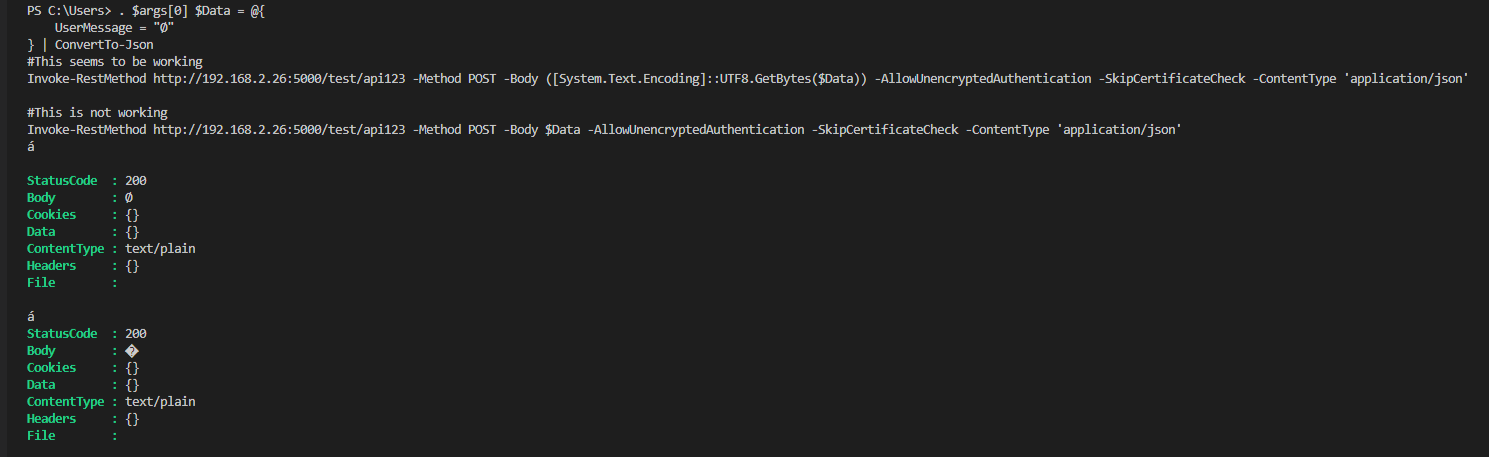
I would expect it to always be UTF8
d178b482b6280ddffcac091ce722bbe8ecb135db.png
Thanks for the workaround, I am experiencing the exact same issue
thanks, this did the trick for us as well!
we have an endpoint for posting mail, running in the 7.3.1 Agent environment
I tried playing around with the Content-Type and Content-Encoding headers without luck, if I Out-File the incoming $Body, it keeps ending up wrong without the workaround