Special characters not recognized by the API

Product: PowerShell Universal
Version: 4.0.5
Hi,
We are facing the same issue, as a few other posts, regarding using special characters (Danish Æ,Ø,Å) in the API call.
Problem showing Danish special characters (ÆØÅ) in the dashboard - PowerShell Universal / Universal Dashboard - Ironman Software Forums
API Post with swedish characters in body - PowerShell Universal - Ironman Software Forums
This is the API im using to test with:
param(
    [Parameter(Mandatory = $true)]
    [string]
    $UserMessage
)
New-PSUApiResponse -Body "$UserMessage" -StatusCode 200
$UserMessage | Out-File C:\temp\DebuggingMessage.txt
This is the call im making to the API:
$Data = @{
    UserMessage = "Ø"
} | ConvertTo-Json
Invoke-RestMethod http://192.168.2.26:5000/test/api123 -Method POST -Body $Data -AllowUnencryptedAuthentication -SkipCertificateCheck -ContentType 'application/json'
We have tried with the -ContentType “Application/Json; Charset=UTF8” but then PSU complains, that the parameter UserMessage is not missing on the client.
Both the data in DebuggingMessage.txt file and the return data from New-PSUApiResponse are showing the incorrect value.
We use English in all our UIs and documentation, but the API will be used to update peoples first and last name - so we need to be able to use the specialized characters.
Does anyone have a working solution, on how to get this working?
All Comments (9)
having the same issue with characters with accents, like á
Did you try using -Body ([System.Text.Encoding]::UTF8.GetBytes($Data)) ?
On the APP page, I do the following in a function:
    $transDataJ = $transData | ConvertTo-Json
    $transDataJB = [System.Text.Encoding]::UTF8.GetBytes($transDataJ)
    $OutputREST = Invoke-RestMethod $RestURI -Method $Method -Body (@{
            Command = $Command
            Data    = $transDataJB
        } | ConvertTo-Json) -Headers @{ Authorization = "Bearer $BearerToken" } -ContentType 'application/json'
On the API side then:
$TransData = [System.Text.Encoding]::UTF8.GetString($Fields.Data) | ConvertFrom-Json
If there is a better solution here I would be a little happy
Yup - i forgot to mention that, but i already tried that, and that did not help.
Thanks for the example - but as you said, there should be an easier way to do this
Its to easy to forget when during several APIs.
I don’t see this issue personally.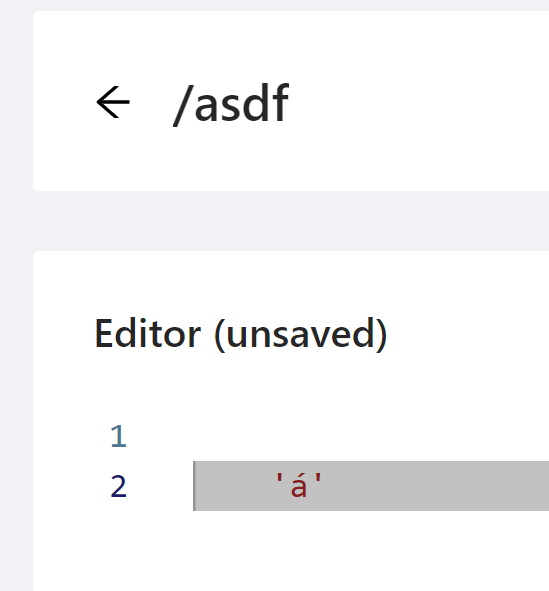

What environment are you using and what PS version are you using to call the API?
Adam Driscoll
PowerShell Expert and Developer at Devolutions
a71791cf5ff517ff5560f32d797fa0bfea285de7.png
faa34519e37e0984518ad59c19e5869b71baa93e.png
á
The one i used to create this post, are running:
API: pwsh 7.3.4 single process
Client: pwsh 7.3.4
This is my API:
param(
    [Parameter(Mandatory = $true)]
    [string]
    $UserMessage
)

"á" #-->This is always working as expected

New-PSUApiResponse -Body "$UserMessage" -StatusCode 200 #--> This only works if the client is using ([System.Text.Encoding]::UTF8.GetBytes($Data))
This is from my client:
$Data = @{
    UserMessage = "Ø"
} | ConvertTo-Json
#This seems to be working
Invoke-RestMethod http://192.168.2.26:5000/test/api123 -Method POST -Body ([System.Text.Encoding]::UTF8.GetBytes($Data)) -AllowUnencryptedAuthentication -SkipCertificateCheck -ContentType 'application/json'

#This is not working
Invoke-RestMethod http://192.168.2.26:5000/test/api123 -Method POST -Body $Data -AllowUnencryptedAuthentication -SkipCertificateCheck -ContentType 'application/json'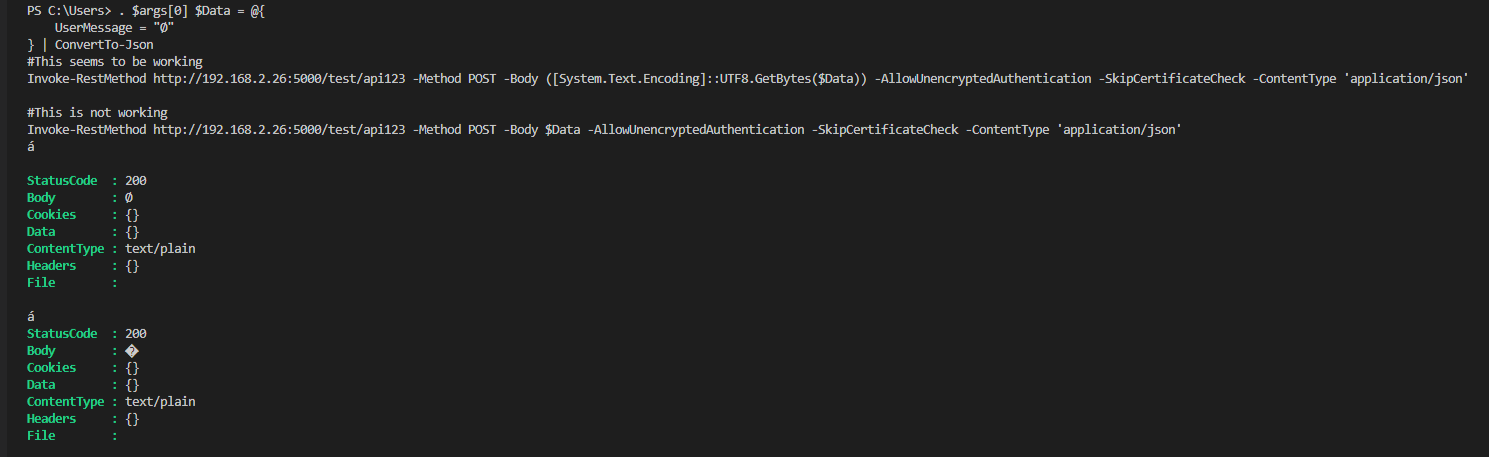
I would expect it to always be UTF8
d178b482b6280ddffcac091ce722bbe8ecb135db.png
Thanks for the workaround, I am experiencing the exact same issue
thanks, this did the trick for us as well!
we have an endpoint for posting mail, running in the 7.3.1 Agent environment
I tried playing around with the Content-Type and Content-Encoding headers without luck, if I Out-File the incoming $Body, it keeps ending up wrong without the workaround