Forms based on JSON Schema

Product: PowerShell Universal
Version: 1.4.1
Running into an issue with dashboards where forms created from a JSON Schema are not executing the -OnSubmit block. I have tried my own implementation as well as the example in the documentation and when clicking the submit button nothing happens.
Anyone have any suggestions?
Implementation from Docs
New-UDForm -Schema @{
        title = "Test"
        type = "object"
        properties = @{
            hostname = @{
                title = "Hostname"
                type = "string"
                }
            ipaddress= @{
                title = "IP Address"
                type = "string"
                format = "ipv4"
                }
            description = @{
                title = "Server Description"
                type = "string"
                }
            servertype = @{
                title = "Server Type"
                type = "string"
                enum = "App","DB"
                }
            environment = @{
                title = "Environment"
                type = "string"
                enum = "Prod", "Dev" , "QA"
                }
            }
		required = @('hostname','ipaddress','description','servertype','environment')
	} -uiSchema @{
		"ui:order" = @('environment','hostname','ipaddress','description','servertype')
	} -OnSubmit {
		Show-UDModal -Content {
			New-UDTypography -Text $EventData.formData
		} -Footer {
			New-UDButton -Text "Close" -OnClick {Hide-UDModal}
		} -Persistent
	}
type or paste code here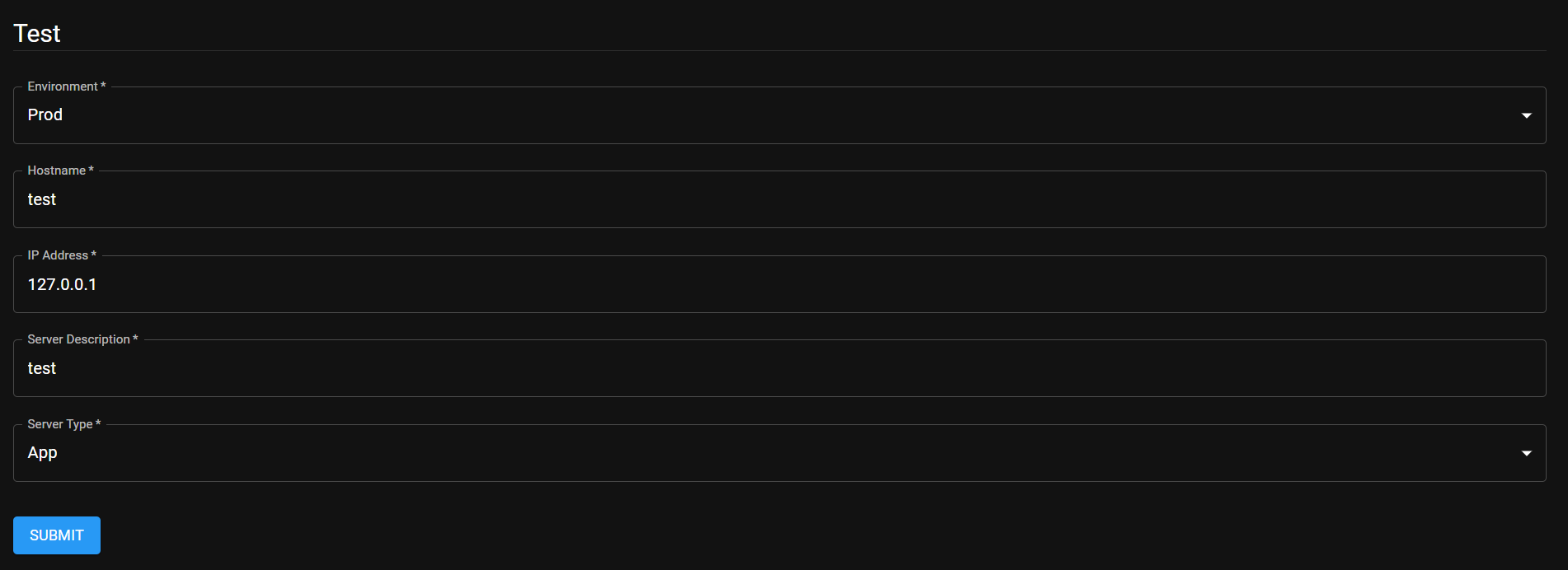
c7a3efdccba2ddc62771138bea02090f4e530eab.png
All Comments (4)
I’m running into the same thing. Were you able to find a solution?
I tried using the below to see if I could enter the debugger to see if it was throwing some kind of silent error. Looks like it’s not executing anything in the block, possibly just moving past it.
New-UDForm -Schema @{
        title = "Test"
        type = "object"
        properties = @{
            hostname = @{
                title = "Hostname"
                type = "string"
            }
        }
    } -OnSubmit {
        $testVariable = "On Submit was clicked"
        Show-UDToast -Message "Submit was clicked"
        Wait-Debugger
    }
This is on v4.0.5
Environment is v7.3.5
I did test all of the environments to see if there was something wrong with the environment I was using. Still same issue.
Edit:
Upgraded to v4.0.8 issue still exist.
Performed some more troubleshooting and found errors in the DevTools console of chrome: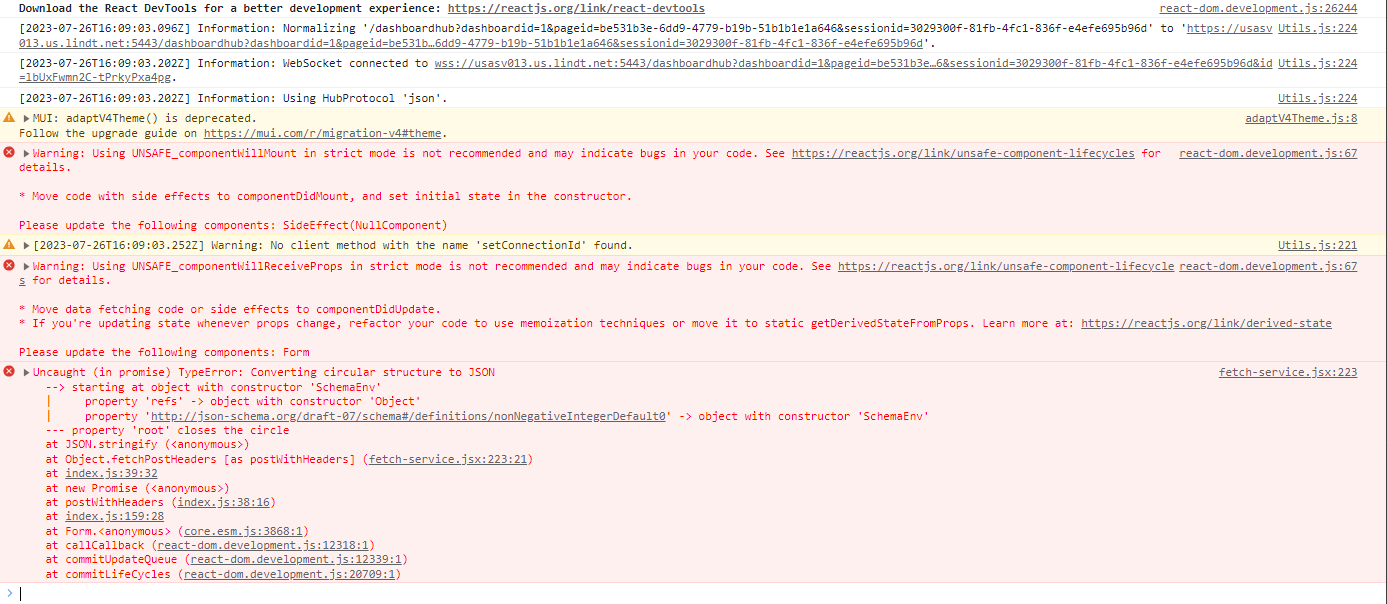
The Uncaught TypeError doesn’t appear until after the submit button is clicked.
1d7eaa70d19e4673a726b38aa074748b1cd0d0d1.png
I can reproduce this. I also see a pretty clear JavaScript error when clicking submit. We should be able to fix this for 4.0.9.
Adam Driscoll
PowerShell Expert and Software Architect at Devolutions
Thanks for the update. Tested this on 4.0.9 and the submit button now works, but reading the form data is not working. Tested it with the following code from the documentation and received the following output
New-UDForm -Schema @{
        title = "Test"
        type = "object"
        properties = @{
            hostname = @{
                title = "Hostname"
                type = "string"
                }
            ipaddress= @{
                title = "IP Address"
                type = "string"
                format = "ipv4"
                }
            description = @{
                title = "Server Description"
                type = "string"
                }
            servertype = @{
                title = "Server Type"
                type = "string"
                enum = "App","DB"
                }
            environment = @{
                title = "Environment"
                type = "string"
                enum = "Prod", "Dev" , "QA"
                }
            }
		required = @('hostname','ipaddress','description','servertype','environment')
	} -uiSchema @{
		"ui:order" = @('environment','hostname','ipaddress','servertype','description')
	} -OnSubmit {
		Show-UDModal -Content {
			New-UDTypography -Text $EventData.formData
		} -Footer {
			New-UDButton -Text "Close" -OnClick {Hide-UDModal}
		} -Persistent
	}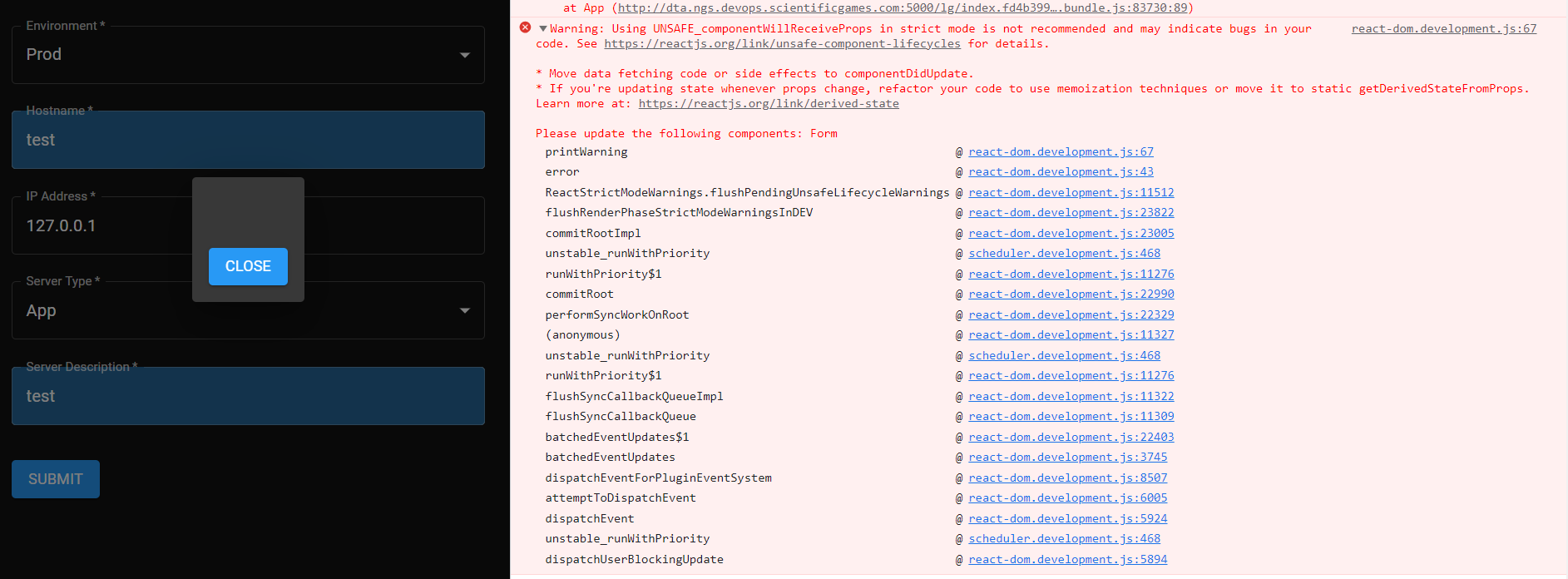
I was able to get an output using $body which returned the form data as a string
-OnSubmit {
		Show-UDModal -Content {
			New-UDTypography -Text $Body
		} -Footer {
			New-UDButton -Text "Close" -OnClick {Hide-UDModal}
		} -Persistent
	}
Thank you for working on this issue!
075863612d6f1c00ffd550d002f9ed5919886fbd.png
Ran the debugger and found that the returned JSON data is applied directly to $Eventdata. You can use $Eventdata.propertyname to get the input.
Using the example code you have, you would use $Eventdata.hostname to get the value for the hostname field.
Also looks like $Body is just the data returned as a String.