New-UDChartJS size and options

Product: PowerShell Universal
Version: 4.0.2
Hi All,
I am probably doing something very wrong, but I can’t seem to get the New-UDChartJS options to work. Looking at the documentation, the following should turn off the legend and X/Y labels.
$processes = Get-Process | Group-Object -Property Name | Select-Object -First 15
New-UDChartJS -Type Bar -Data $processes -DataProperty Count -LabelProperty Name -Options @{
	plugins = @{
		legend = @{
			display = $false
		}
	}
	scales = @{
		xAxes= @{
			display = $false
		}
		yAxes = @{
			display = $false
			ticks = @{
				stepSize = 10
			}
		}
	}
}
However, when I run this code, I end up with this: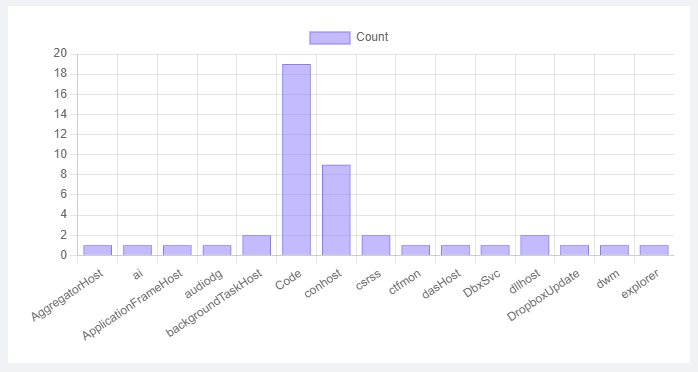
What am I doing wrong here?
In addition, I would like to be able to control the height of the chart i.e. make it a lot flatter. No matter what I try, I can’t seem to control this. Any bright ideas here?
Thanks in advance,
Iain
9fd43bc0b8facb2c5c7ca3bf9b6154a0c8e8a8cb.png