$Roles variable not reflecting claims

Product: PowerShell Universal
Version: 4.0.2
I appear to have a problem enumerating the user’s roles from within a dashboard. When I view the Admin user’s claim information, they appear to be assigned the role: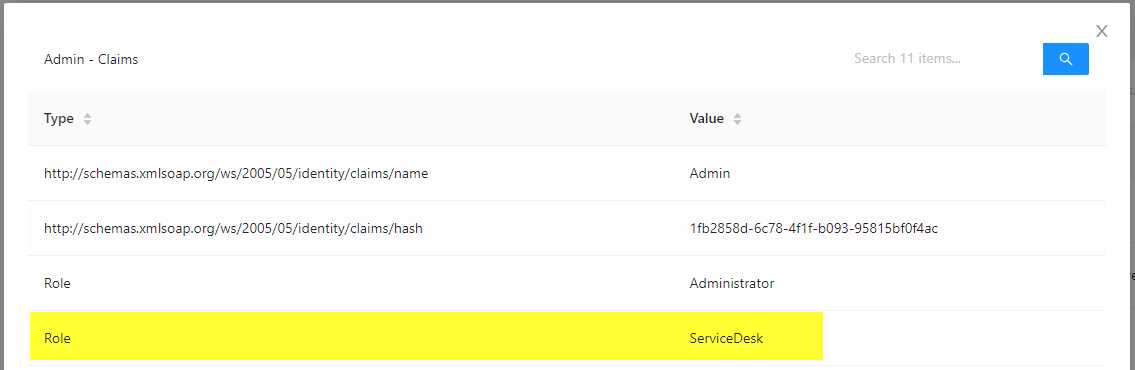
However, when running the following code in a dashboard page:
New-UDPage -Url "/Service-Desk" -Name "Service Desk" -Content {
    foreach ($r in $roles)
    {
        New-UDAlert -Severity info -Title Role -Text $r
    }

    if ($Roles -notcontains 'ServiceDesk')
    {
        New-UDAlert -Severity error -Title 'Insufficient access' -Text 'You are not subscribed to this service.'
    }
    else
    {
        New-UDTypography -Text 'ServiceDesk'
    }
}
I only appear to have the “Administrator” role and no “ServiceDesk” role: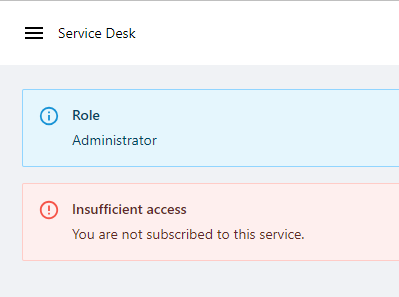
I am assigning all available roles to the Admin user in the authentication.ps1:
if ($Credential.UserName -eq 'Admin')
{
    $defaultRoles = 'Operator','User','Execute','Reader','User'
    New-PSUAuthenticationResult -UserName 'Admin' -Success -Claims {
        Get-PSURole | Where-Object { $_.Name -notin $defaultRoles} | ForEach-Object {
            New-PSUAuthorizationClaim -Type Role -Value $_.Name
        }
    }
}
else
{
    New-PSUAuthenticationResult -ErrorMessage 'Bad username or password.'
}
I am not sure if I am doing things incorrectly or whether there’s a bug. Any ideas?
Thanks in advance,
Iain
67147392a51a2f95448def9c4c2d175526bd0a68.png
68488344f6978c030216eec40bef22be358f47b3.png
Recommended Answer
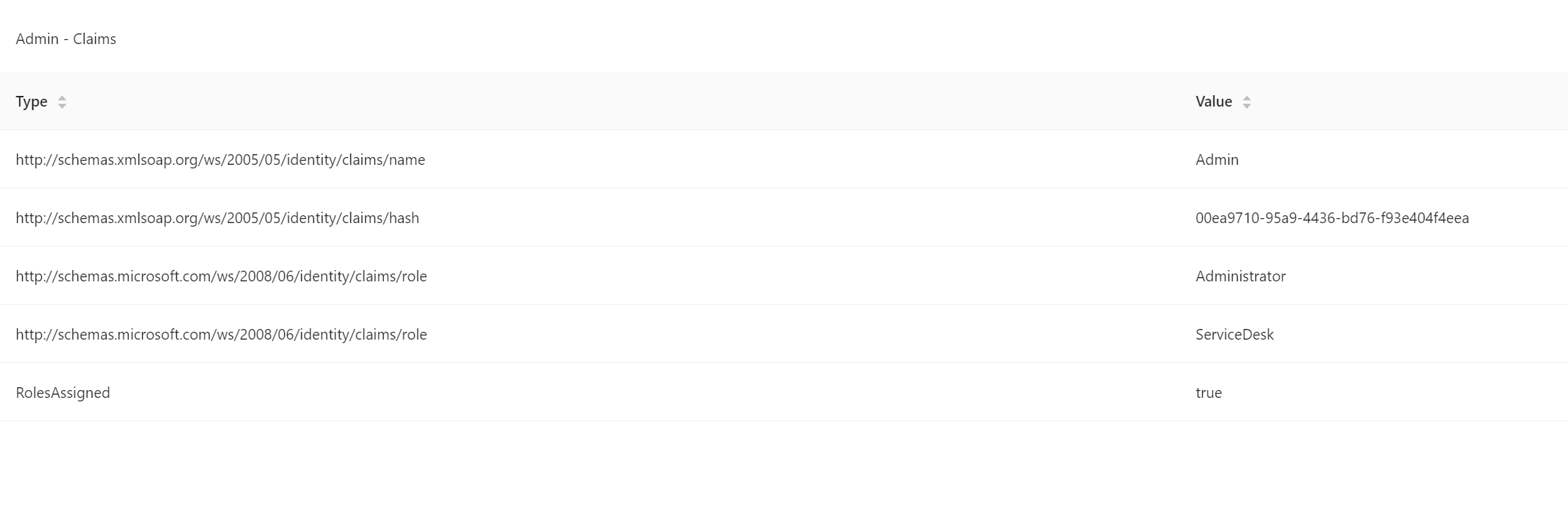
Instead of Role, use the full claim URL.
    param(
        [PSCredential]$Credential
    )

    if ($Credential.UserName -eq 'Admin') {
        $defaultRoles = 'Operator', 'User', 'Execute', 'Reader', 'User'
        New-PSUAuthenticationResult -UserName 'Admin' -Success -Claims {
            Get-PSURole | Where-Object { $_.Name -notin $defaultRoles } | ForEach-Object {
                New-PSUAuthorizationClaim -Type http://schemas.microsoft.com/ws/2008/06/identity/claims/role -Value $_.Name
            }
        }
    }
    else {
        New-PSUAuthenticationResult -ErrorMessage 'Bad username or password.'
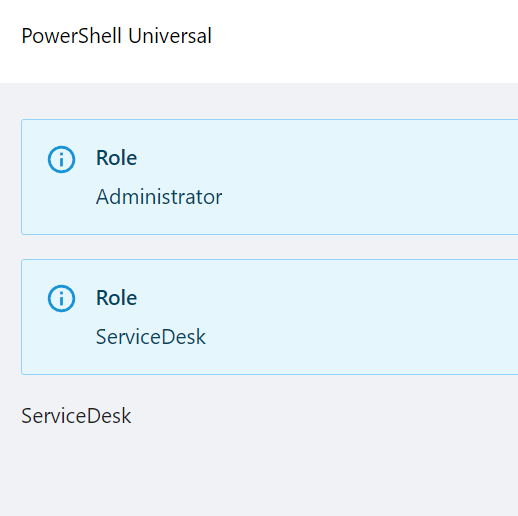
    }
Adam Driscoll
PowerShell Expert and Software Architect at Devolutions
afe799ce0011486fa7f50469763807a55c12e303.png
0a766708046dc1dd1581ecef82104d499154eea5.png
All Comments (3)
Following…
Instead of Role, use the full claim URL.
    param(
        [PSCredential]$Credential
    )

    if ($Credential.UserName -eq 'Admin') {
        $defaultRoles = 'Operator', 'User', 'Execute', 'Reader', 'User'
        New-PSUAuthenticationResult -UserName 'Admin' -Success -Claims {
            Get-PSURole | Where-Object { $_.Name -notin $defaultRoles } | ForEach-Object {
                New-PSUAuthorizationClaim -Type http://schemas.microsoft.com/ws/2008/06/identity/claims/role -Value $_.Name
            }
        }
    }
    else {
        New-PSUAuthenticationResult -ErrorMessage 'Bad username or password.'
    }
Adam Driscoll
PowerShell Expert and Software Architect at Devolutions
afe799ce0011486fa7f50469763807a55c12e303.png
0a766708046dc1dd1581ecef82104d499154eea5.png
-Type http://schemas.microsoft.com/ws/2008/06/identity/claims/roleThanks - it worked like a charm. Easy when you know how