App Insights Monitoring

Product: PowerShell Universal
Version: 4.0.1 (linux docker azure web app)
Hey All,
I’ve tried following the documentation on Monitoring - PowerShell Universal
but I’m not sure if I’m missing anything.
I’ve added an app settings/env variable for APPINSIGHTS_INSTRUMENTATIONKEY
Restarted my web app, but cant see anything coming through into my app insights resource.
I also tried enabling app insights from my web app directly (it even says its linked with the app insights resource already), which also added the following keys:
APPINSIGHTS_PROFILERFEATURE_VERSION
APPINSIGHTS_SNAPSHOTFEATURE_VERSION
APPLICATIONINSIGHTS_CONFIGURATION_CONTENT
APPLICATIONINSIGHTS_CONNECTION_STRING
ApplicationInsightsAgent_EXTENSION_VERSION
DiagnosticServices_EXTENSION_VERSION
InstrumentationEngine_EXTENSION_VERSION
SnapshotDebugger_EXTENSION_VERSION
XDT_MicrosoftApplicationInsights_BaseExtensions
XDT_MicrosoftApplicationInsights_Mode
XDT_MicrosoftApplicationInsights_PreemptSdk
Restarted and it still doesnt seem to send data with these either.
Any ideas where I’m going wrong?
Recommended Answer
Ah, ha! The key is actually:
APPLICATIONINSIGHTS__INSTRUMENTATIONKEY
And boom: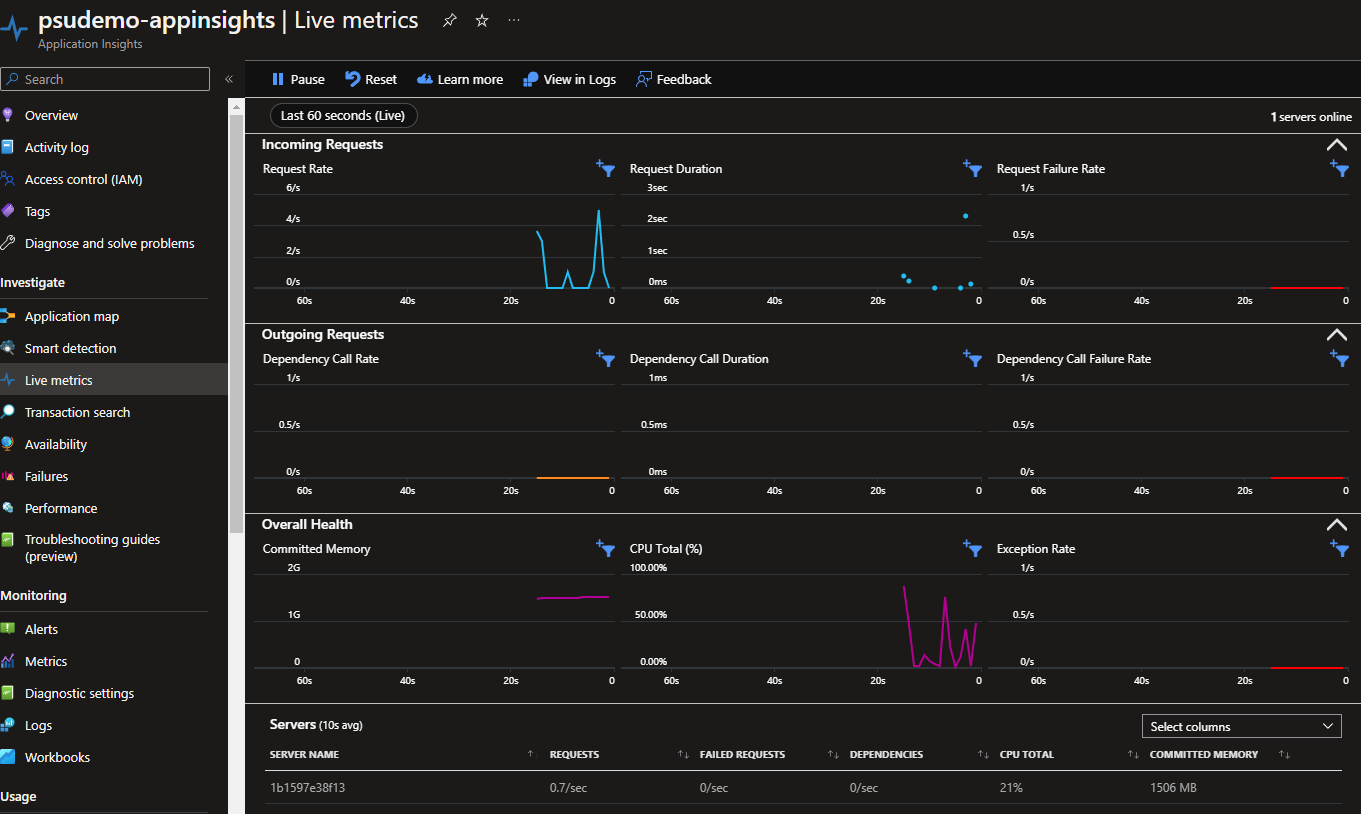
Adam Driscoll
PowerShell Expert and Developer at Devolutions
42903cd630555b3ec6b8b95bc6dfd583332e3c96.png
All Comments (6)
Make sure you have two underscores in the env var name.
APPINSIGHTS__INSTRUMENTATIONKEY
Adam Driscoll
PowerShell Expert and Developer at Devolutions

I copied the key name out of a post I made two years ago when I wasnt using docker, didnt consider to me I was using the azure key rather than the PSU env variable Thanks for pointing that out!
Hmmm… still getting nothing!
Lemme try enabling it on the demo site.
Adam Driscoll
PowerShell Expert and Developer at Devolutions
Ah, ha! The key is actually:
APPLICATIONINSIGHTS__INSTRUMENTATIONKEY
And boom:
Adam Driscoll
PowerShell Expert and Developer at Devolutions
42903cd630555b3ec6b8b95bc6dfd583332e3c96.png