Several components broken since update

Hello,
I’ve just updated PU from 3.9.7 to 4.0.1 and we’re facing several issues.
Modules Management:
Modules previously loaded disappeared. I had to add them again. No big deal but the interface is broken. Icons to edit, delete… can’t be clicked. (nothing relevant in Web console)
Searching through local modules return JS error (as mentionned in another topic)
Referenced modules aren’t loaded even after restarting PU service (or reboot).
Pages:
Pages can’t be edited. View button lead to blank page.
I don’t know if something wen’t wrong during the update, no particular errors.
Product: PowerShell Universal
Version: 4.0.1
1a01d360fff4689333c1401dbbf14219eb22889c.png
All Comments (5)
These issues will be resolved in 4.0.2. We have fixes in and they will be in tonight’s nightly build as well.
Adam Driscoll
PowerShell Expert and Developer at Devolutions
Thank you Adam for your answer.
Just done the upgrade to 4.0.2 and I still have the same issues.
AD Module is referenced but cmdlet are not recognized in App.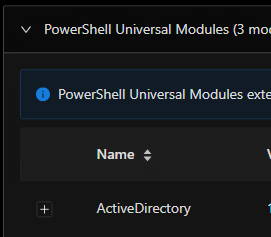
Searching through installed modules return JS/React error
Page editor is fixed though.
Is it possible to downgrade without risk?
16027185e5af8fb182035d06486f6fdb5e5813a0.png
I was able to attempt an upgrade to 4.0.1, realized I need to put in a lot of work and decided to go back to 3.9.7 without any issues.
Using Git in Two-Way with MSSQL configuration in Azure as Windows based WebApp.
I reinstalled 3.9.7 easily. I just add to update dashboard.ps1 to replace New-PSUApp with New-PSUDashboard. Modules management is still messy and I had to work around to make it work again but it’s probably due to misconfiguration.
So yeah no big deal to downgrade.