One of two server is missing default logging targets
Product: PowerShell Universal
Version: 4.0.1
Hello all,
we are using two PU servers in cluster. Unfortunately, since the update to 4.0.1 I have the problem that I no longer get logs from one of the two servers.
When I look at the new logging targets, I see on ServerA:
And on ServerB: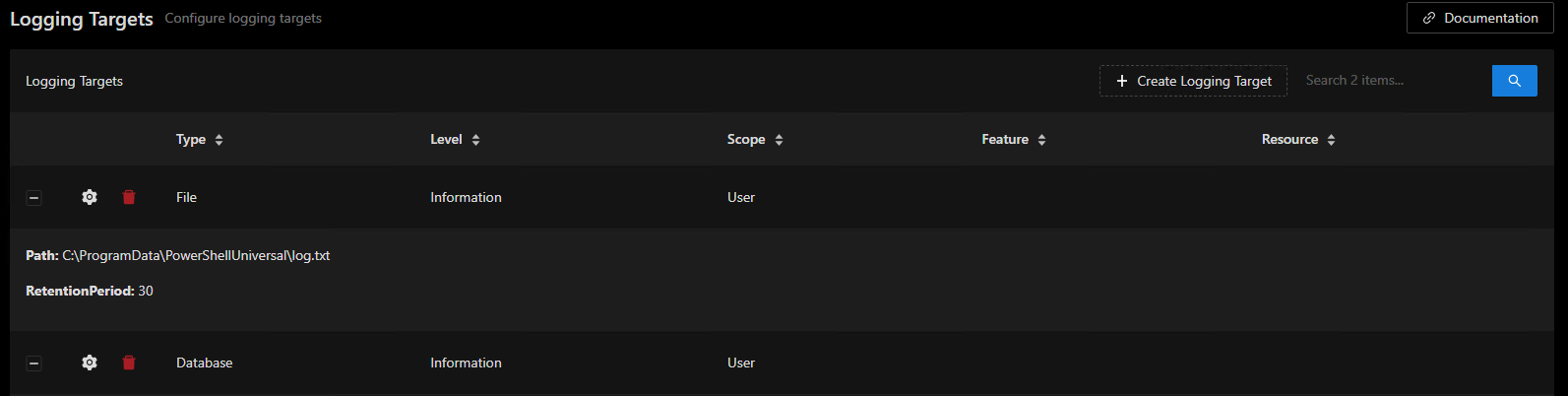
Wenn ich versuche auf ServerA ein Logging Target hinzuzufügen, dann erhalte ich kurzzeitig folgende Fehlermeldung: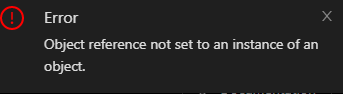
How do I get state from server B back to server A now? I have already copied the appsettings.json from B to A, unfortunately without success.
Thanks!
945d99adc81de127ea17f6458e2cf064ad7a0d17.png
125eecb8d2f1f0e55da06ab8aa00e9c96e73d31f.png
25825e1406a52baa5b03ff326ba4e8ea0eb3ceef.png
All Comments (23)
Do you have a logging.ps1 in either of your servers’ .universal folders?
Adam Driscoll
PowerShell Expert and Developer at Devolutions

Wenn ich versuche auf ServerA ein Logging Target hinzuzufügen, dann erhalte ich kurzzeitig folgende Fehlermeldung:
You know end users are frustrated when they switch to german mid-post.
It was late, sorry
No, this file does not exist in our system. Until now I always assumed that the log directory is configured via the appsettings.json file.
What does a simple logging.ps1 look like? Just create the file without any content?
Thanks!
Many things were fixed for me after just creating an empty logging/authentication/endpoints/etc.ps1 within the .universal folder.
The application will be able to write it’s bare minimum on next startup
Worth a try, for sure!
Crazy, worked immediately after restarting the service. Thanks for the tip!
Nevermind…
Same issue as before?
First of all, I’m sorry, but I haven’t been able to deal with this problem in depth lately.
I have tried it again today.
Empty logging.ps1 file does not lead to the desired result. Logging Targets remains empty.
If I try the following code:
New-PSULoggingTarget -Type File -Level 'Verbose' -Scope User -Feature App -ScriptBlock {
    param($LogEvent, $Message)

    $Message | Out-File \\path\to\my.log
}
the entry appears under Logging Targets, but I get an error message: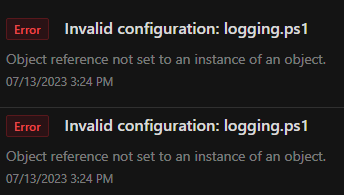
Has anyone here already had experience with logging.ps1? What does yours look like? Would be very cool if someone here could share some examples
e1845994a845921b3a7a9a01032c4b6fb1ea80fe.png
Are you running the latest v4 build? It looks like we had some fixes rolled out for the logging system in 4.0.3 and 4.0.4.
Adam Driscoll
PowerShell Expert and Developer at Devolutions
I had updated to 4.0.5 yesterday and tested it today, however the error shown in the screenshot has been occurring for several days (or weeks?), I just haven’t had the time or the need to look into it in more detail.
Ok. Let me take a look to see if I can reproduce this.
Adam Driscoll
PowerShell Expert and Developer at Devolutions
I can reproduce that issue but changing it to a PowerShell target rather than a file target got it workign for me.
New-PSULoggingTarget -Type PowerShell -Level 'Verbose' -Scope User -Feature App -ScriptBlock {
    param($LogEvent, $Message)

    $Message | Out-File C:\src\log.log
}
If you want to just use the file target directly, you can set the properties with a path.
New-PSULoggingTarget -Type File -Level 'Verbose' -Scope User -Feature App -Properties @{
    path = "C:\src\log.txt"
}
To setup the default database logging, I also added in this.
New-PSULoggingTarget -Type Database
Adam Driscoll
PowerShell Expert and Developer at Devolutions
I just found out that the “LoggingPath” stored in appsettings.json (identical on server A and B) is
“Logging”: {
“Path”: “C:\PowershellUniversal\Log\current.log”,
“LogLevel”: {
“default”: “debug”,
“Microsoft”: “debug”,
“Microsoft.Hosting.Lifetime”: “debug”
}
works fine on server B, but it doesn’t work on server A either. Server A also has the problems with “LoggingTargets”, so that none are displayed.
Could the problem be related to another misconfiguration of server A? What is the best way to find out if I don’t have a log?
I would not like to write all the logs into the database, but it would be worth a try. I will test both possibilities and see what happens
By default, only user scope logs are written to the database and you can adjust the level of messages written to keep it minimal.
That said, the logging settings in the appsettings.json are no longer used.
Adam Driscoll
PowerShell Expert and Developer at Devolutions
Both work without error
New-PSULoggingTarget -Type Database

New-PSULoggingTarget -Type File -Level 'Verbose' -Scope User -Feature App -Properties @{
    path = "C:\src\log.txt"
}
Then thank you very much, I’ll see if I can get further with it now
That said, the logging settings in the appsettings.json are no longer used.
Thanks, yes, it was also in the changelog. I was just too easily fooled by the date… last log is older than one month…
28c405ff3f979b106dcd8a8d311ca5bca0dc1f35.png
I temporarily removed logging.ps1 today and tested if I can see the actual logging targets in the meantime. And yes, they now show up cleanly on both hosts.
I noticed that for the LoggingTarget with -Type file a “RetentionPeriod: 30” is displayed.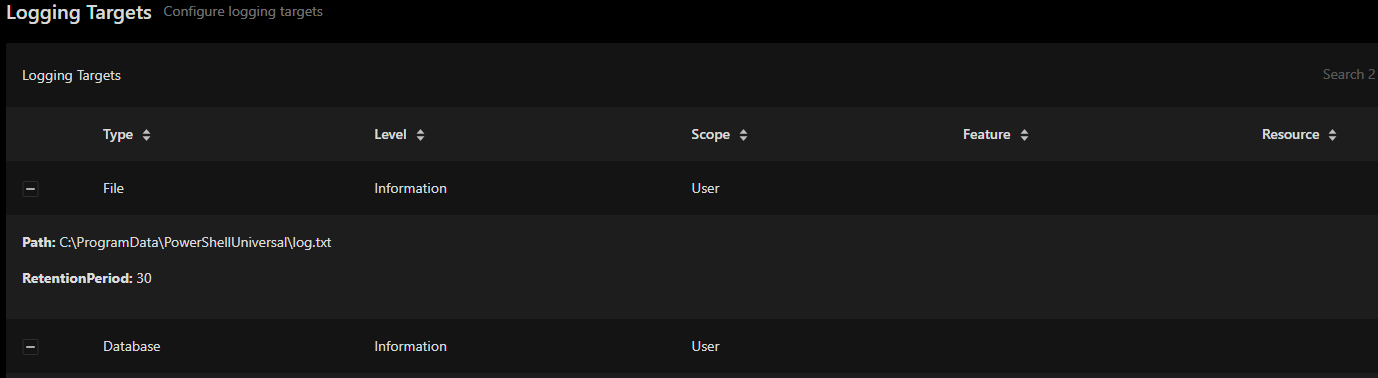
Unfortunately, the documentation for the New-PSULoggingTarget function doesn’t give any details on how I can set this value (using Get-Help). On the Logging documentation page (Logging - PowerShell Universal), unfortunately, I don’t see any link to further instructions on how to use the function in more detail.
Question 1:
Is there a place I don’t know where I can get more info?
In the current state I get, even with yesterday’s suggestions, neither with -Scope user, system or without Scope anything is logged.
Question 2:
How can I reactivate that I get ALL logs that PowerShell Universal produces?
Basically I am trying to create an API endpoint, unfortunately I am getting an error code 400 via Invoke-RestMethod, but no logs at all.
Therefore, I simply do not know where my mistake lies. At the endpoint? In the call? Permissions? Error in the function of the PowerShell module?
Ideally I would like to have all the logs in one central place so I can check my verbose output (if any) - but as of yet I just haven’t received a single line as a log in the system.
Current API Endpoint setup:
- Self-created PowerShell module
- API Endpoint:
New-PSUEndpoint -Url "/dev/new/computer" -Description "Create a new server object in ActiveDirectory using JSON" -Method @('POST') -Endpoint {
    param(
        [Parameter(Mandatory)]$ComputerName,
        [Parameter(Mandatory)]$BusinessUnit,
        [Parameter(Mandatory)]$Application,
        [Parameter(Mandatory)][ValidateSet("Windows", "Other")]$OperatingSystem,
        [Parameter(Mandatory)]$FreeText,
        [Parameter(Mandatory)][ValidateSet("Productive", "Test", "Development")]$Environment,
        [Parameter(Mandatory)]$Owner1,
        [Parameter(Mandatory)]$Owner2,
        [Parameter(Mandatory)]$DepartmentNumber
    )
    Write-Verbose "-Application $BusinessUnit\$Application" -Verbose
    Write-Verbose "-Owners $Owner1, $Owner2" -Verbose
    Write-PSULog -Feature 'T1ComputerAPIEndpoint' -Message '-Application ' + $BusinessUnit + '\' + $Application
    Write-PSULog -Feature 'T1ComputerAPIEndpoint' -Message '-Owners ' + $Owner1 + '\' + $Owner2
    $newComputer = New-Computer -Application "$BusinessUnit\$Application" -Tier T1 -Name $ComputerName -Type Server -OperatingSystem $OperatingSystem -DepartmentNumber $DepartmentNumber -Freetext $FreeText -Environment $Environment -Owners "$Owner1, $Owner2"
    if ($newComputer) {
        return ($newComputer | ConvertTo-Json)
    }
} -Environment "Windows PowerShell 5.1" -Tag @('post') -Documentation "DEV-EDKADRZS" - API Endpoint calls a function of the self-created PowerShell module and returns the result as JSON (if available)
- Call the API Endpoint with:
Invoke-RestMethod https://my.psu.host/dev/new/computer -Method POST -Body (@{Computername = "Test"; BusinessUnit = "ABC"; Application = "MyApplication"; OperatingSystem = "Other"; FreeText = "AnyString"; Environment = "Test"; Owner1 = "1234567"; Owner2 = "9876543"; DepartmentNumber = "101010"} | ConvertTo-Json) -ContentType 'application/json'- Result without any further logs:
Invoke-RestMethod : The remote server returned an error: (400) Bad Request.
At line:1 char:11
+ $result = Invoke-RestMethod https://my.psu.host/dev/new/computer ...
+           ~~~~~~~~~~~~~~~~~~~~~~~~~~~~~~~~~~~~~~~~~~~~~~~~~~~~~~~~~~~
    + CategoryInfo          : InvalidOperation: (System.Net.HttpWebRequest:HttpWebRequest) [Invoke-RestMethod], WebException
    + FullyQualifiedErrorId : WebCmdletWebResponseException,Microsoft.PowerShell.Commands.InvokeRestMethodCommand
Question 3:
As of now I strongly assume that my call with Invoke-RestMethod is faulty and therefore I don’t get a Write-Verbose or Write-PSULog. But it must be known to PowerShell Universal that an incorrect call has occurred and why it failed, right?
58994d382076c4a2732e23f6e4baef909332aad1.png
Question 2/3 → Got it working with
New-PSULoggingTarget -Type Database -Level 'Verbose' -Scope User
New-PSULoggingTarget -Type Database -Level 'Verbose' -Scope System
New-PSULoggingTarget -Type File -Level 'Verbose' -Scope User -Properties @{
    path = "C:\PowershellUniversal\Log\full.log"
}
New-PSULoggingTarget -Type File -Level 'Verbose' -Scope System -Properties @{
    path = "C:\PowershellUniversal\Log\full.log"
}You should be able to just add retention period to the properties hashtable.
New-PSULoggingTarget -Type File -Level 'Verbose' -Scope System -Properties @{
    path = "C:\PowershellUniversal\Log\full.log"
    retentionPeriod = 4
}
Adam Driscoll
PowerShell Expert and Developer at Devolutions
Well, the documentation on the logging is really very thin. After reading this post I finally got basic logging going after discovering that I’ve had no logging at all since upgrading from versoin 3.
However, I still can’t seem to get my own log posts into the log. I’ve tried Write-PSULog with different features, scopes etc, but no matter what I do it doesn’t end up in any log at all. Is there any special handling needed for that?
I agree with this post about the documentation being lacking in this area. Some documentation about what the default or recommended minimum logging.ps1 file can be really helpful. Also, more logging examples for the cmdlets. Event logging is pretty important as it is generally one of the first steps taken in system auditability and a core component in the security of the system.
Also, more logging examples for the cmdlets.
After quite some testing back and forth I came to the conclusion that the exact following arguments to Write-PSULog is the only way of getting my log messages to appear in the log tab of a psu dashboard, if it’s of any use to you:
Write-PSULog -Message “whatever” -Feature “App” -Resource $DashboardName -Level Information
Thank you, I will try it out myself soon