Upgrade to 4.0.1

Heyo
I’ve tried to upgrade to 4.0.1 from 3.9.6 with the ZIP on a IIS server, but I get: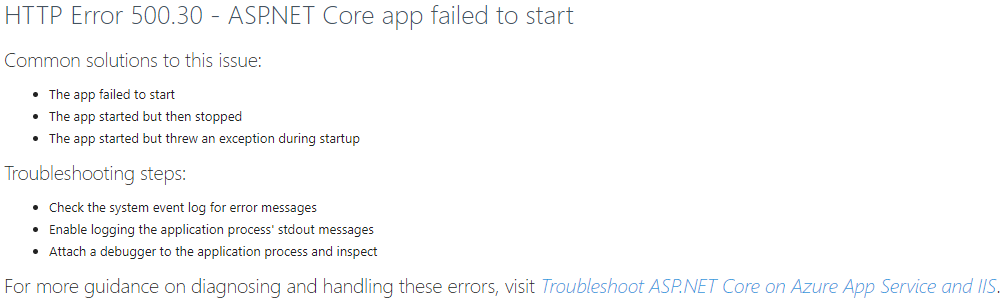
The PSU log is saying:
Unhandled exception. System.ArgumentNullException: Value cannot be null. (Parameter 'name')
   at System.ArgumentNullException.Throw(String paramName)
   at System.Environment.ExpandEnvironmentVariables(String name)
   at Universal.Server.Program.CreateHostBuilder(String[] args, Options options) in C:\actions-runner\_work\universal\universal\src\Universal.Server\Program.cs:line 253
   at Universal.Server.Program.<>c__DisplayClass3_0.<Main>b__0(Options o) in C:\actions-runner\_work\universal\universal\src\Universal.Server\Program.cs:line 63
   at CommandLine.ParserResultExtensions.WithParsed[T](ParserResult`1 result, Action`1 action)
   at Universal.Server.Program.Main(String[] args) in C:\actions-runner\_work\universal\universal\src\Universal.Server\Program.cs:line 52
But I don’t have a path C:\actions-runner\
I’ve also run Get-ChildItem -Recurse | Unblock-File
I’ve also installed .NET 7.0 hosting bundle, and rebooted afterwards.
Not sure what the next step is
afb9b1cedd9a7da90c6fac4b2751e86ebb45e224.png
Recommended Answer
If you didn’t replace the appsettings.json file during the upgrade, you will need to ad the SystemLogPath setting.
"SystemLogPath": "%ProgramData%\\PowerShellUniversal\\systemLog.txt",
Adam Driscoll
PowerShell Expert and Software Architect at Devolutions
All Comments (2)
I am also getting the same issue djo. Will be grateful for any suggestions on here
If you didn’t replace the appsettings.json file during the upgrade, you will need to ad the SystemLogPath setting.
"SystemLogPath": "%ProgramData%\\PowerShellUniversal\\systemLog.txt",
Adam Driscoll
PowerShell Expert and Software Architect at Devolutions