UDTable UDDynamic - changed behavior brings errors

Product: PowerShell Universal
Version: 4.0.1
Hi Adam,
after the update to 4.0.1 empty tables show a warning alert. Which is fine but apparently the behavior of the table has changed as a result.
With 3.9.4 the following worked without errors:
Modal opened with form.
Selection menu selected with LTN.
Table displayed data.
Now it looks different. No data is displayed after selection.
Start: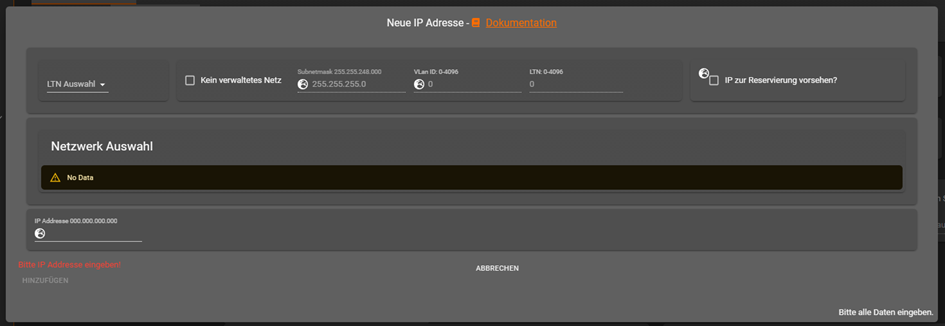
Selection: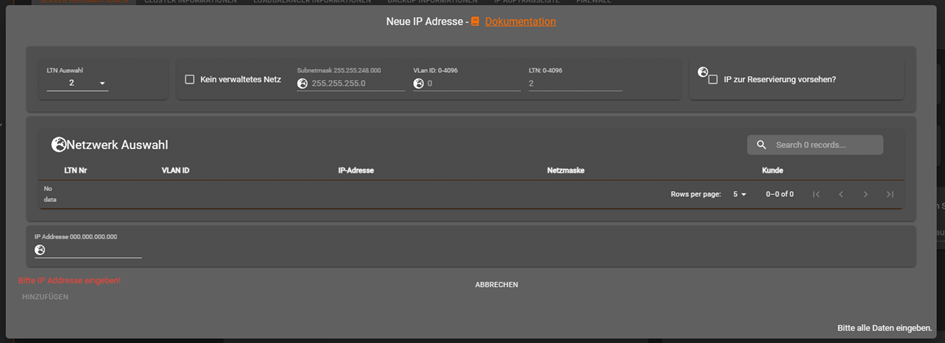
Code: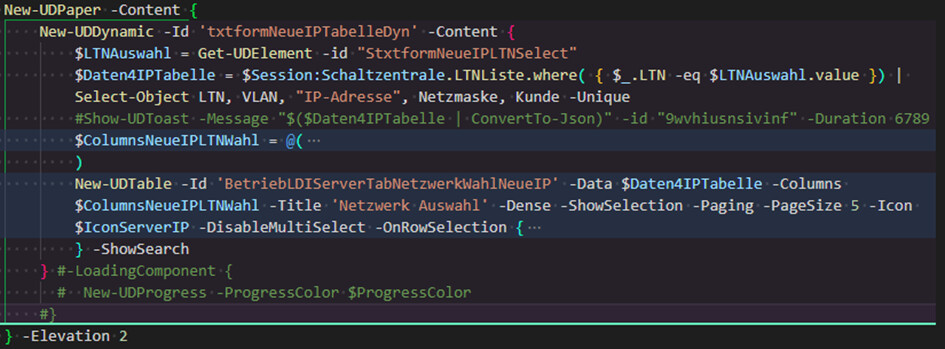
After I have added “LoadingComponent” for the dynamic area, data is displayed again but I also get an error.
Code: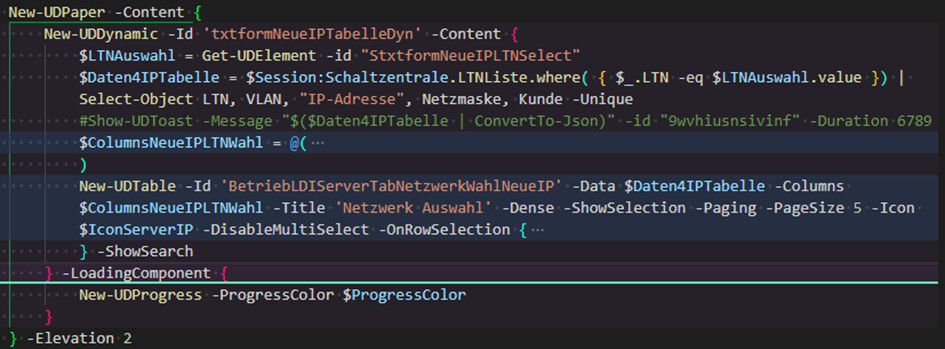
Selection: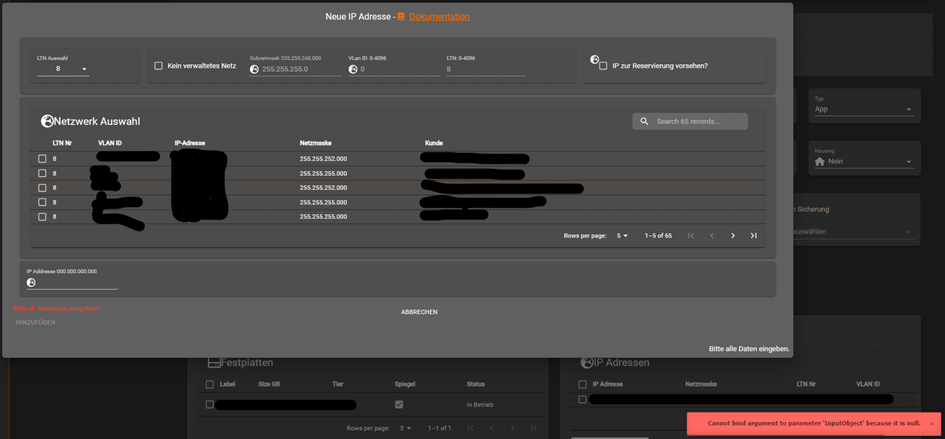
Error: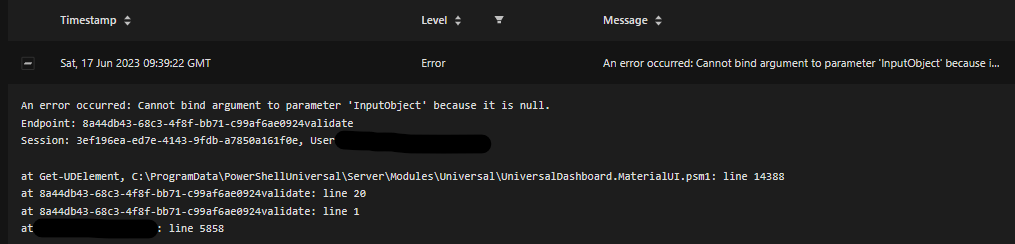
01cff179e2a0871e4fa154bb63aa45d9682bb134.png
20063aed8cb832d53eb7b6be24183d163cf4466b.png
deb9e43cd02255742b372e31e0eb4b48a86b48ce.jpeg
4a45824a409655485d1414386dc3b7613c631356.jpeg
3347988089cbc298169bc1c88f030409f4e89e16.png
413fe45e5de6bac635908c9d4e365b39eeb14daa.png
All Comments (2)
I’m trying to reproduce this but it seems to be behaving as expected. Here’s my test code.
New-UDApp -Title 'PowerShell Universal' -Content {
    New-UDSelect -Option {
        New-UDSelectOption -Name 'Option1' -Value 'Option1'
        New-UDSelectOption -Name 'Option2' -Value 'Option2'
        New-UDSelectOption -Name 'Option3' -Value 'Option3'
    }-OnChange {
        if ($EventData -eq 'Option1') {
            $Session:Data = @(
                @{ Data1 = 'Option1 '}
            )
        }

        if ($EventData -eq 'Option2') {
            $Session:Data = @(
                @{ Data1 = 'Option2 '}
            )
        }

        if ($EventData -eq 'Option3') {
            $Session:Data = @(
                @{ Data1 = 'Option3 '}
            )
        }

        Sync-UDElement -Id 'table'
    }

    New-UDDynamic -Id 'table' -Content {
        New-UDTable -Data $Session:Data
    }
}
Should I do something different?
Adam Driscoll
PowerShell Expert and Developer at Devolutions
UDSelect isnt the problem.
After change selection, the data in udtable isnt there. The “No Data” Warning disappered but there arent any rows in the table. A UDToast with the data shows that data is present.
After adding the loading component for the dynamic the data is shown but an error pop up.