Display problem depends on user rights to scripts

Hello, I’m experiencing display problems on the automation section of powershell Universal.
The problems don’t appear in administrator/operator profile but on my custom roles where users have access to scripts via TAG.
2 problems identified:
There’s a problem with the tree display when browsing: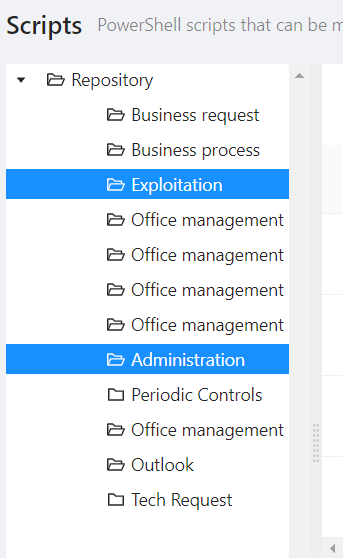
With the admin view, I have a normal tree which has no problems
I set the parameters to true to hide “Run On” and “Run AS”.
It works well with an administrator/operator profile, but not with my custom roles where both options are always visible.
I’ve searched (maybe badly! ) but I haven’t found the solution to my problem on the forum, any ideas?
Browser : Chrome / Edge
Product: PowerShell Universal
Version: 4.0.1
e8e69a1187fe134832e492251b9219e09d692c73.png