Scripts specified to run under pwsh 7.x error with Universal module error
Scripts specified to run under pwsh 7.x error with Universal module error

Product: PowerShell Universal
Version: 4.0.0
I have a simple script that just copies a csv from one server to my universal server. When the script setting is set to default (currently set to 5.1) it works. If I change that to 7.0 and run the script it gives this error
[error] The 'Out-PSUPipeline' command was found in the module 'Universal', but the module could not be loaded due to the following error: [Assembly with same name is already loaded]
For more information, run 'Import-Module Universal'.
switching back to default fixes the issue.
Recommended Answer
My hunch is that it’s loading one of the older DLLs for some reason. I’d start by removing (or renaming) the older modules’ folders to see if it still happens.
Adam Driscoll
PowerShell Expert and Developer at Devolutions
All Comments (8)
I added the import module at the beginning of the script and I am still getting this error on 7.x scripts.
We had the same issue in 3.8 and found we needed the Universal module version to be the same as the PSU Server. We were using Install-PSUServer and Update-PSUServer to upgrade and noted that we need to update Universal first going forward.
I use the MSI installer to install/upgrade the server. looks like I have two versions installed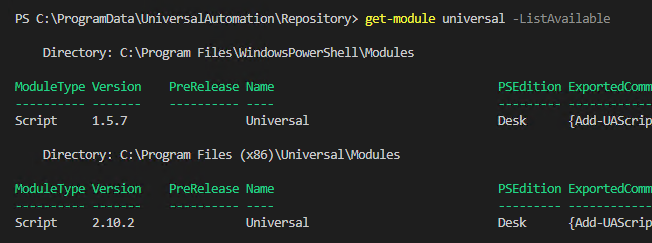
Should I remove the 1.5.7 version?
ed5f15c1129f07df26d732cebfcca10e26bb7636.png
Ok, the psgallery version is 4.0.1, so the version I have is crazy old. Seems like it’s not updating when I do the MSI updates?
I installed the module from the gallery on my dev box in both the 7.x and 5.1 environment and now have 4 versions listed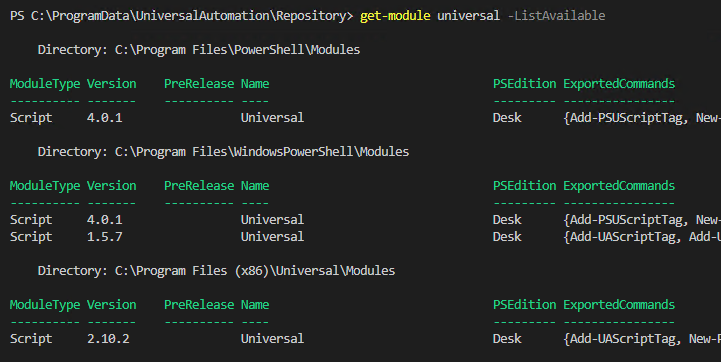
As well as having 4.0.1 installed in
C:\ProgramData\UniversalAutomation\Repository\Modules\Universal\4.0.1.0
according to the modules page under Platform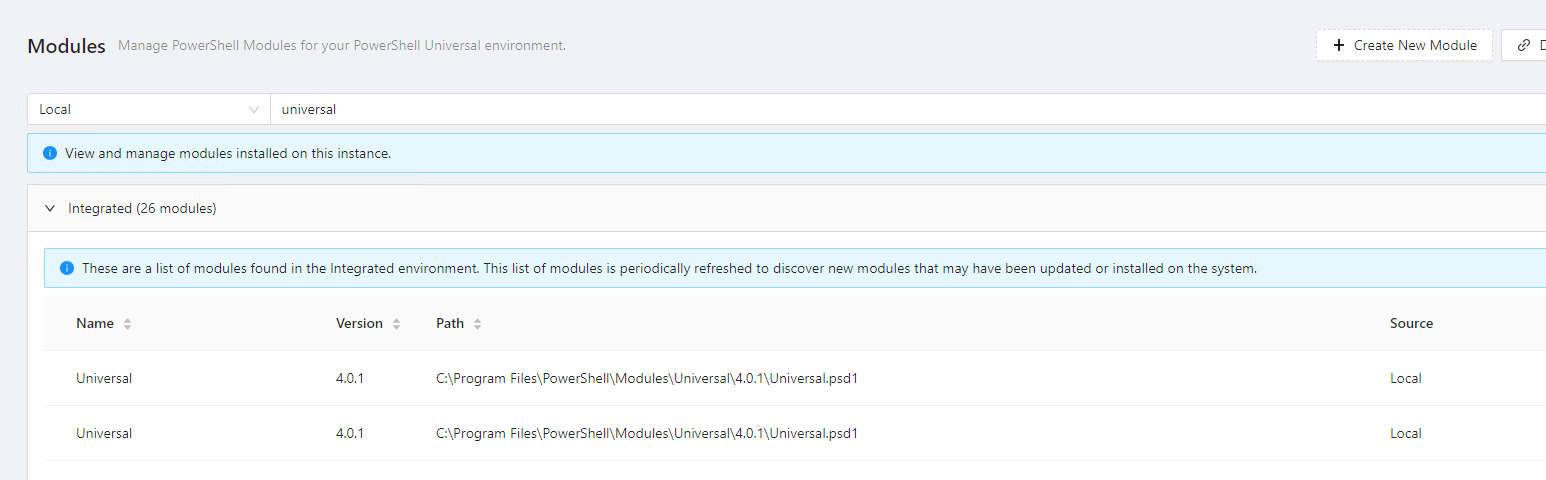
Restarted the universal service and I still get the error message when running 7.x scripts
ca0ac3d58ee7cf6f759db26c18a56be29d819ef8.png
c3369d676d8b48366a7e8a04f1b42c559821ad82.png
I’d recommend getting rid of the 1.5.7 and 2.10.2 versions.
It’s a bit weird that you have 2.10.2 in the Program Files folder. Is there another folder in there or is there only the 2.x version? I would expect the v4 module to be in that folder.
Adam Driscoll
PowerShell Expert and Developer at Devolutions
It only has the 2.10.2 folder in program files. That may have been the very first install I did of universal. Been doing in place upgrades with the MSI since then.
The program files install locations are weird
I may need to just delete the 1.5.7 and 2.10.2 versions from the file system. If I try to remove it via remove-module it says they were install outside of powershell and can’t be removed through uninstall-module
Any idea’s about the error message I am still getting though?
aa148d3dd183cbbba02cf92a6b1a54f75f1ccf23.png
My hunch is that it’s loading one of the older DLLs for some reason. I’d start by removing (or renaming) the older modules’ folders to see if it still happens.
Adam Driscoll
PowerShell Expert and Developer at Devolutions
Looks like renaming the old module folders did it. Scripts on 7.x work correctly now.
I’ll just delete the old folders since they are no longer needed.