Bug? $Roles in dashboard is not working

Product: PowerShell Universal
Version: 3.8.12
$IsAdmin = if ($Roles -contains "Administrator") {
    $true
}
else {
    $false
}

$Roles | Out-File C:\Work\roles_$User.txt -Append
I have the following code inside of a dashboard and for some reason its not creating the $User variable or the $Roles variable?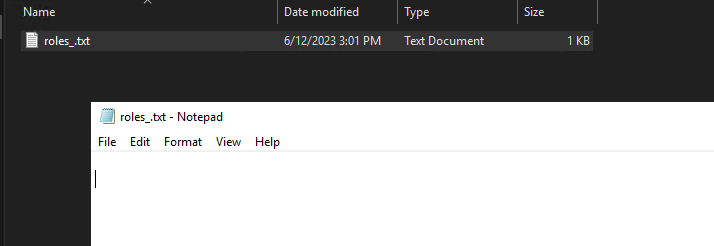
Wouldn’t $IsAdmin be a bool at this point? What am I missing here?
Thanks!
d950f2589b4bb08c05b18407babc9f78b04c82a7.png
All Comments (5)
Try to use these cmdlet’s inside New-UDPage -Content {<# here #>}
$pages += New-UDPage -Name "Test" -Url "/Test" -Content {
    $Roles | Out-File C:\Work\roles_$User.txt -Append
}So that worked. I guess that data is only accessible inside of a page?
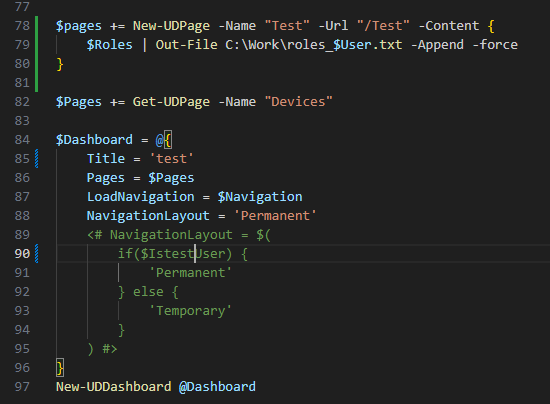
What I was trying to do was create a dynamic NavigationLayout to do different things depending on what role the user is in.
For example:
$IstestUser = if ($Roles -contains "Administrator") {
    $true
}
else {
    $false
}
eddda00675575ec7fba0bfaac3b04f52cd65f984.png
As I understand it, if you use it within New-UDDashboard (or New-UDApp), it should also work. However, not as you try it, at least that was my own experience so far (I had similar plans).
docs.powershelluniversal.com
For static pages there is another way I just found. There the variables are not directly available. Maybe this also works for what you have in mind? Pure conjecture
docs.powershelluniversal.com
Ah… shortly after sending it, it came back to me. I had already tested this for myself:
    -Role <String[]>
        The role required to view this page.

        Required?                    false
        Position?                    named
        Default value                None
        Accept pipeline input?       False
        Accept wildcard characters?  false
github.com
But for whatever reason the access check had not worked. Unfortunately, I could not solve this so far with us and had postponed this indefinitely.
Thanks for the info @timosemmler