Terminal with PSSession?

Product: PowerShell Universal
Version: 3.7.6
Is enter-pssession supposed to work from a terminal? It doesn’t seem to do anything for me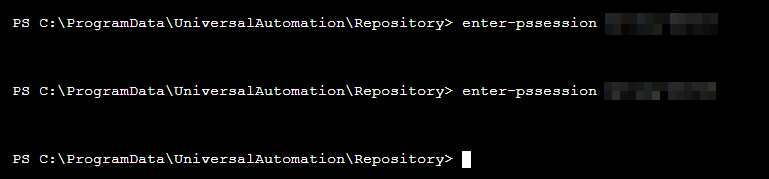
We have our client machine firewall set to block remote powershell except from a few specific sources, one of them being the Universal server. There are times where remote powershell would be handy for troubleshooting, and rather than RDP to the server I would like to be able to use the web terminal.
6c124226bd86b621ac4bc26d388789239fa54adb.png
All Comments (6)
Seems like creating the pssession works, and I can invoke commands over the session, but not enter it.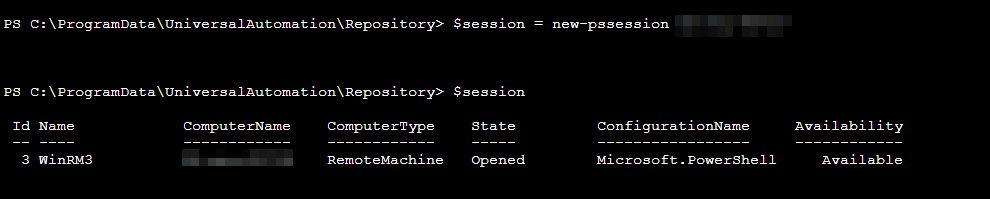

f95746fc1ef5b59a47d90ea3ac2bf9b3cb1a5a50.png
0aaf8e5dcd4cddf45e6b1bcadfc83f0afafcc60f.png
Bumping this to see if anyone knows if this is expected.
This must be a limitation of the PSU host. I think we’d need to open a feature request to support this properly.
Adam Driscoll
PowerShell Expert and Developer at Devolutions
I can pssession in an rdp session on the host itself without problem. Would this be a cred-ssp issue?
We use a custom host in PSU that might not work with interactive remoting sessions. Although I don’t think it’s a cred-ssp problem, I will have to play around with it to know for sure.
Adam Driscoll
PowerShell Expert and Developer at Devolutions
I don’t know if this is related. But when I enter a remote debugging shell using PowerShell, I never get the prompt.
I also don’t encounter any errors.
enter-pssession -session $Session
Enter-PSHostProcess -Id 9680
Debug-Runspace -Id 55
Debugging Runspace: Runspace55
To end the debugging session type the 'Detach' command at the debugger prompt, or type 'Ctrl+C' otherwise.