Alternating table row colors with light/dark theme via MUI overrides?
Alternating table row colors with light/dark theme via MUI overrides?

Hi folks,
Just trying to add some readability to larger tables via the colour theme, in adding alternating (striped) colours on odd table row numbers only.
I know this is achievable via CSS, using tr:nth-child(odd) but I’ve been trying to get it to work using the theme overrides in Mui without much success, since we’ve got light/dark mode enabled in the theme. Is it possible to do via PSU’s MUI theming implementation? I haven’t had much luck with poking at the MuiTable classes
Product: PowerShell Universal
Version: 3.7.5
All Comments (7)
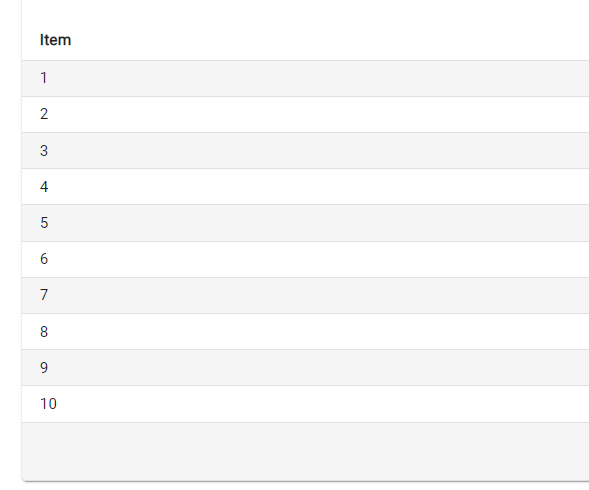
$Theme = @{
    overrides = @{
        MuiTableRow = @{
            root = @{
                '&:nth-of-type(odd)' = @{
                    backgroundColor = "rgba(0,0,0,0.04)"
                }
            }
            head = @{
                backgroundColor = "rgb(255,255,255) !important"
            }
        }
    }
}

New-UDDashboard -Content {
$data = 1..10 | % { [PSCustomObject]@{ Item = $_}}
  New-UDTable -Id "LockedUsers" -ShowPagination -PageSize 10 -PageSizeOptions @(10, 10) -DisablePageSizeAll -Columns @(
        New-UDTableColumn -Property 'Item' -Title 'Item' -Width 180 -Truncate
    ) -Data $Data -Dense -ShowSearch
} -Theme $Theme
Adam Driscoll
PowerShell Expert and Developer at Devolutions
b742e885cd21709da43c71281a0aa5fad0d7444a.png
'&:nth-of-type(odd)' = @{
                    backgroundColor = "rgba(0,0,0,0.04)"
                }
Yes! I got here as well since posting. I just need to account for expanding rows since they also apparently count as rows
Doesn’t seem to work anymore. No tables even gets displayed. Will this work for both theme too?
I just tried this on the latest version of v4 and it works for me.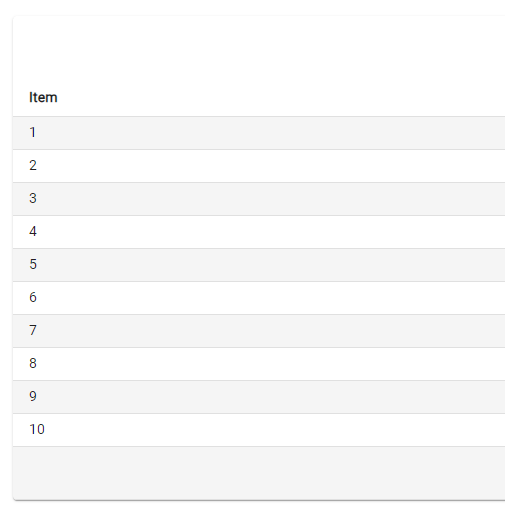
If you want to do this with the AntDesign theme, you can do this.
$AntDesign = Get-UDTheme -Name 'AntDesign'
$AntDesign.light.overrides.MuiTableRow =  @{
            root = @{
                '&:nth-of-type(odd)' = @{
                    backgroundColor = "rgba(0,0,0,0.04)"
                }
            }
            head = @{
                backgroundColor = "rgb(255,255,255) !important"
            }
        }

New-UDApp -Content {
$data = 1..10 | % { [PSCustomObject]@{ Item = $_}}
  New-UDTable -Id "LockedUsers" -ShowPagination -PageSize 10 -PageSizeOptions @(10, 10) -DisablePageSizeAll -Columns @(
        New-UDTableColumn -Property 'Item' -Title 'Item' -Width 180 -Truncate
    ) -Data $Data -Dense -ShowSearch
} -Theme $AntDesign
Adam Driscoll
PowerShell Expert and Developer at Devolutions
29b2ec678ccd336f81f6a4f724748022902368b1.png
$AntDesign = Get-UDTheme -Name 'AntDesign'
$AntDesign.light.overrides.MuiTableRow =  @{
            root = @{
                '&:nth-of-type(odd)' = @{
                    backgroundColor = "rgba(0,0,0,0.04)"
                }
            }
            head = @{
                backgroundColor = "rgb(255,255,255) !important"
            }
        }
Works good indeed. I must have done something wrong or in an odd state. Thanks for your help
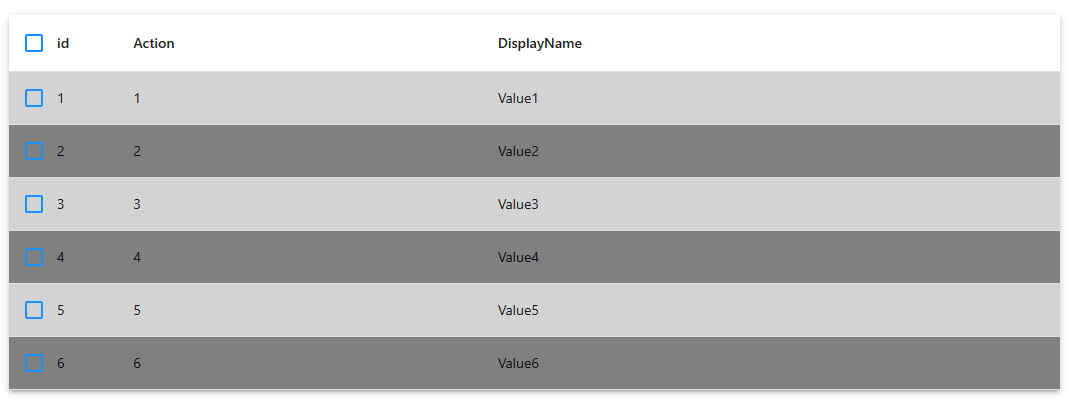
what would be the best way to apply this style only to a specific table but not to all tables in general?
Hi, something like this works:
$tableData = @(
    @{ id = 1; DisplayName = "Value1"; Action = "1" }
    @{ id = 2; DisplayName = "Value2"; Action = "2" }
    @{ id = 3; DisplayName = "Value3"; Action = "3" }
    @{ id = 4; DisplayName = "Value4"; Action = "4" }
    @{ id = 5; DisplayName = "Value5"; Action = "5" }
    @{ id = 6; DisplayName = "Value6"; Action = "6" }
)

New-UDTable -Id "table_myTable2" -Data $tableData -ShowSelection -OnRowStyle {
    $rowStyle = $EventData.id % 2
    if($rowStyle -eq 0) {
        $Color = "grey"
    } else {
        $color = "lightgrey"
    }
    @{ backgroundColor = $Color }
}
7470b84ec4d804d5d02264f13226736b5d701d31.png