HowTo disable Git-Configuration in PSU

Product: PowerShell Universal
Version: 3.1.5
Hello,
I have already tried to find something through the search. But do not get further.
I tried to activate .git on a test system and provoked an error.
I would like to simply disable the git connection again, but I can’t find a way.
The appsettingng.json has no reference to git, but every few minutes the sync is tried.
I also deleted the .git folder from the repository directory.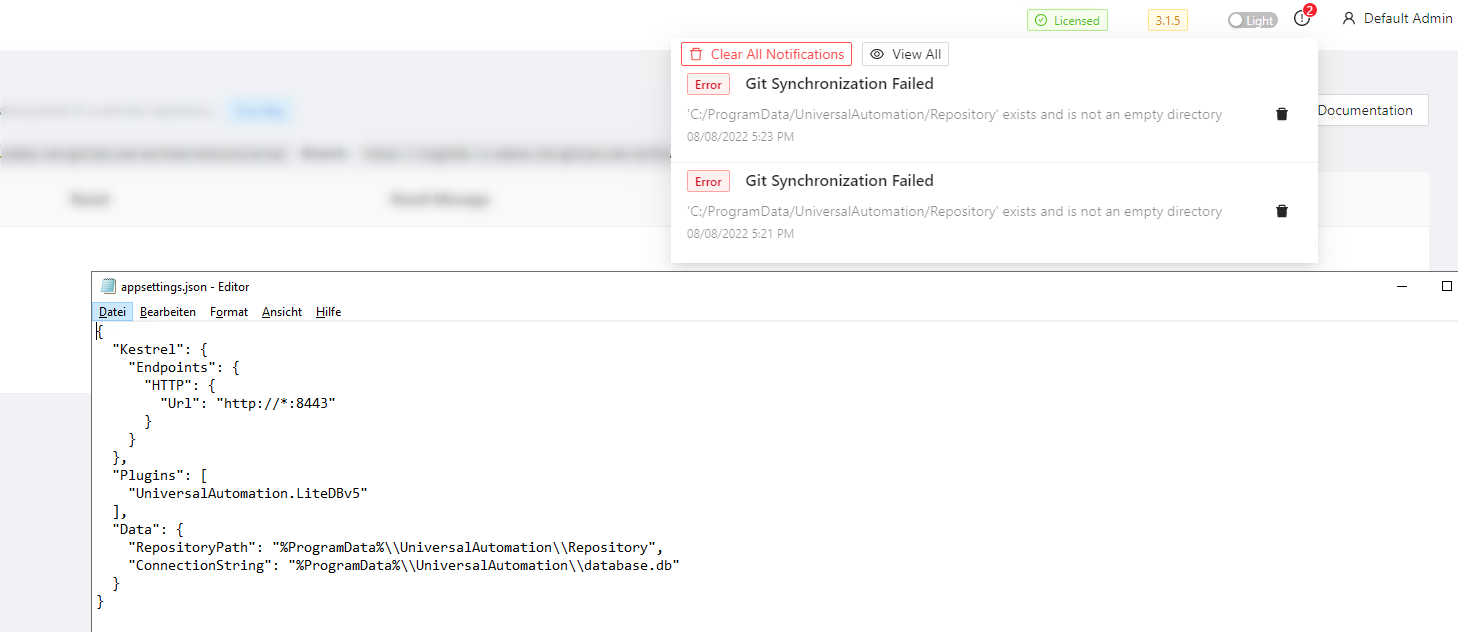
0a9083af8e15469fe25c6c557d28a4e1d4815937.png
All Comments (3)
If you configured the git settings through the UI, then they are set in the database file. You can reset git settings by navigating to Settings \ Git and clicking Git Settings. Then click the Reset button in the bottom left.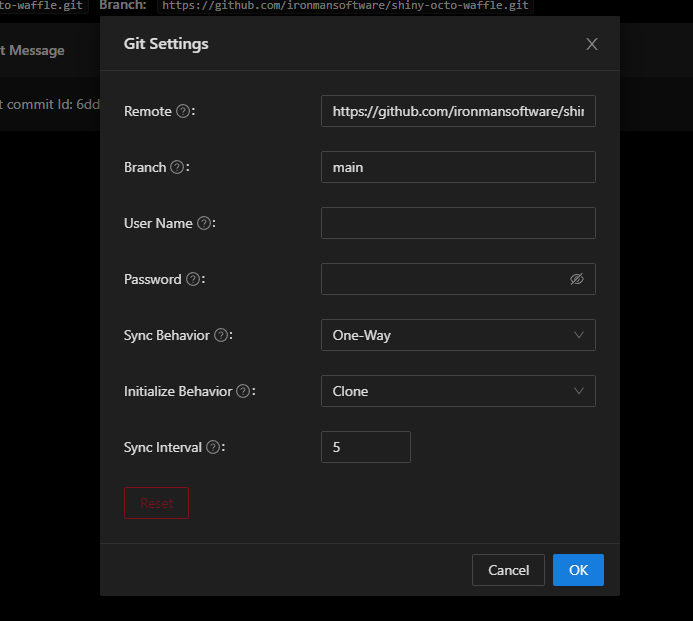
Adam Driscoll
PowerShell Expert and Developer at Devolutions
779d72026610520bee826b2726b0f95cf2a43f48.png
How do you disable it, if the Web UI is down because of a bad Git integration ?
We configured this on 4.2.18, and now the PSU servers are stuck on this:
ae94d0efbf8dba6b5de0bfc9663fb3af48130680.png
We are using a SQL database, so we ended up running this statement - and that fixed it.
DELETE FROM GitSettings WHERE (Id = ‘xyz’)
Tried to disable it first, but that didnt fix the issue.