How to run Devolutions Gateway under Linux

Hello,
we have a problem using and debugging Devolutions Gateway running under Linux (Oracle Linux Server release 9.7)
I have an external IP and doing NAT on our firewall and ACL rules allowing 7474 and 8181 are in place. The Devolution Gateway ist running as a service on a VM and listening on Port 7474 and 8181. We deployed a actual lets-encrypt certifiacate.
Now we tried the following two use-cases:
- using RDM from within the company office. RDM is configured to use the Devolutions Gateway to reach the destinations. All destinations are also reachable directly via LAN. -> Connections works
- using RDM from outside the company office. RDM is configured to use the Devolutions Gateway to reach the destinations. All destinations are not reachable directly via LAN. -> Connections do no work
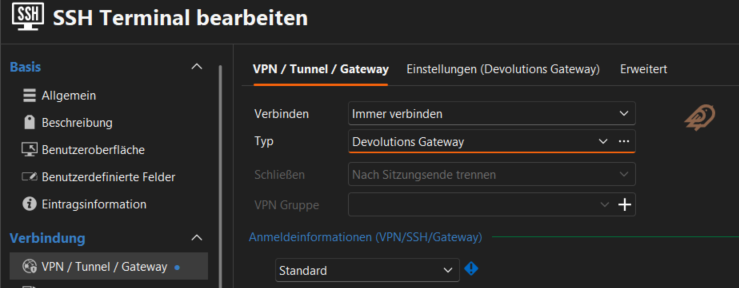
All destinations we try to reach from are in a private network (192.168.0.0/16) and have an URI *.internal.lan witch is only resolvable by an internal DNS-Server reachable form the devolutions gateway. We also tried public dns names and internal IP Adresses.
So in conclution we are not able to access internal ressources via devolutions gateway without an VPN.
We try to debug the problem by tracing traffic on the firewall, but did not capture traffic incoming to the devolutions gateway via the external IP from my non-office IP. On the other hand, I am able to create traffice via telnet 7474 and 8181 from my client. So it looks like Remote Desktop Manager does not try to connect via Devolutions Gateway
1bd7c2ea-dbb9-4a9a-92b0-a4daf19261d6.png
Recommended Answer
Hello Konrad,
For security purposes, I would recommend removing the screenshot. I have seen all the required information, thank you!
For the TCP Hostname please also use the name of your Gateway: qey.....net
Regards,
Min
All Comments (7)
Hello,
Thank you for the detailed description of the issue.
To help us investigate further, could you please share the Devolutions Gateway logs? You can find information on how to locate them here:
https://docs.devolutions.net/gateway/kb/troubleshooting-articles/gateway-troubleshooting/#devolutions-gateway-logs-and-diagnostics
Once we have the logs, we will be able to take a closer look at what happens when a connection attempt is made from outside your office network.
Best regards,
Carl Marien
Of course I can share the logs, but as I explained earlier, they are empty, because there are no connection attempts form RDM to the public gateway IP (no packet in the firewall at all) if I am outside the VPN and try to reach internal systems without VPN. Thats why I am assuming, that I have not unterstood the usage of the gateway in the first place or I have configured RDM not correctly.
However, from the offce there is already a network-based VPN connection to the datacenter (some entries in the logs) and from outside I am able to do a telnet to the gateway ports (visible via firewall traceroute)
Thank you for your support!
regards Konrad (sorry there was a planned change of my email adress, thats why I have a new username)
Hello Konrad,
Is your Devolutions Gateway access URI resolvable externally? If your Devolutions Gateway is configured with a URL like gateway.internal.lan it will not work as the Gateway cannot be reached. This would explain why the logs are empty and why no external connections can be established.
https://docs.devolutions.net/gateway/overview/system-requirements/system-requirements-dvls/#basic-infrastructure
Did you use the FQDN or the IP address of the Gateway for your telnet tests?
Regards,
Min
the gateway url is resolvable externally the tcp hostname is not. I also used the FQDN for the telnet tests.
Hello Konrad,
For security purposes, I would recommend removing the screenshot. I have seen all the required information, thank you!
For the TCP Hostname please also use the name of your Gateway: qey.....net
Regards,
Min
Oh that simple, yes ist works now as expected. THANK YOU!
I thought we had tested that as well. In any case, the “automatic detection” button doesn't make sense in the GUI. It would also be nice if the documentation here were more detailed.
Hello Konrad,
Awesome!
Well, I assume the automatic detection work as expected, but in your gateway.json the Hostname parameter is not set, so it will use the (internal) hostname of your GW machine.
To avoid this, you can simply add the Hostname parameter to your configuration file, like
"Hostname": "gw.yourexternal.domain",
After a Gateway restart, the Auto detect should work as expected.
https://github.com/Devolutions/devolutions-gateway#configuration
Regards,
Min