why is remote desktop manager so bad on linux

Hello
Please forgive me for such a dramatic subject, but the reality is is that the Remote Desktop Manager leaves a lot to desire.
I have been a Mac User - NOT fan boy!
I use Windows for my work via RDP and have no issues with Windows 11, Linux or any other OS.
I just started my journey into Linux a few months ago, and I thnik that I have tried 25+ different distributions and the only thing that is consistently bad is "Remote Desktop Manager", on every distribution there is something that is funny..
As mentioned I use RDP for my work, so from my mac I rdp into a VM in my homelab and from there I connect a vpn to my customer and then a new RDP to the customer, this has been working for years.
Now, my MacBook Pro M1 Max is up for reneval so I was looking into maybe switching to a Intel PC and use Linux.
My current pc is a Minisforum MS-01 I9 with 32gb memory and 1tb nvme, so not low spec IMO
first thing I notice was that UI of Remote Desktop Manager looks funny, so I wanted to submit a ticket... Pressing the 'Submit support ticket" brings up a dialog... but the dialog is not in focus so I need to grab my mouse to activate the dialog.... Why ??
what I wanted to report was the UI of "Remote Desktop Manager", pleas look at the screenshot
why is the UI not consistent, after all these years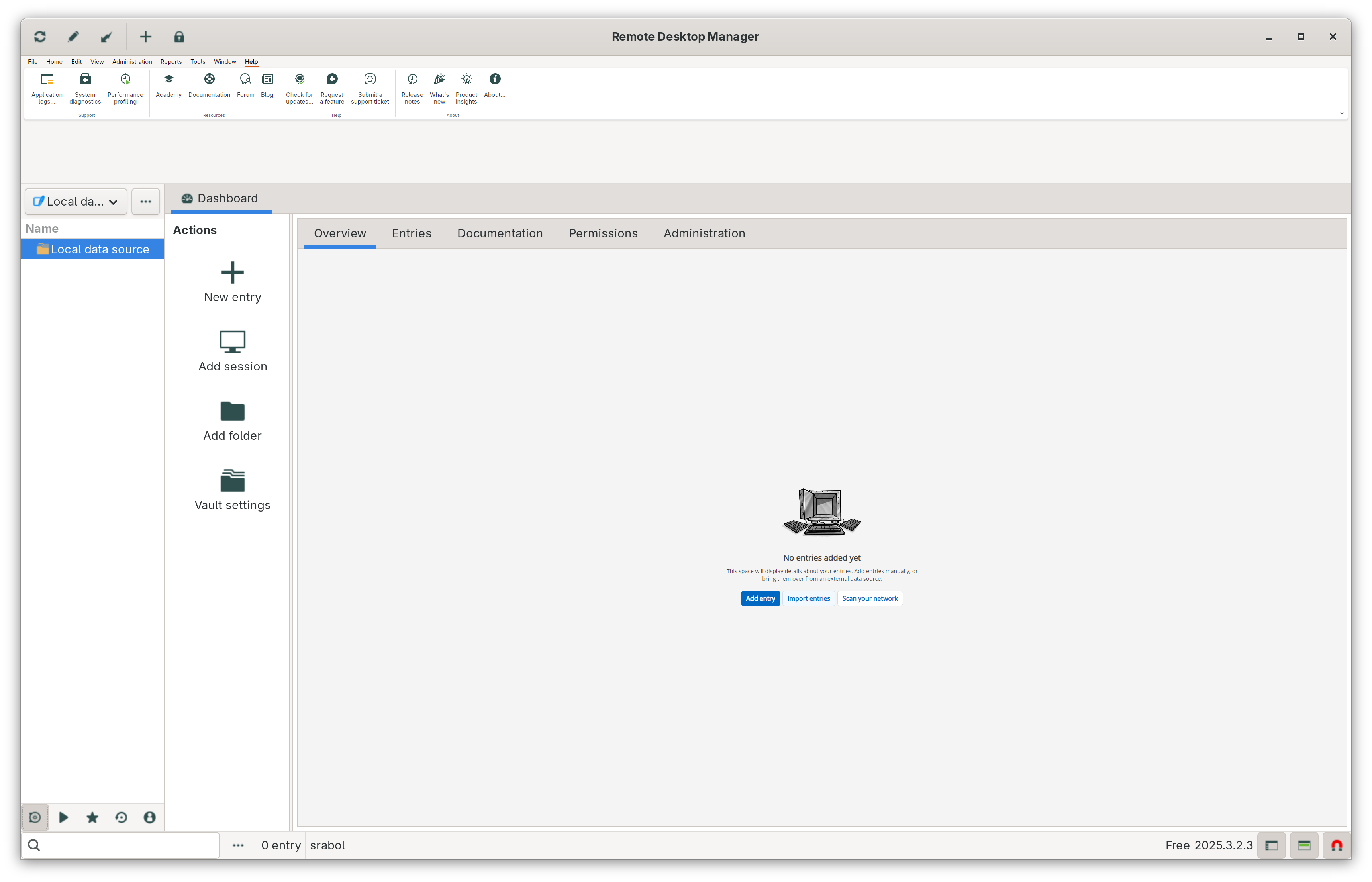
look at how small the icons and text is
Now the worst part is, that connecting to a windows 11 VM that I have been using for the last year does not work - sure you could say that I misconfigured something, but I can connect to another, and I can connect to the specific VM from my ipad, from windows and from my mac, but not from Linux using "Remote desktop manager" - this vm is setup to ask for password, but for some reason it does not work - no error, no log nothing, it simply flashes the screen and then nothing.. why ?
Screenshot From 2026-02-25 20-30-09.png
All Comments (2)
Hello,
Thank you for contacting Devolutions Support.
Regarding the UI issue, it will be fixed in the next version of Remote Desktop Manager, so it will be resolved once you are able to update.
Regarding the connection issue, it’s difficult to determine the exact cause at this stage. To help us investigate, could you please provide the following information?
1) Collect logs
- Open RDM from a terminal using the `remotedesktopmanager` command.
- Reproduce the issue.
- Send us the generated logs.
2) Network check
- Let us know what happens when you ping the remote computer (e.g., whether the ping succeeds and any latency/packet loss).
3) RDP version test
- Open the entry properties.
- Go to Advanced.
- Change the RDP version to IronRDP or FreeRDP.
- Let us know whether the problem persists.
Best regards,
Carl Marien
Hello steenrabol,
Thanks for the detailed write-up.
To make sure we don’t miss anything, I’d like to set up a short remote session with you together with one of our developers. The goal would be to:
- See the UI/scaling behavior live on your Linux setup (icon/text sizing, focus issue on dialogs).
- Reproduce the RDP issue with that specific Windows 11 VM (the “flash then nothing” behavior) and compare settings with a VM that does work.
- Validate which RDP engine/settings are in play. and capture the right logs while reproducing.
This will help us understand your exact workflow (Mac → VM → VPN → customer RDP) and what’s breaking on Linux specifically, so we can prioritize the correct fix.
I’ll send you an email with a link to book a time that works for you.
Best regards,
Carl Marien
